> For the complete documentation index, see [llms.txt](https://docs.payswap.org/llms.txt). Markdown versions of documentation pages are available by appending `.md` to page URLs; this page is available as [Markdown](https://docs.payswap.org/alarbyh/products/cancan/products-services/buying-products-services/buying-with-your-wallet.md).
# الشراء باستخدام محفظتك
شراء المنتجات/الخدمات باستخدام محفظتك مباشرة. إليك دليل خطوة بخطوة:
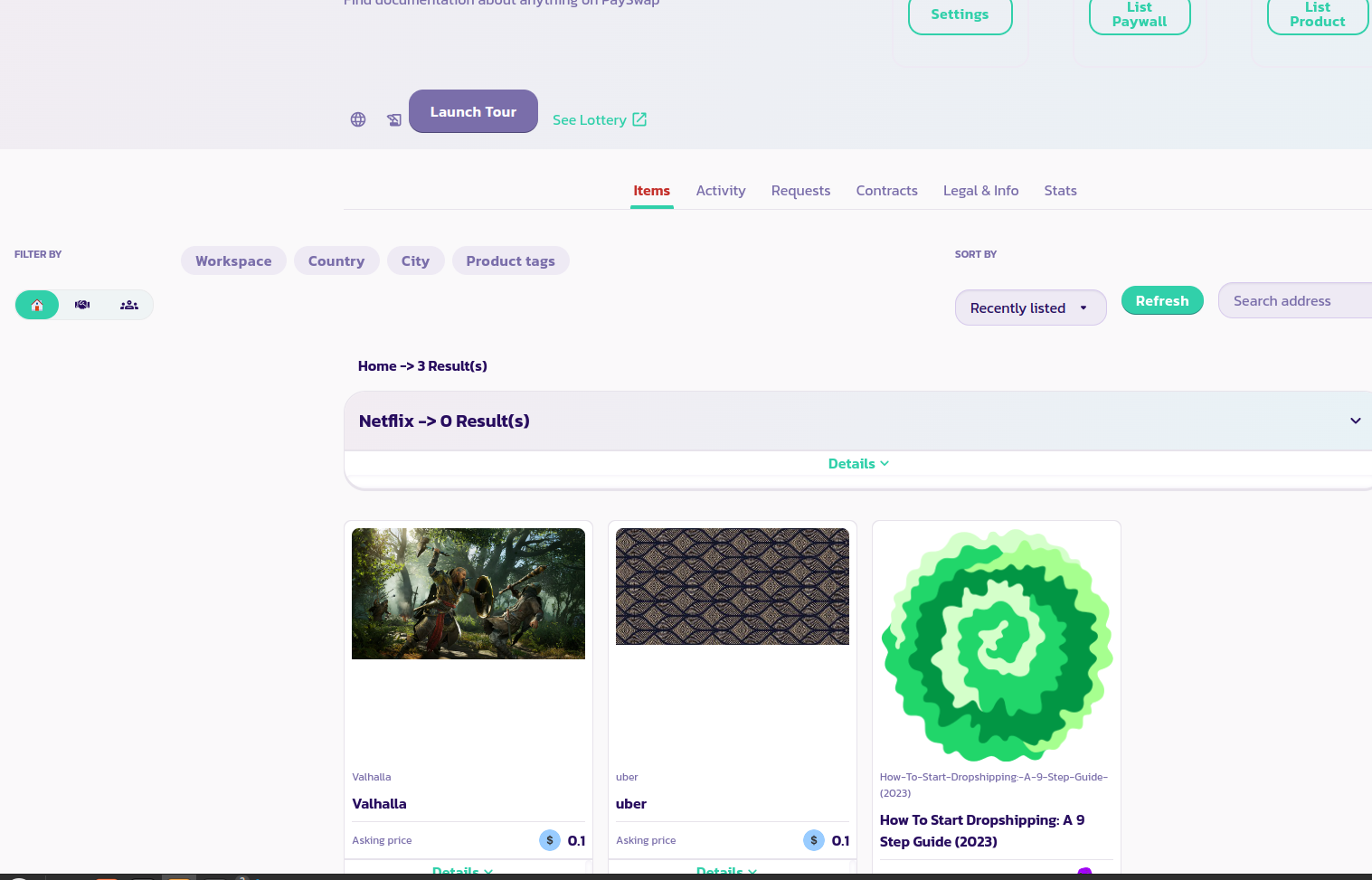
* انتقل إلى قناة المنتج وابحث عن المنتج الذي ترغب في شرائه في قائمة المنتجات الخاصة به.
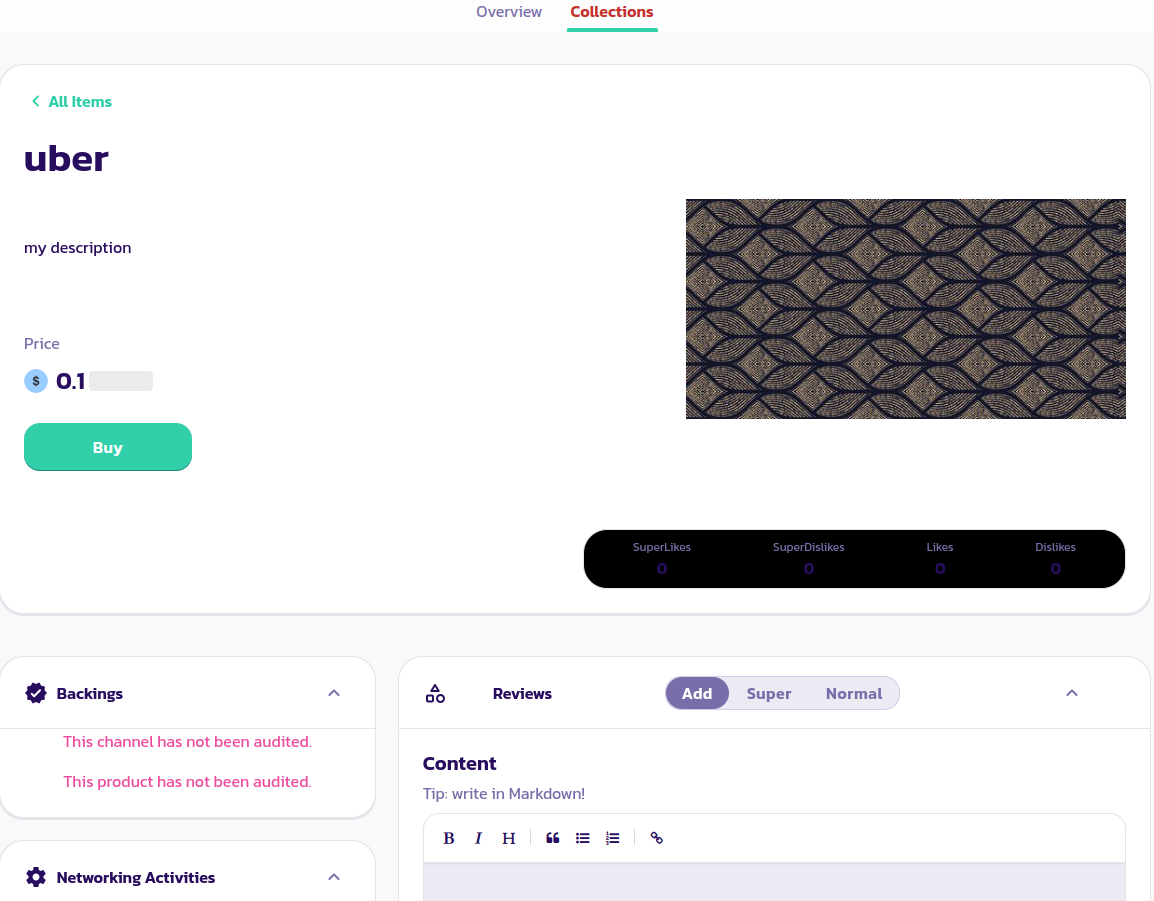
* انقر على المنتج لعرض صفحته كما في الصورة أدناه.
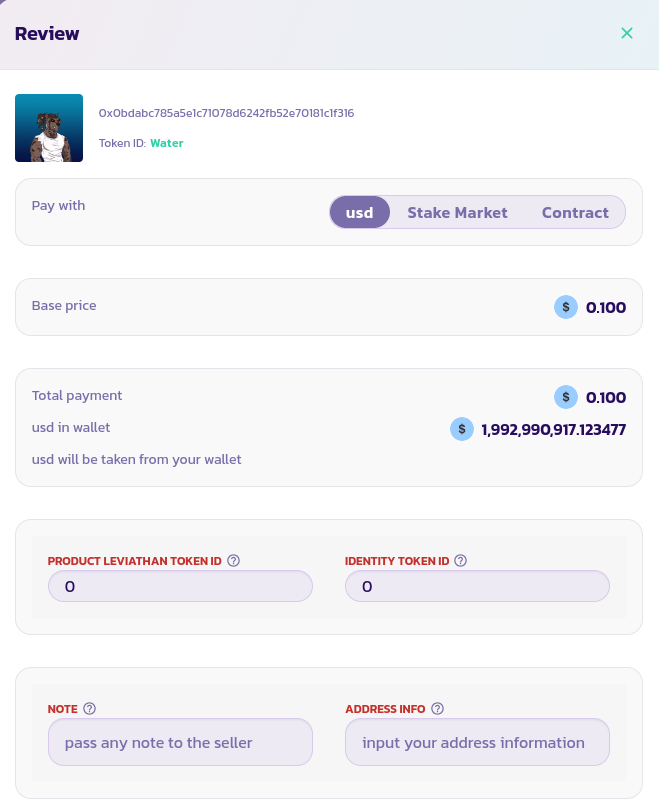
* انقر على الزر **شراء** لعرض معالج الشراء كما في الصورة أدناه.
* للتصويت للبائع، أدخل معرف رمز ليفياثان الخاص بك
* يمكنك أيضًا ترك ملاحظة للبائع (ربما يجب عليك ترك معرفك في [Paychat](https://paychat.payswap.org) حتى يكون لدى البائع طريقة للاتصال بك) أو معلومات عنوانك في حالة الحاجة إلى تلك المعلومات من البائع.
* أخيرًا، انقر على زر **الخروج**، قم بتمكين عقد السوق لسحب الرموز الضرورية من محفظتك، وقم بتأكيد الشراء.
تهانينا! لقد قمت بشراء منتجك الأول بنجاح. يجب أن يتصل بك البائع قريبًا إذا كنت قد تركت معرف [Paychat](https://paychat.payswap.org) الخاص بك في قسم الملاحظات.