> For the complete documentation index, see [llms.txt](https://docs.payswap.org/llms.txt). Markdown versions of documentation pages are available by appending `.md` to page URLs; this page is available as [Markdown](https://docs.payswap.org/alarbyh/products/cancan/products-services/listing-products-services.md).
# قائمة المنتجات/الخدمات
إليك دليل خطوة بخطوة لتسجيل المنتجات/الخدمات على قناتك:
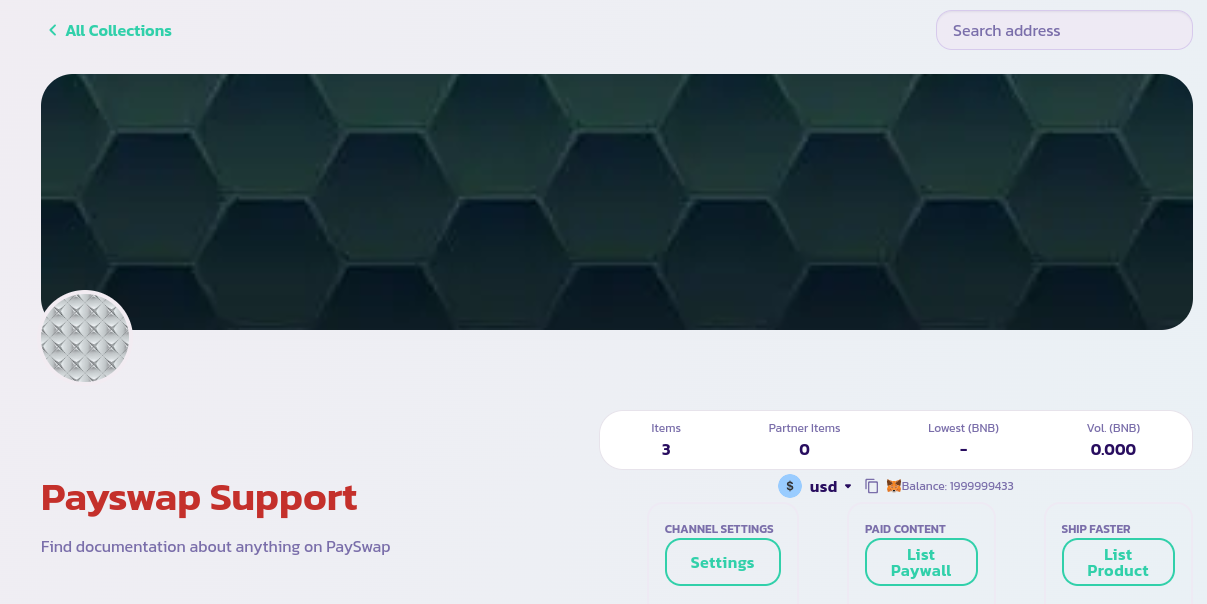
* تأكد من أنك على الصفحة الرئيسية لقناتك ومتصل بمحفظة الإدارة الخاصة بالقناة. إذا فعلت ذلك، يجب أن ترى الصفحة المعروضة أدناه
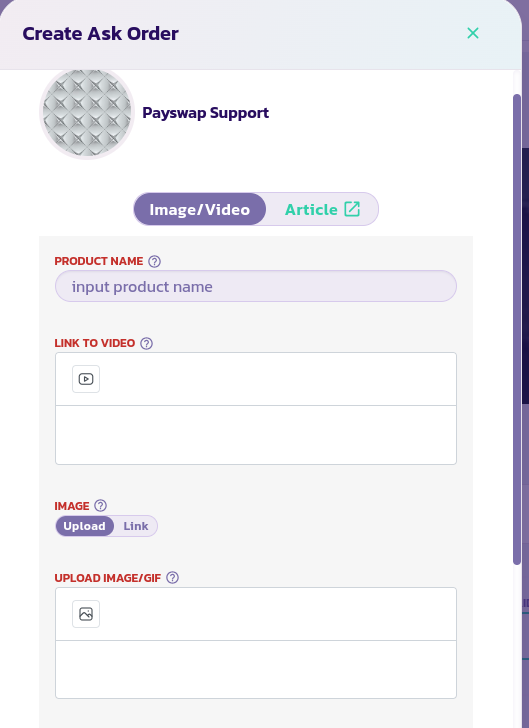
* انقر على زر **قائمة المنتج** لكشف النموذج أدناه
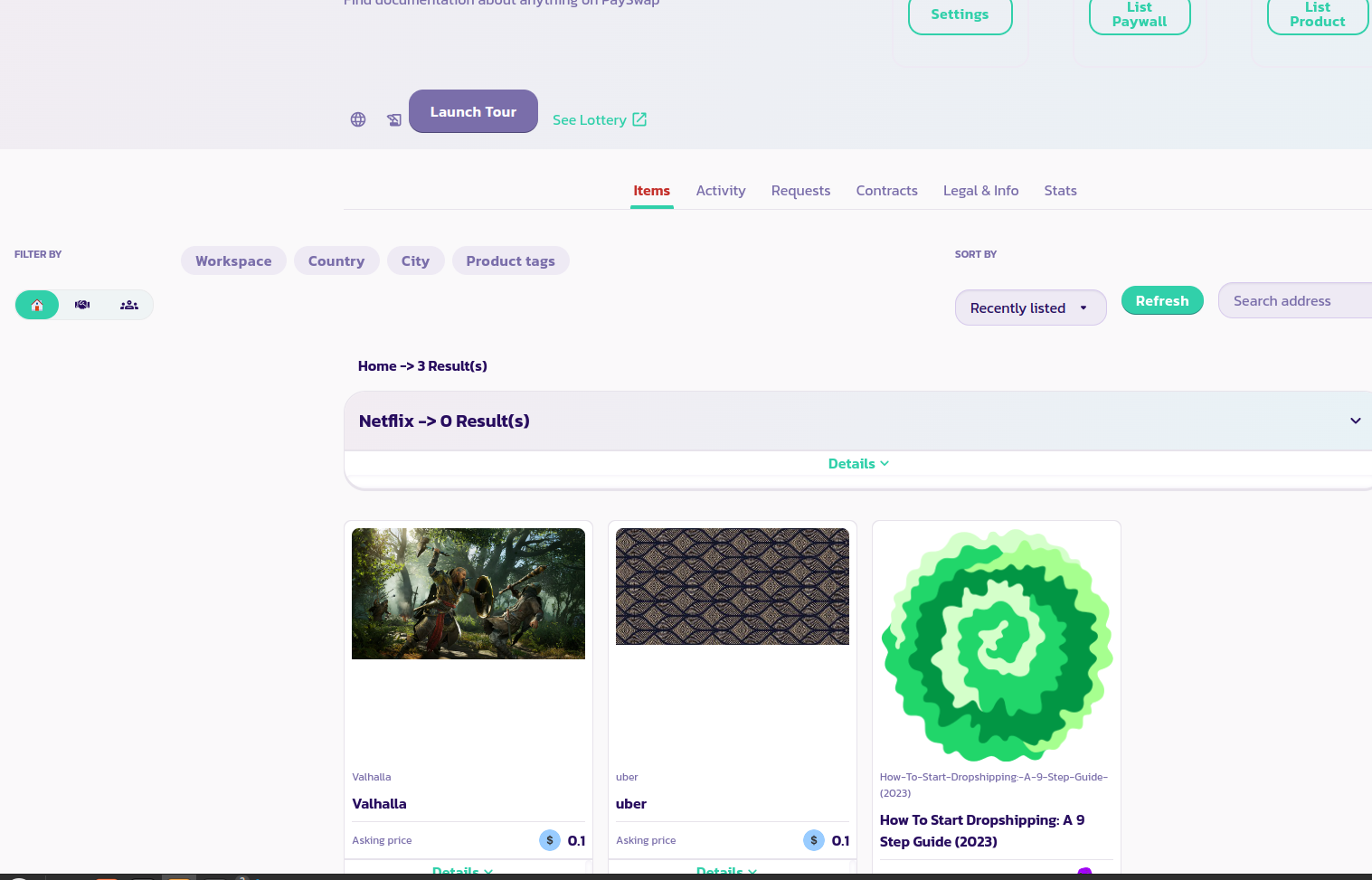
* اقرأ وصف كل معلمة وقدم القيمة المناسبة. قم بتحقيق النموذج وبعد بضع ثوانٍ، يجب أن ترى منتجك معروضًا مع باقي المنتجات السابقة الخاصة بك مثلما هو موضح في الصورة أدناه. قم بإعادة تحميل الصفحة في حالة عدم ظهور منتجك. في الصورة أدناه، يمكننا رؤية 4 منتجات مُدرجة؛ منتج يسمى Netflix، Valhalla، uber وHow to start dropshipping: A 9 step guide (2023)
تهانينا! لقد قمت بتسجيل منتجك بنجاح وإذا قمت بتجعله قابل للتداول، سيتمكن المستخدمون من شرائه مباشرة من قناتك.