> For the complete documentation index, see [llms.txt](https://docs.payswap.org/llms.txt). Markdown versions of documentation pages are available by appending `.md` to page URLs; this page is available as [Markdown](https://docs.payswap.org/alarbyh/products/ssi/creating-a-unique-profile.md).

# إنشاء ملف تعريف فريد

يمكنك فقط إنشاء ملف تعريف فريد بعد إنشاء SSID. لإنشاء SSID الخاص بك، تحتاج إلى العثور على مدقق SSID من صفحة المدققين ثم التقديم له / لها لإنشاء SSID لك.

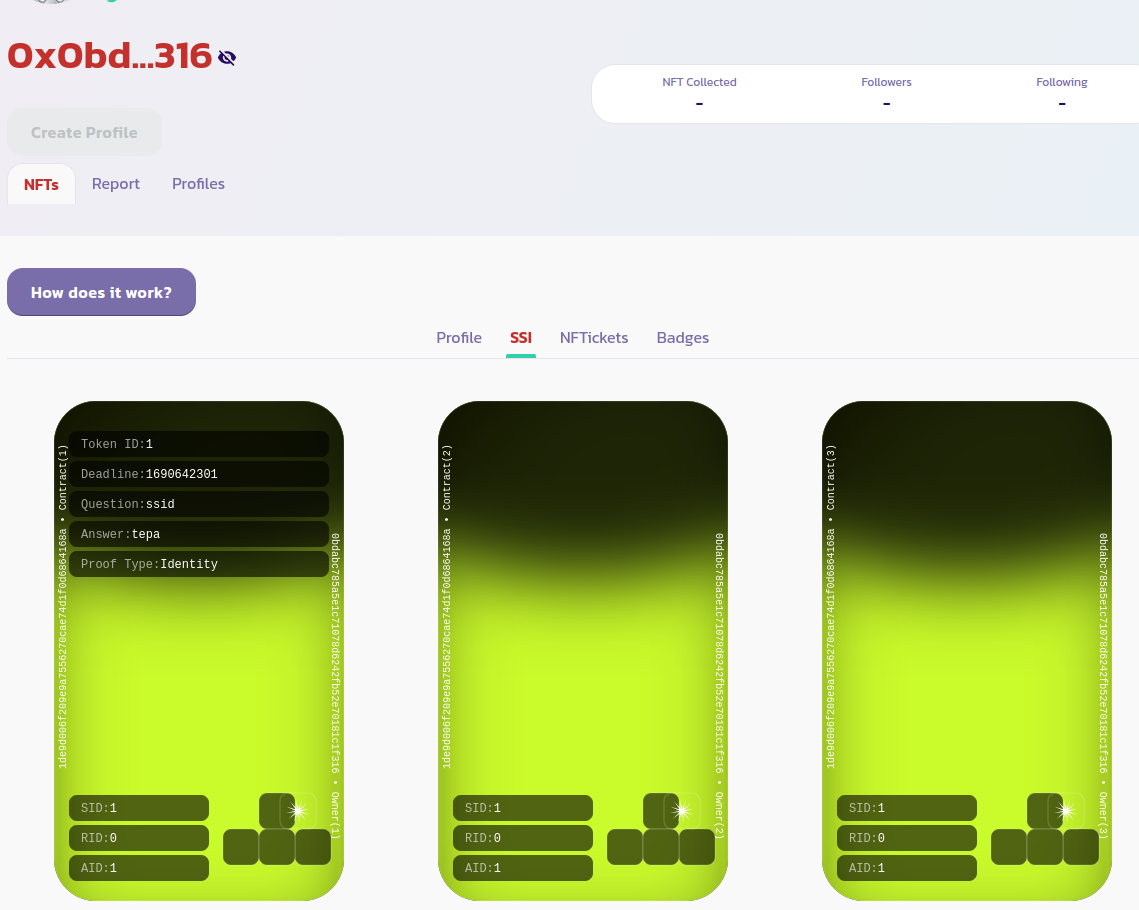
بمجرد إنشاء SSI الخاص بك، يجب أن تكون قادرًا على عرض رمز الهوية الخاص بها من صفحة ملفك الشخصي تحت علامة **NFTs > SSI** مثلما هو موضح في الصورة أدناه:

<figure><img src="/files/EZNZnj8rwTosjmw2UcqC" alt=""><figcaption></figcaption></figure>

الآن يمكنك جعل ملف تعريفك فريدًا. للقيام بذلك، انتقل إلى علامة التبويب **الملفات الشخصية** وحدد خيار **Mine Only** لعرض ملفك الشخصي فقط مثلما هو موضح في الصورة أدناه:

<figure><img src="/files/VbrqiaUVTFexlxJtvYeU" alt=""><figcaption></figcaption></figure>

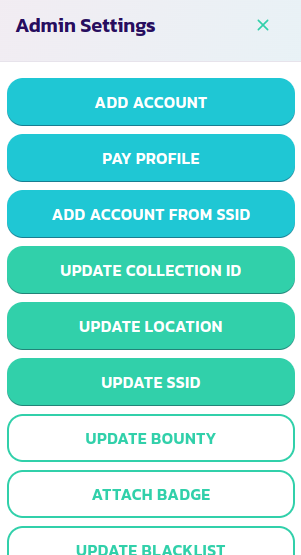
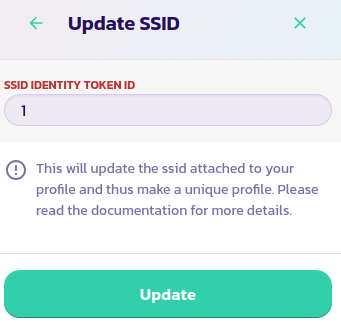
انقر على زر **لوحة التحكم** ثم على زر **تحديث SSID**. أدخل معرف رمز هوية SSID الخاص بك ثم قم بتأكيد العملية

<div><figure><img src="/files/4bYwssfvSyupI5GvpupS" alt=""><figcaption></figcaption></figure> <figure><img src="/files/7t2HbfnLWhwxEDuT1nrD" alt=""><figcaption></figcaption></figure></div>

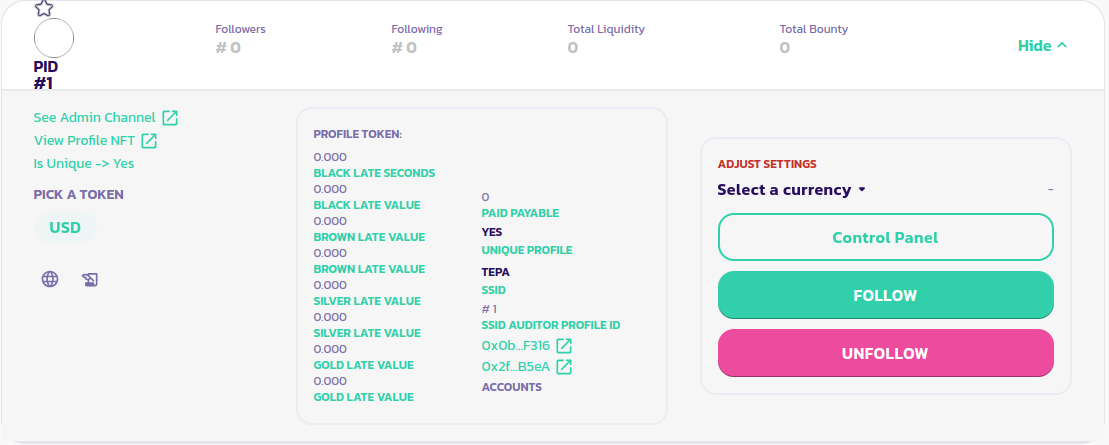
هذا كل شيء، ملف تعريفك الآن فريد. يمكنك التأكد من ذلك من خلال قراءة الجزء الأيسر من لوحة ملفك الشخصي. كما هو موضح في الصورة أدناه، يتم تعيين معلمة **هل فريد** الآن إلى نعم

<figure><img src="/files/1m10nMfM8jyuIhXCl5Wx" alt=""><figcaption></figcaption></figure>

[احصل على دعم إضافي من المجتمع هنا.](https://paychat.payswap.org/#/room/%23paycom%3Amatrix.org?via=matrix.org)

---

# Agent Instructions
This documentation is published with GitBook. GitBook is the documentation platform designed so that both humans and AI agents can read, navigate, and reason over technical content effectively. Learn more at gitbook.com.

## Querying This Documentation
If you need additional information that is not directly available in this page, you can query the documentation dynamically by asking a question.

Perform an HTTP GET request on the current page URL with the `ask` query parameter, and the optional `goal` query parameter:

```
GET https://docs.payswap.org/alarbyh/products/ssi/creating-a-unique-profile.md?ask=<question>&goal=<endgoal>
```

`ask` is the immediate question: it should be specific, self-contained, and written in natural language.
`goal` is optional and describes the broader end goal you are ultimately trying to accomplish on behalf of the user. GitBook uses it to tailor the answer towards what is most useful for that goal.

The response will contain a direct answer to the question and relevant excerpts and sources from the documentation.

Use this mechanism when the answer is not explicitly present in the current page, you need clarification or additional context, or you want to retrieve related documentation sections.