> For the complete documentation index, see [llms.txt](https://docs.payswap.org/llms.txt). Markdown versions of documentation pages are available by appending `.md` to page URLs; this page is available as [Markdown](https://docs.payswap.org/bahasa-indonesia/products/arps/automatic-arps.md).
# ARP Berbasis Persentase
Berikut adalah panduan langkah demi langkah untuk menyiapkan ARP berbasis persentase:
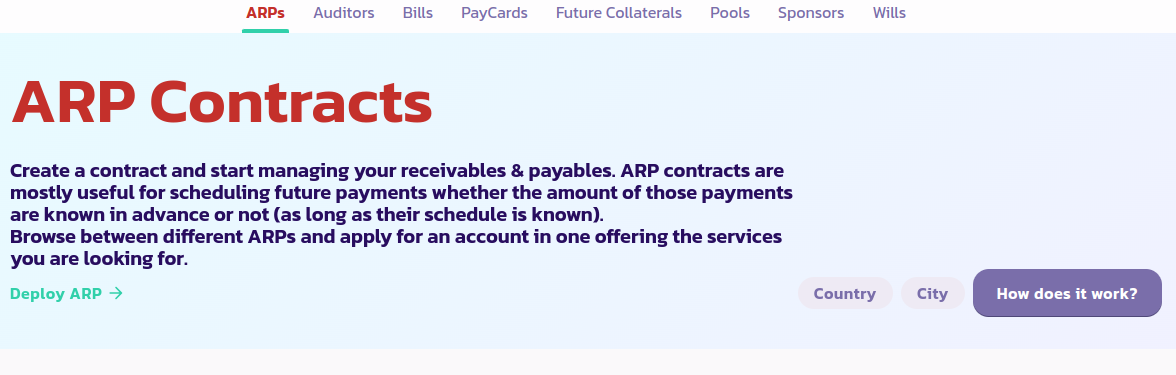
* Buka [halaman ARP](https://payswap.org/arps) dan klik tombol **Deploy ARP**
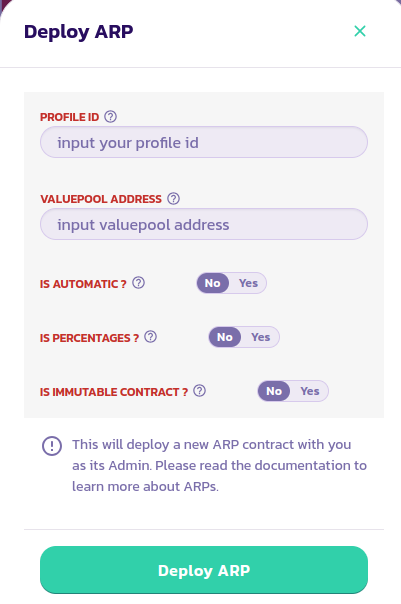
* Isi formulir yang muncul; atur parameter **Is Percentages** menjadi Ya. Pastikan untuk membaca deskripsi dari setiap parameter dengan mengarahkan kursor Anda ke ikon bantuan di sebelahnya. Validasikan transaksi.
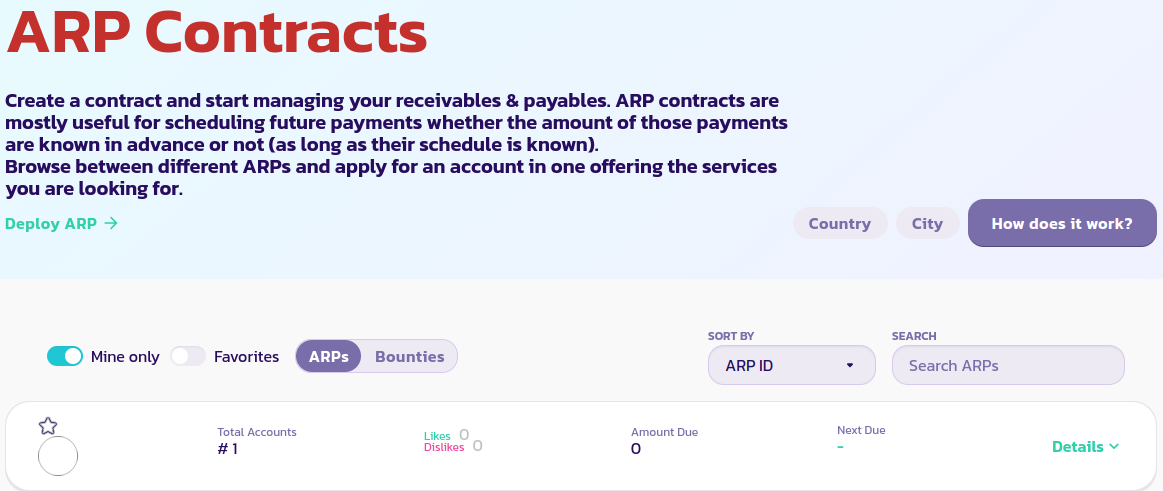
* Klik tombol **Mine Only** untuk hanya menampilkan kontrak ARP Anda. Jika Anda masih tidak dapat melihat kontrak ARP Anda, muat ulang halaman dan klik **Mine Only** lagi
[👥 Dapatkan dukungan lebih lanjut dari komunitas di sini.](https://paychat.payswap.org/#/room/%23paycom%3Amatrix.org?via=matrix.org)
.jpeg?alt=media)