> For the complete documentation index, see [llms.txt](https://docs.payswap.org/llms.txt). Markdown versions of documentation pages are available by appending `.md` to page URLs; this page is available as [Markdown](https://docs.payswap.org/bahasa-indonesia/products/cancan/paywalls/removing-items-from-paywalls.md).
# Menghapus Item Dari Paywall
Berikut adalah panduan langkah demi langkah untuk menghapus barang yang telah ditambahkan sebelumnya ke pagar pembayaran Anda:
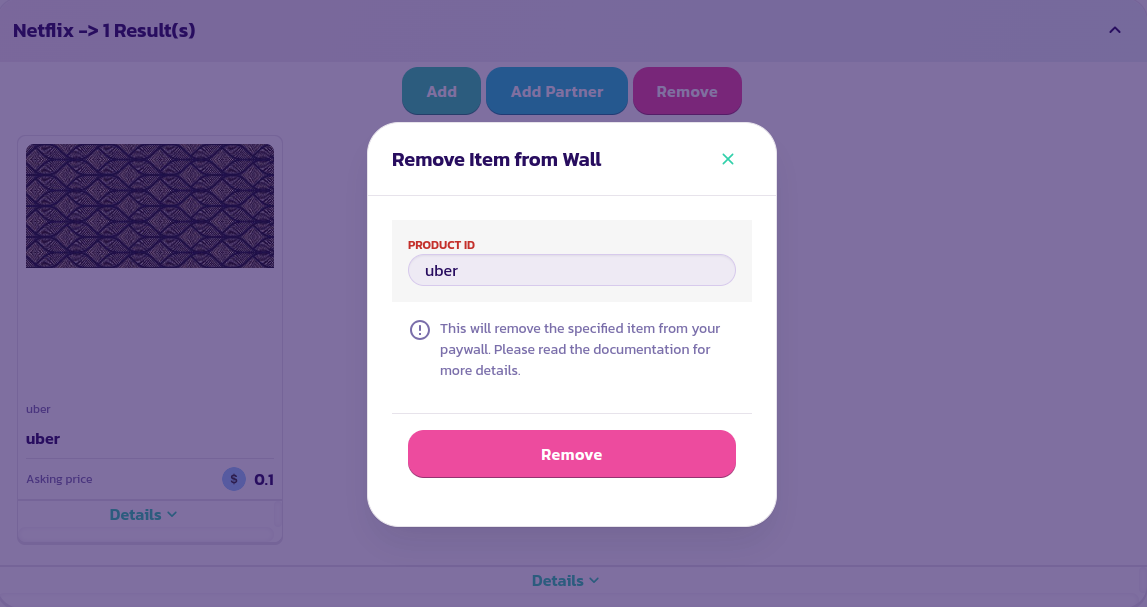
* Cari dan perluas pagar pembayaran lalu klik tombol **Remove**
* Pada formulir yang muncul, masukkan id barang yang ingin dihapus dan validasi formulir
Selamat! Anda telah berhasil menghapus sebuah barang dari pagar pembayaran Anda.
.png?alt=media)