# Membuat Profil Unik

Anda hanya dapat membuat profil unik setelah Anda membuat SSID. Untuk membuat SSID Anda, Anda perlu mencari auditor SSID dari halaman auditor dan kemudian mengajukan permohonan agar dia membuat SSID untuk Anda.

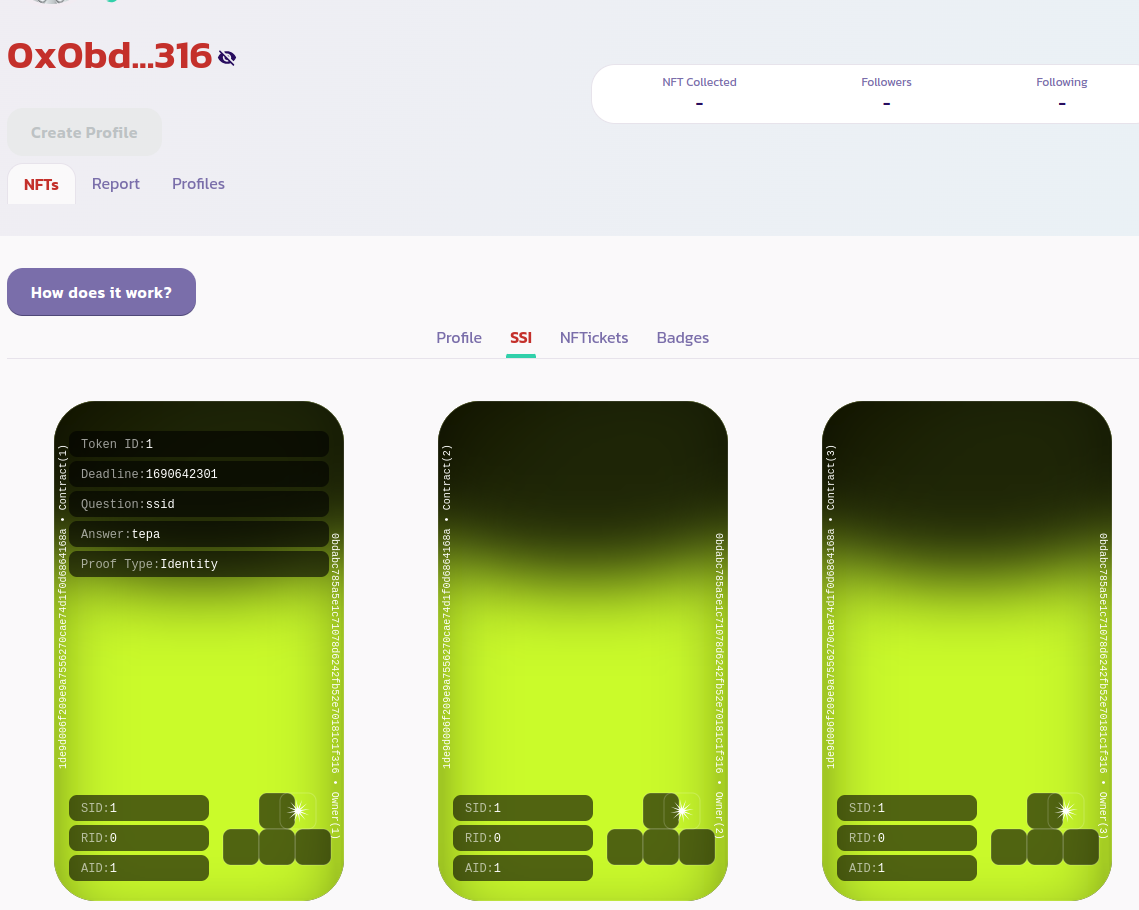
Setelah SSID Anda dibuat, Anda seharusnya dapat melihat token identitasnya dari halaman profil Anda di bawah tab **NFTs > SSI** seperti dalam gambar di bawah ini:

<figure><img src="https://4153267826-files.gitbook.io/~/files/v0/b/gitbook-x-prod.appspot.com/o/spaces%2FEywrrCx8K8hc6M3zcF2U%2Fuploads%2Fgit-blob-6793812bf10f15b61f3e2d64101b1a44b3e74124%2Fssi23.png?alt=media" alt=""><figcaption></figcaption></figure>

Sekarang Anda dapat membuat profil Anda menjadi unik. Untuk melakukannya, masuk ke tab **Profiles** dan centang opsi **Mine Only** untuk hanya menampilkan profil Anda seperti dalam gambar di bawah ini:

<figure><img src="https://4153267826-files.gitbook.io/~/files/v0/b/gitbook-x-prod.appspot.com/o/spaces%2FEywrrCx8K8hc6M3zcF2U%2Fuploads%2Fgit-blob-53323866e8eeab0f064c5c22e91e998a4e40e7fa%2Fssi24%20(1).png?alt=media" alt=""><figcaption></figcaption></figure>

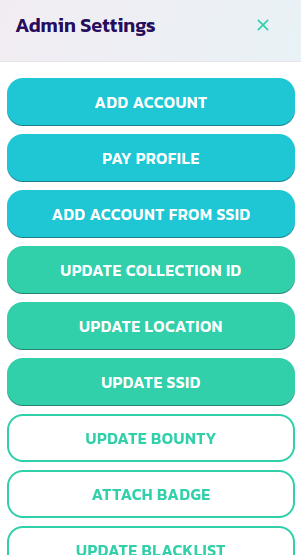
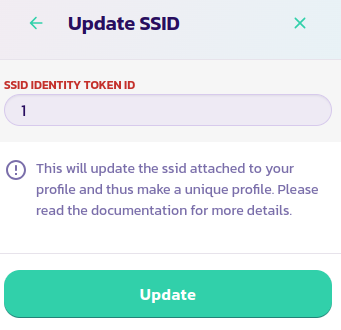
Klik tombol **Control Panel** dan kemudian pada tombol **Update SSID**. Masukkan ID token identitas SSID Anda dan validasi transaksi

<div><figure><img src="https://4153267826-files.gitbook.io/~/files/v0/b/gitbook-x-prod.appspot.com/o/spaces%2FEywrrCx8K8hc6M3zcF2U%2Fuploads%2Fgit-blob-f1e7da9325146cef943df2fd75b8ac0fb7ea9568%2Fssi25.png?alt=media" alt=""><figcaption></figcaption></figure> <figure><img src="https://4153267826-files.gitbook.io/~/files/v0/b/gitbook-x-prod.appspot.com/o/spaces%2FEywrrCx8K8hc6M3zcF2U%2Fuploads%2Fgit-blob-d3576234bce13ccb8f7ae02606aac0ad267c232b%2Fssi26.png?alt=media" alt=""><figcaption></figcaption></figure></div>

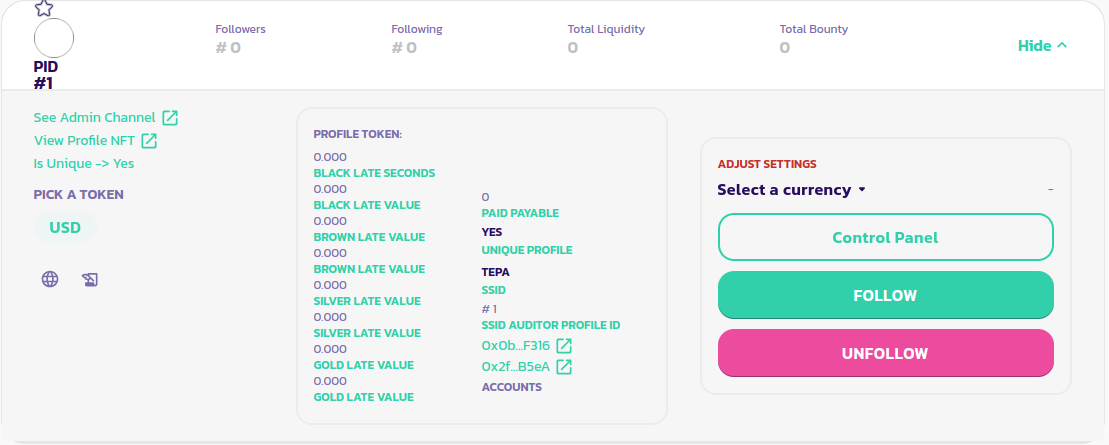
Itu dia, profil Anda sekarang unik. Anda dapat memastikannya dengan membaca bagian kiri panel profil Anda. Seperti yang bisa Anda lihat, dalam gambar di bawah ini, parameter **Is Unique** sekarang diatur menjadi Ya

<figure><img src="https://4153267826-files.gitbook.io/~/files/v0/b/gitbook-x-prod.appspot.com/o/spaces%2FEywrrCx8K8hc6M3zcF2U%2Fuploads%2Fgit-blob-450f689ba8a07972444078f4edbff3b824ad21ae%2Fssi29.png?alt=media" alt=""><figcaption></figcaption></figure>

[Dapatkan dukungan lebih lanjut dari komunitas di sini.](https://paychat.payswap.org/#/room/%23paycom%3Amatrix.org?via=matrix.org)

---

# Agent Instructions: Querying This Documentation

If you need additional information that is not directly available in this page, you can query the documentation dynamically by asking a question.

Perform an HTTP GET request on the current page URL with the `ask` query parameter:

```
GET https://docs.payswap.org/bahasa-indonesia/products/ssi/creating-a-unique-profile.md?ask=<question>
```

The question should be specific, self-contained, and written in natural language.
The response will contain a direct answer to the question and relevant excerpts and sources from the documentation.

Use this mechanism when the answer is not explicitly present in the current page, you need clarification or additional context, or you want to retrieve related documentation sections.