> For the complete documentation index, see [llms.txt](https://docs.payswap.org/llms.txt). Markdown versions of documentation pages are available by appending `.md` to page URLs; this page is available as [Markdown](https://docs.payswap.org/bangal/products/dramps/use-cases/paying-for-tuition.md).
# টিউশন জন্য অর্থ প্রদান
আন্তর্জাতিক ছাত্ররা তাদের নতুন দেশে ব্যাঙ্ক অ্যাকাউন্ট খুলতে সমস্যার সম্মুখীন হতে পারে; তারা একটি dRamp খুঁজে পেতে পারে যা তাদের tFIAT টোকেনকে FIAT-এ রূপান্তর করতে এবং তাদের শিক্ষা প্রতিষ্ঠানে স্থানান্তর করতে সক্ষম করে।
এখানে একটি ধাপে ধাপে নির্দেশিকা।
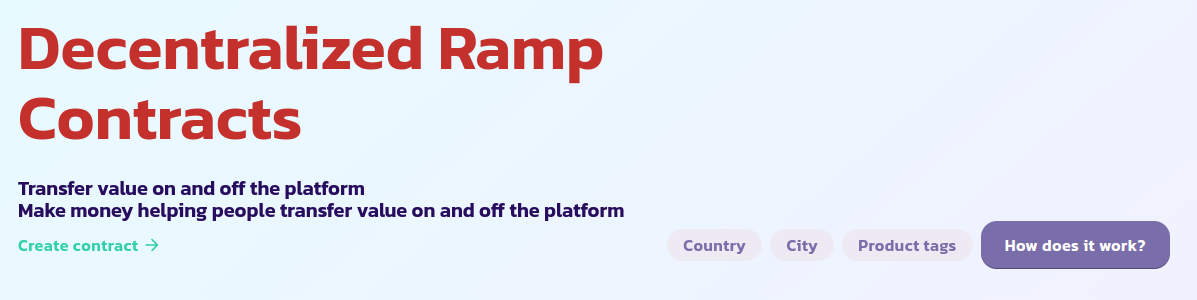
* শুধুমাত্র আপনার শিক্ষা প্রতিষ্ঠানের দেশে কাজ করে এমন dRamps তালিকাভুক্ত করতে **দেশ** ট্যাগে ক্লিক করুন, আরও নির্দিষ্ট হওয়ার জন্য আপনাকে **শহর** দ্বারা ফিল্টার করতে হতে পারে
* পৃষ্ঠার শিরোনামে **পণ্য ট্যাগ** ট্যাবে ক্লিক করুন এবং আপনি যে মুদ্রা স্থানান্তর করতে চান তা নির্বাচন করুন এবং সেইসাথে টিউশন পেমেন্ট সম্পর্কিত যেকোন ট্যাগ শুধুমাত্র আপনার মুদ্রা প্রক্রিয়া করে এবং টিউশন পেমেন্ট পরিষেবা প্রদান করে এমন dRamps তালিকাভুক্ত করুন।
* শুধুমাত্র ম্যানুয়াল dRamps তালিকা করতে **ম্যানুয়াল** ট্যাবটি নির্বাচন করুন
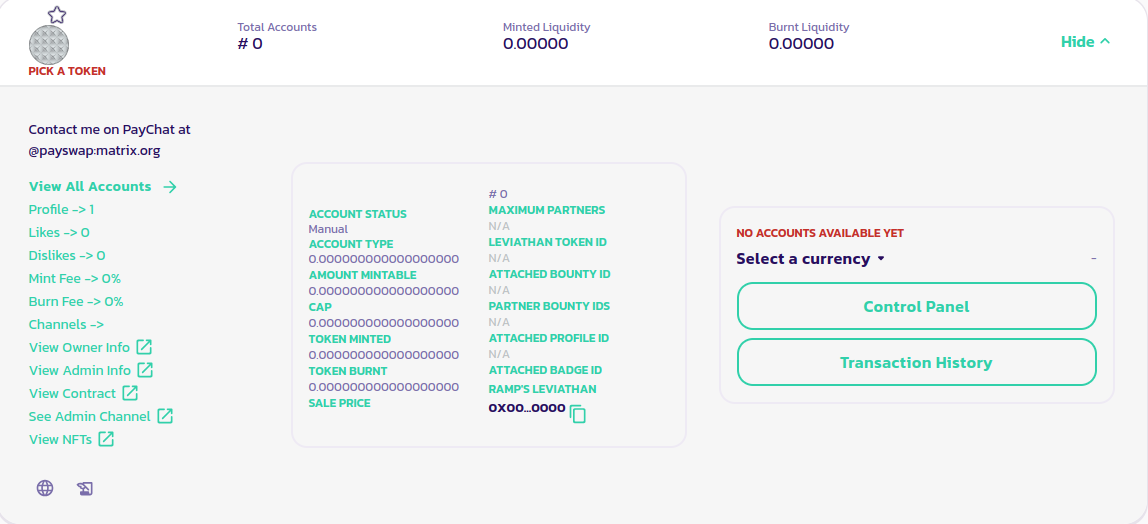
* উপলব্ধ dRamps-এর তালিকায় অপারেশনের জন্য আপনি যে dRamp ব্যবহার করতে চান তা খুঁজুন এবং এর বিস্তারিত প্যানেলে উপলব্ধ **কন্ট্রোল প্যানেল** বোতামে ক্লিক করে এর কন্ট্রোল প্যানেলে যান
* আপনার টোকেনগুলি কীভাবে বার্ন করবেন সে সম্পর্কে আপনার dRamp-এর নির্দেশিকা পড়ুন। উদাহরণস্বরূপ উপরের চিত্রের dRamp আমাদেরকে @payswap::matrix.org রুমে [PayChat](https://paychat.payswap.org) একজন প্রশাসকের সাথে যোগাযোগ করতে বলছে। তাই পরবর্তী ধাপ হল আমাদের বার্ন অপারেশন সম্পর্কে বিশদ বিবরণ সহ তাদের সাথে যোগাযোগ করা
### আমি একজন অ্যাডমিন
* নিশ্চিত করুন যে আপনার ব্যবহারকারী আপনাকে বার্ন করার জন্য টোকেন পাঠিয়েছে
* আপনার dRamp এর প্যানেলে সঠিক টোকেন বাজার নির্বাচন করুন
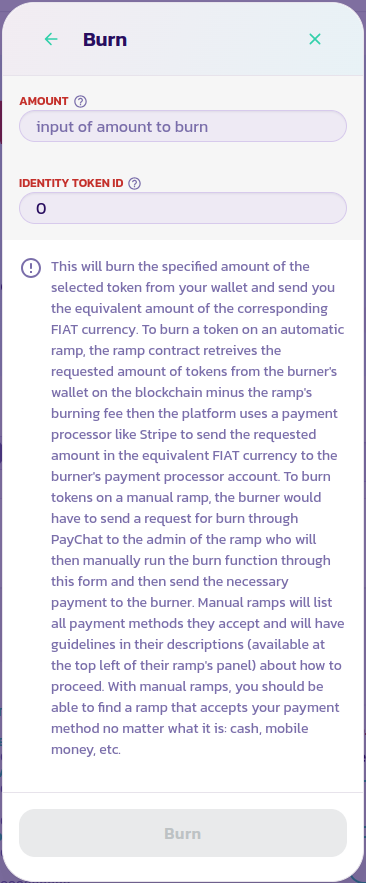
* কন্ট্রোল প্যানেলে যান এবং **বার্ন** বোতামে ক্লিক করুন। ফর্মটি বার্ন এবং যাচাই করতে tFIAT এর পরিমাণ লিখুন। আপনি যখন প্রতিটি প্যারামিটারের পাশে হেল্প আইকনের উপর হোভার করেন তখন ফর্মে উপলব্ধ অন্যান্য সমস্ত তথ্যের পাশাপাশি উপলব্ধ প্রতিটি প্যারামিটারের বিবরণ পড়তে ভুলবেন না। আপনি 2টির কম tFIAT টোকেন বার্ন করতে পারবেন না।
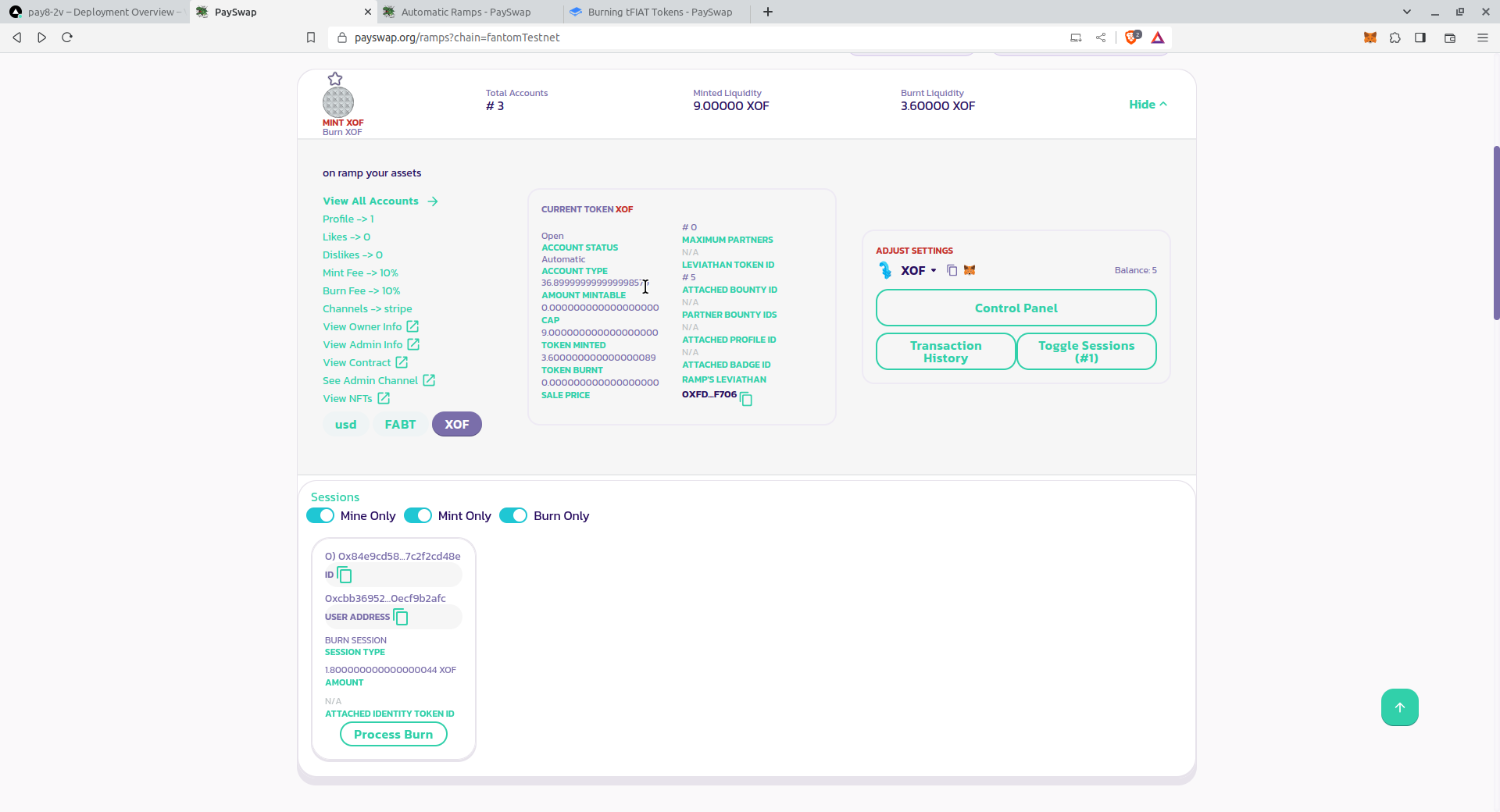
* আপনার dRamp-এর চলমান বার্ন/মিন্ট অপারেশনগুলি প্রকাশ করতে **কন্ট্রোল প্যানেল** বোতামের নীচে **টগল সেশন** বোতামে ক্লিক করুন৷ সেশনের প্যানেলের মধ্যে থেকে শুধুমাত্র **Mine Only** বোতামটি সক্রিয় রয়েছে তা নিশ্চিত করুন। আপনি যদি আপনার চলমান বার্ন অপারেশন দেখতে না পান, তাহলে পৃষ্ঠাটি পুনরায় লোড করুন এবং **কন্ট্রোল প্যানেল** বোতামের অধীনে **টগল সেশন** বোতামে ক্লিক করে সেশন প্যানেলে ফিরে আসুন
আপনি এটিকে পূর্ণ পর্দায় দেখতে ছবিটিতে ক্লিক করতে পারেন< /p>
* একবার আপনি আপনার চলমান বার্ন সেশনটি দেখতে পেলে, এর **প্রসেস বার্ন** বোতামে ক্লিক করুন এবং অপারেশনটি নিশ্চিত করুন
* বার্ন অপারেশন সম্পূর্ণ হওয়ার পরে, আপনি যে অর্থপ্রদানের পদ্ধতিতে সম্মত হয়েছেন সেটি ব্যবহার করে আপনার ব্যবহারকারীর শিক্ষা প্রতিষ্ঠানে পোড়া পরিমাণ পাঠান।