> For the complete documentation index, see [llms.txt](https://docs.payswap.org/llms.txt). Markdown versions of documentation pages are available by appending `.md` to page URLs; this page is available as [Markdown](https://docs.payswap.org/deutsch/products/betting/bets-without-alpha-encoding.md).
# Wetten ohne Alphabet-Kodierung
.jpeg?alt=media)
Diese Wettverträge akzeptieren nur numerische Antworten von Benutzern. Der zugrunde liegende Smart Contract wandelt die von den Benutzern gegebenen Antworten nicht um, und da der Smart Contract nur Zahlen versteht, müssen die Antworten, die Benutzer in diesen Verträgen geben, bereits in ihrem numerischen Format vorliegen.
Angenommen, Sie möchten, dass Benutzer darauf wetten, ob der Preis der Apple-Aktie bis zum Ende des Tages über oder unter 170 USD liegt. Da die Liste der Optionen ziemlich begrenzt ist, ist es eine gute Idee, diese Wetten mit einem Wettbewerb ohne Alphabet-Codierung zu verarbeiten.
Hier ist eine schrittweise Anleitung zur Erstellung eines solchen Wettbewerbs:
* Gehen Sie zu Ihrem Wettvertrag. Sie können die Anleitung zum Bereitstellen Ihres Wettvertrags auf der folgenden Seite lesen:
[.](/deutsch/products/betting.md)
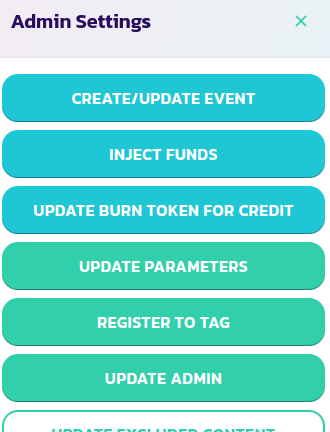
* Klicken Sie in der Panel Ihres Vertrags auf die Schaltfläche **Steuerungscenter** und dann auf die Schaltfläche **Ereignis erstellen/aktualisieren**.
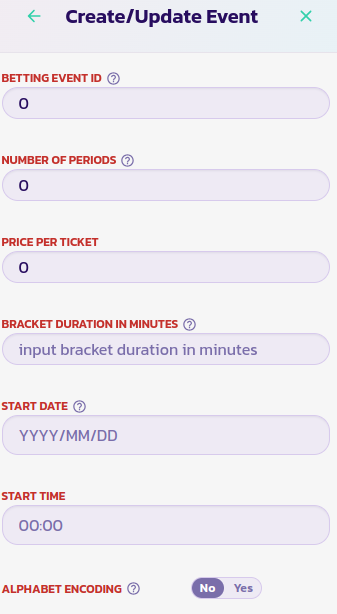
* Füllen Sie das Formular mit dem entsprechenden Wert aus und wählen Sie die Option Nein für den Parameter Alphabet-Codierung aus.
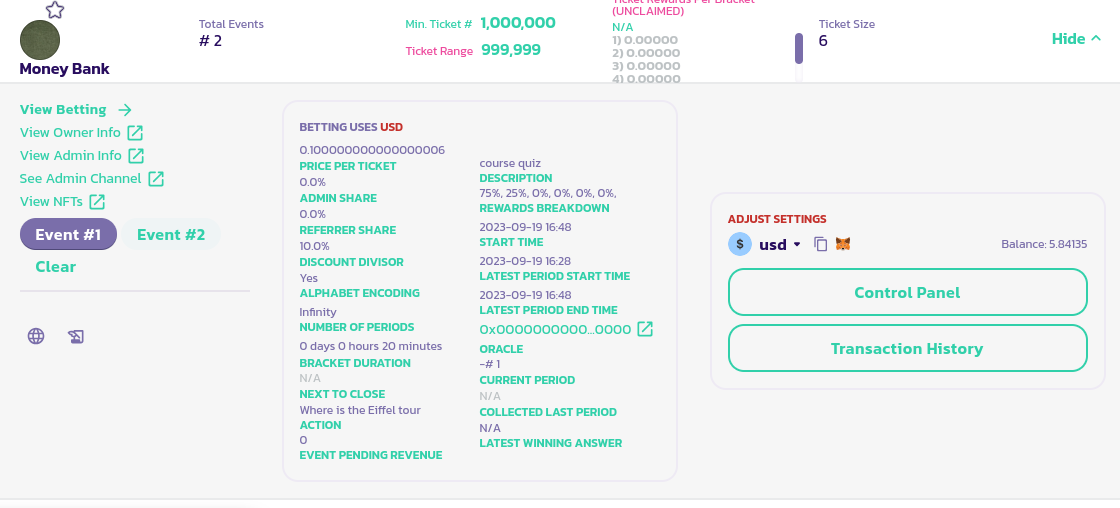
* Validieren Sie das Formular und bestätigen Sie die Transaktion. Sie sollten das Ereignis unten links im Panel Ihres Wettvertrags sehen.