> For the complete documentation index, see [llms.txt](https://docs.payswap.org/llms.txt). Markdown versions of documentation pages are available by appending `.md` to page URLs; this page is available as [Markdown](https://docs.payswap.org/espanol/products/bills/banks.md).
# Cuentas bancarias
Los contratos de Factura también pueden ser utilizados por los bancos para interactuar con sus clientes y permitirles depositar/retirar dinero en/de sus cuentas.
Lee esta guía para entender cómo desplegar tu propio contrato de Factura y agregar cuentas a él.
* El primer paso es desplegar un contrato de Factura (con el parámetro **¿Es pagadero?** establecido en Sí ya que las cuentas pueden realizar retiros)
{% content-ref url="/pages/yNz38d8G2CEtYzmzOImA" %}
[Facturas](/espanol/products/bills.md)
{% endcontent-ref %}
## Depósito de Dinero en Cuentas
Aquí tienes una guía paso a paso para depositar dinero en tu cuenta en un contrato de Factura:
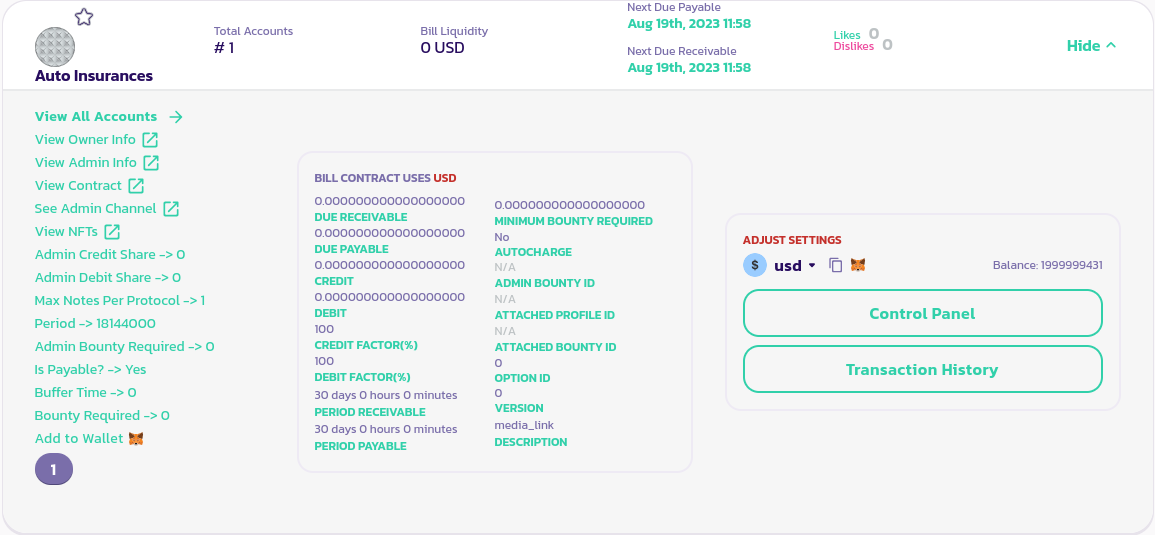
* Ve a tu contrato de Factura y haz clic en el botón **Detalles** para exponer su panel
* Haz clic en el ID de tu cuenta para seleccionarlo
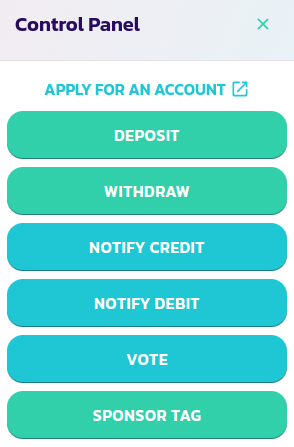
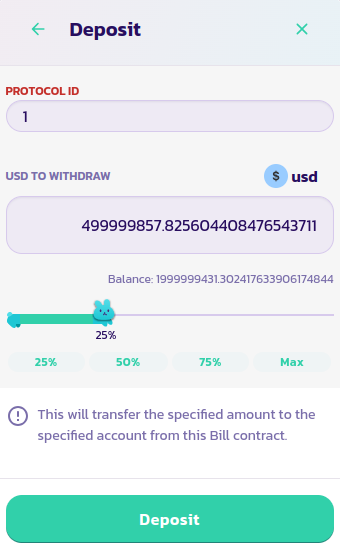
* Ahora haz clic en el botón **Panel de Control** y luego en el botón **Depósito** en el menú del panel de control
* Completa los campos con el ID de tu cuenta y la cantidad que deseas depositar en tu cuenta, luego valida la transacción
¡Felicidades! Has depositado fondos con éxito en tu cuenta. En nuestro caso de uso bancario, todos los fondos depositados deberían estar disponibles para retiro en cualquier momento.
## Retiro de Dinero de Cuentas
Aquí tienes una guía paso a paso para retirar dinero de tu cuenta en un contrato de Factura:
* Ve a tu contrato de Factura y haz clic en el botón **Detalles** para exponer su panel
* Haz clic en el ID de tu cuenta para seleccionarlo
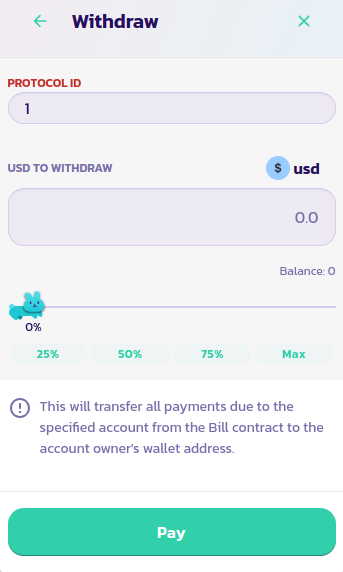
* Ahora haz clic en el botón **Panel de Control** y luego en el botón **Retiro** en el menú del panel de control
* Completa los campos con el ID de tu cuenta y la cantidad que deseas retirar de tu cuenta, luego valida la transacción