> For the complete documentation index, see [llms.txt](https://docs.payswap.org/llms.txt). Markdown versions of documentation pages are available by appending `.md` to page URLs; this page is available as [Markdown](https://docs.payswap.org/espanol/products/ssi/creating-a-unique-profile.md).
# Creando un perfil único
Solo puedes crear un perfil único después de haber creado un SSID. Para crear tu SSID, necesitas encontrar un auditor de SSID en la página de auditores y luego solicitarle que te cree un SSID.
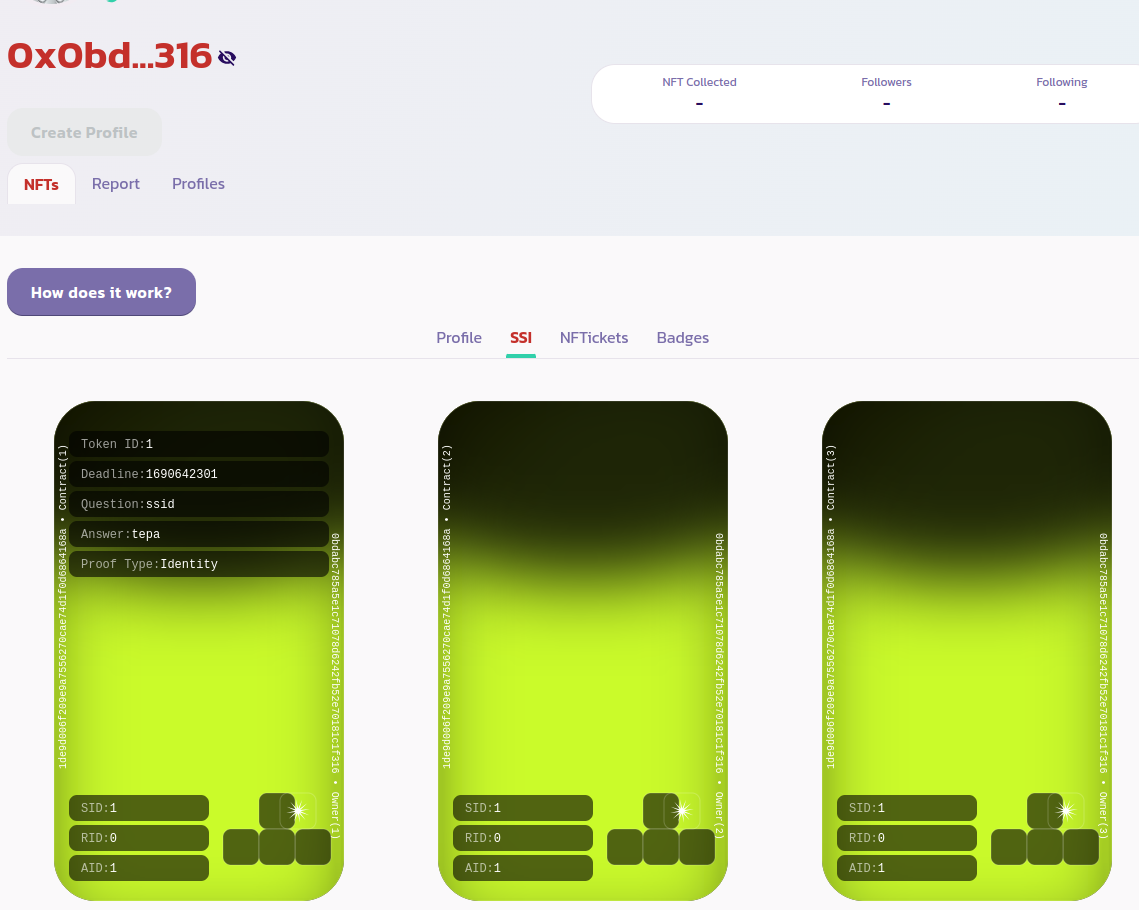
Una vez que se haya creado tu SSI, deberías poder ver su token de identidad desde tu página de perfil en la pestaña **NFTs > SSI** como en la imagen a continuación:
Ahora puedes hacer que tu perfil sea único. Para hacerlo, ve a la pestaña **Perfiles** y marca la opción **Solo Míos** para mostrar solo tu perfil como en la imagen a continuación:
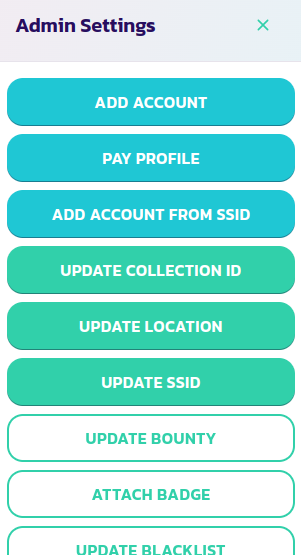
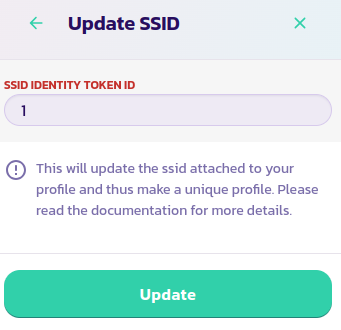
Haz clic en el botón **Panel de Control** y luego en el botón **Actualizar SSID**. Ingresa el ID del token de identidad de tu SSID y luego valida la transacción.
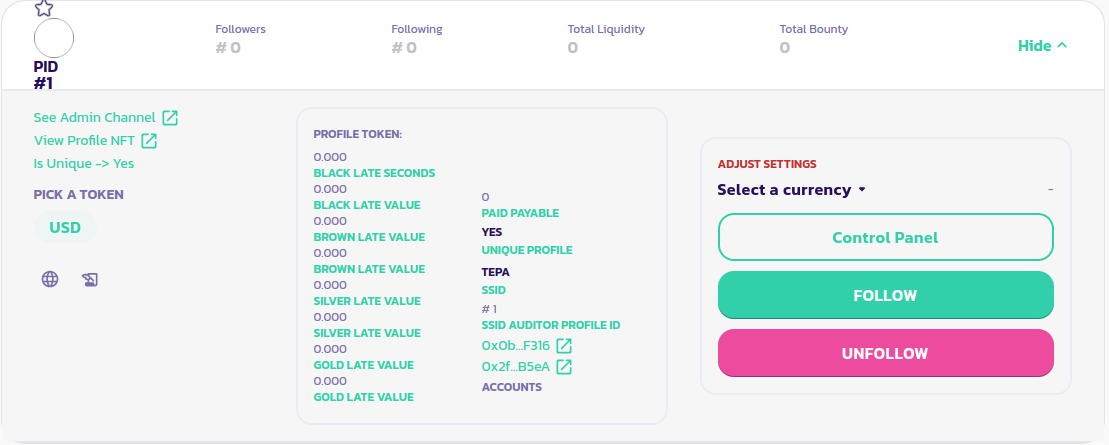
Eso es todo, tu perfil ahora es único. Puedes confirmarlo leyendo la sección izquierda del panel de tu perfil. Como puedes ver en la imagen a continuación, el parámetro **¿Es Único?** ahora está configurado en Sí.
[Obtén más apoyo de la comunidad aquí.](https://paychat.payswap.org/#/room/%23paycom%3Amatrix.org?via=matrix.org)
.png?alt=media)