> For the complete documentation index, see [llms.txt](https://docs.payswap.org/llms.txt). Markdown versions of documentation pages are available by appending `.md` to page URLs; this page is available as [Markdown](https://docs.payswap.org/espanol/products/worlds.md).
# Mundos
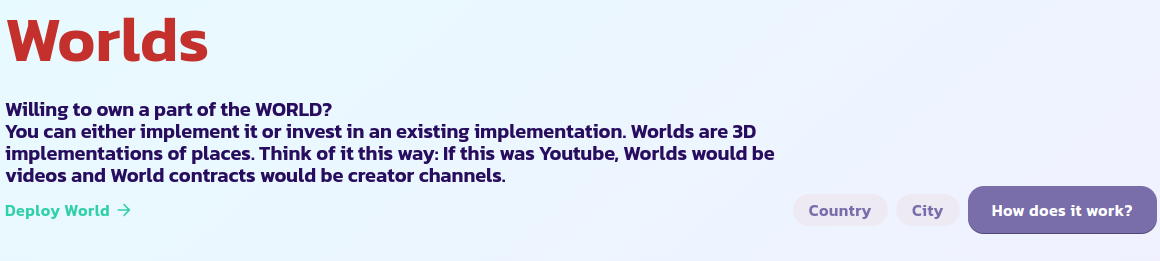
Los contratos de mundo crean incentivos para que los usuarios:
* creen gemelos digitales del mundo actual: Mundos Píldora Roja
* propongan alternativas al mundo actual: Mundos Píldora Azul
* limpien/ecologizen el mundo actual: Mundos Píldora Verde
El contrato de mundo utiliza el sistema [plus code](https://plus.codes), que es un sistema de direccionamiento digital de código abierto para todo el mundo, para crear incentivos en cada parte del globo.
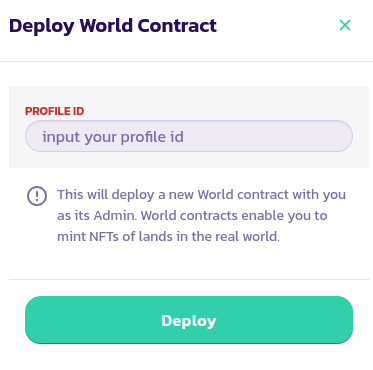
Para desplegar un contrato de mundo:
* Ve a la [página de Mundos](https://payswap.org/worlds) y haz clic en el botón **Desplegar Mundo**
* En el formulario que aparece, ingresa tu ID de perfil y valida la transacción
* Marca el botón **Solo Míos** para mostrar solo tus contratos de mundo; esto debería ayudarte a encontrar el contrato de mundo que acabas de desplegar más rápido. Si no puedes encontrarlo, recarga la página e inténtalo nuevamente
¡Felicidades! Has desplegado con éxito tu contrato de mundo. El siguiente paso es configurarlo como un Mundo Píldora Roja, Mundo Píldora Azul o Mundo Verde.
## IDs de Planetas
| Nombre del Planeta | ID del Planeta |
| ------------------ | -------------- |
| Tierra | 1 |
| Venus | 2 |
| Urano | 3 |
| Júpiter | 4 |
| Marte | 5 |
| Mercurio | 6 |
| Saturno | 7 |
| Neptuno | 8 |
[Obtén más ayuda de la comunidad aquí.](https://paychat.payswap.org/#/room/%23paycom%3Amatrix.org?via=matrix.org)