> For the complete documentation index, see [llms.txt](https://docs.payswap.org/llms.txt). Markdown versions of documentation pages are available by appending `.md` to page URLs; this page is available as [Markdown](https://docs.payswap.org/francais/products/paycards/marketplace-purchases.md).

# Achats sur le marché

Les PayCards vous permettent de faire des achats sur le marché CanCan sans avoir à connecter un portefeuille.

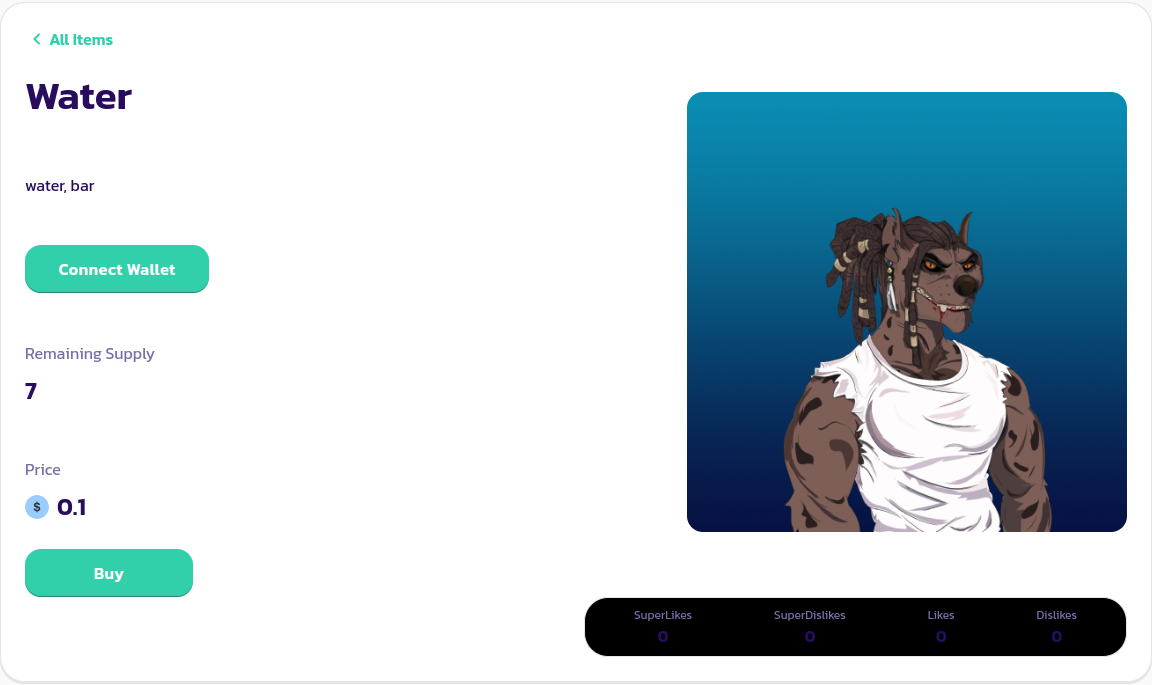
Il vous suffit de vous rendre sur la page du produit que vous souhaitez acheter et de cliquer sur le bouton **Acheter**

<figure><img src="/files/CkJRON00TzqerFIyqP14" alt=""><figcaption></figcaption></figure>

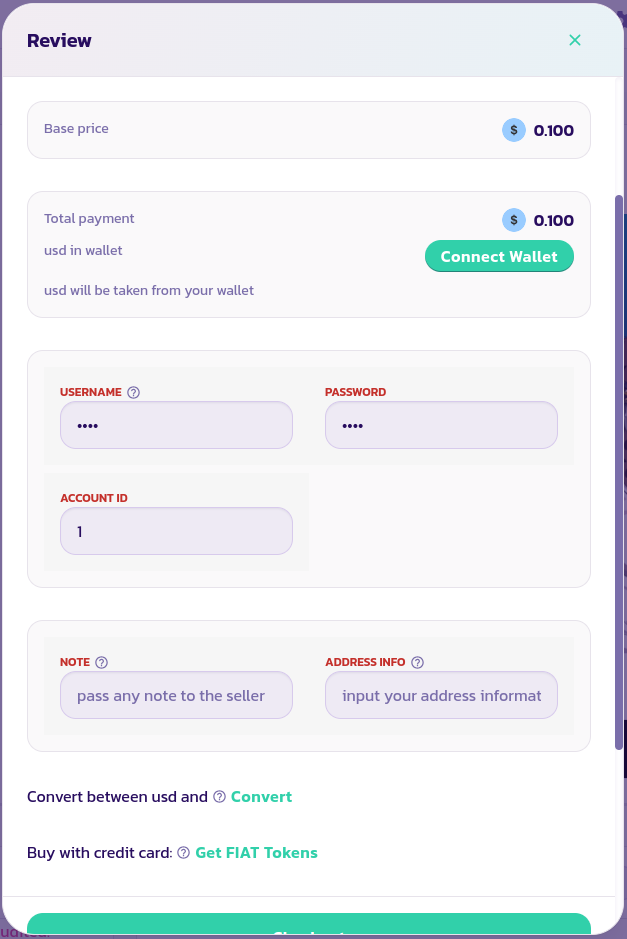
Dans l'assistant qui apparaît, saisissez l'identifiant du compte de votre PayCard, votre nom d'utilisateur et votre mot de passe, ainsi que toute note ou information d'adresse que vous pourriez avoir besoin de joindre à votre commande pour que le marchand puisse l'exécuter efficacement. Validez et confirmez la transaction.

<figure><img src="/files/9DKNldr4dbo5cBZQFX1b" alt=""><figcaption></figcaption></figure>

Félicitations ! Vous avez effectué votre premier achat sans portefeuille sur PaySwap.

[Obtenez un soutien supplémentaire de la communauté ici.](https://paychat.payswap.org/#/room/%23paycom%3Amatrix.org?via=matrix.org)
---

# Agent Instructions
This documentation is published with GitBook. GitBook is the documentation platform designed so that both humans and AI agents can read, navigate, and reason over technical content effectively. Learn more at gitbook.com.

## Querying This Documentation
If you need additional information that is not directly available in this page, you can query the documentation dynamically by asking a question.

Perform an HTTP GET request on the current page URL with the `ask` query parameter:

```
GET https://docs.payswap.org/francais/products/paycards/marketplace-purchases.md?ask=<question>
```

The question should be specific, self-contained, and written in natural language.
The response will contain a direct answer to the question and relevant excerpts and sources from the documentation.

Use this mechanism when the answer is not explicitly present in the current page, you need clarification or additional context, or you want to retrieve related documentation sections.
