> For the complete documentation index, see [llms.txt](https://docs.payswap.org/llms.txt). Markdown versions of documentation pages are available by appending `.md` to page URLs; this page is available as [Markdown](https://docs.payswap.org/korean/products/cancan/paywalls/partnering-with-paywalls.md).
# 페이월과의 파트너십
두 개의 서로 다른 Paywalls는 서로 파트너십을 맺을 수 있으며, 이는 두 Paywalls 중 하나의 구독자가 어느 한 Paywall의 구독자에게도 두 Paywalls의 모든 콘텐츠에 액세스할 수 있도록 합니다.
이는 여러 가지 사용 사례를 가능하게 합니다. 예를 들어, 2명 또는 다수의 음악가가 각자 자신의 Paywalls을 만든 다음 서로 파트너십을 맺어 어느 한 Paywalls에 가입한 모든 사람이 모든 Paywalls의 모든 콘텐츠에 액세스할 수 있도록 할 수 있습니다. 각 음악가의 수익은 그들의 특정 Paywalls를 통해 판매된 구독 수에 따라 결정됩니다.
일부 Paywalls(특히 이미 인기 있는 경우)는 파트너십에 대해 요금을 청구하기로 결정할 수 있습니다.
다음은 Paywalls와 파트너십을 맺는 단계별 가이드입니다:
1. 먼저 파트너십 페이지에서 채널과 파트너십을 맺어야 합니다. 파트너십 페이지에서는 이에 대한 안내서를 제공합니다.
{% content-ref url="/pages/qoPhIckN8L9WsbAgs6qJ" %}
[파트너십](/korean/products/cancan/partnerships.md)
{% endcontent-ref %}
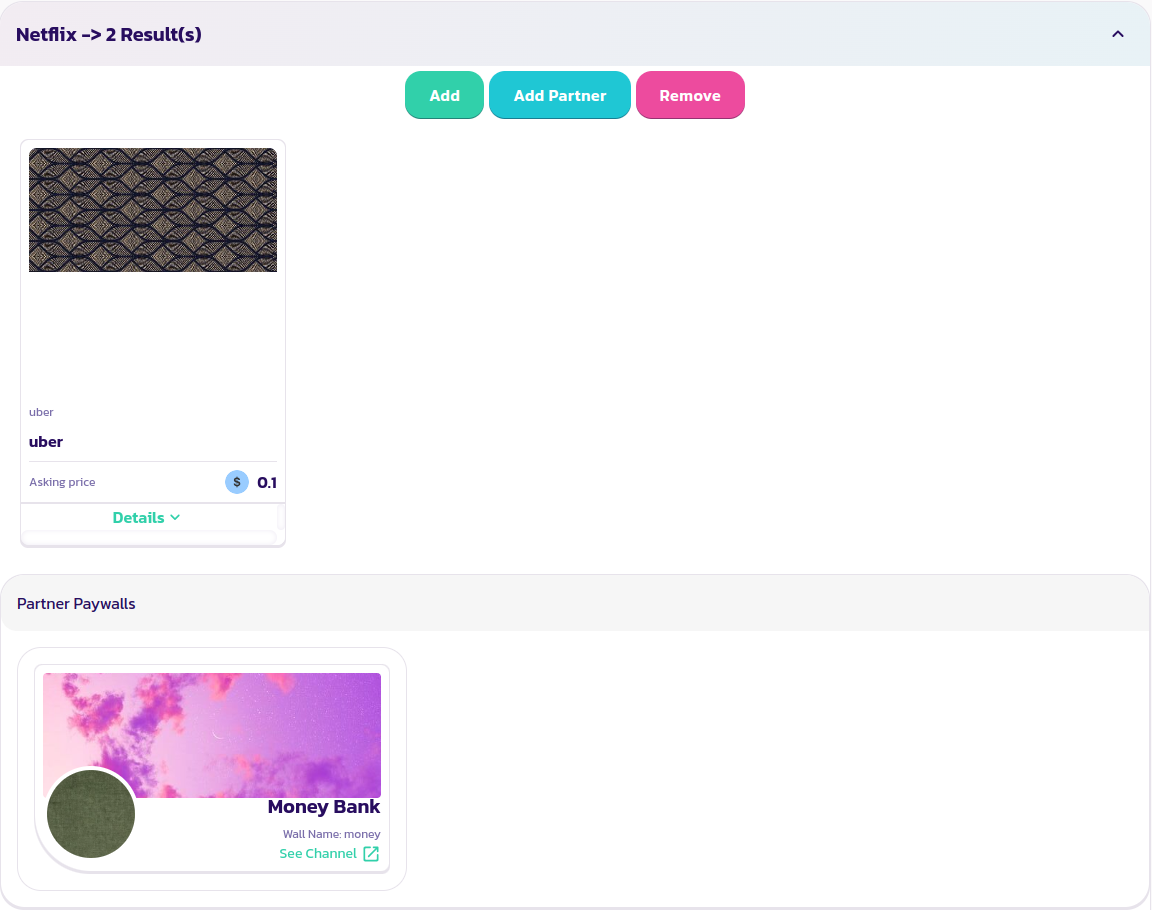
2. 파트너십을 맺으려면 Paywalls를 찾아 확장한 다음 **Add Partner** 버튼을 클릭합니다.
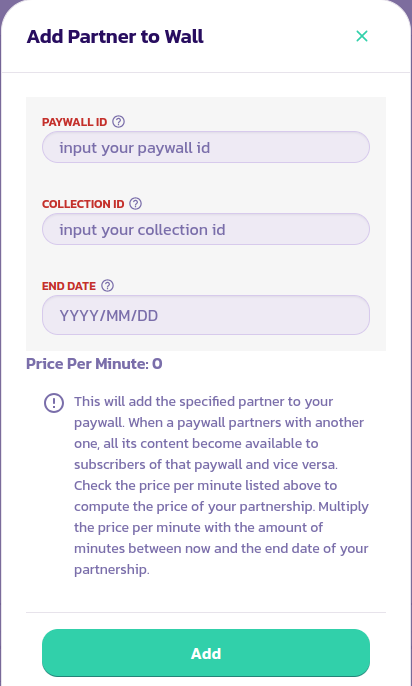
3. 적절한 값을 입력하고 거래를 유효성 검사하는 양식을 작성합니다.
4. 방금 파트너십을 맺은 Paywall의 파트너로 나타나야 하며 그 반대의 경우도 마찬가지입니다.
.png?alt=media)
.png?alt=media)