> For the complete documentation index, see [llms.txt](https://docs.payswap.org/llms.txt). Markdown versions of documentation pages are available by appending `.md` to page URLs; this page is available as [Markdown](https://docs.payswap.org/korean/products/profile/credit-reports.md).
# 신용 보고서
환불을 하지 않거나 돈을 빚진 프로필 소유자를 프로필 계약에 신고할 수 있습니다. 이를 통해 커뮤니티가 프로필 소유자의 신용worthiness를 인식할 수 있습니다.
프로필의 신용 보고서 기록을 확인하려면 다음 단계를 따르세요:
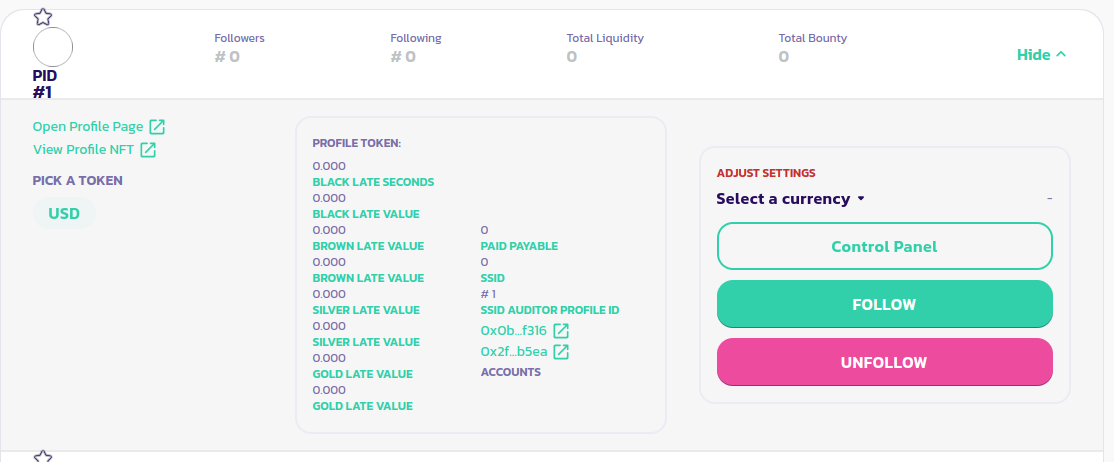
* 검색 상자에서 사용자 이름을 입력하여 원하는 프로필을 찾습니다.
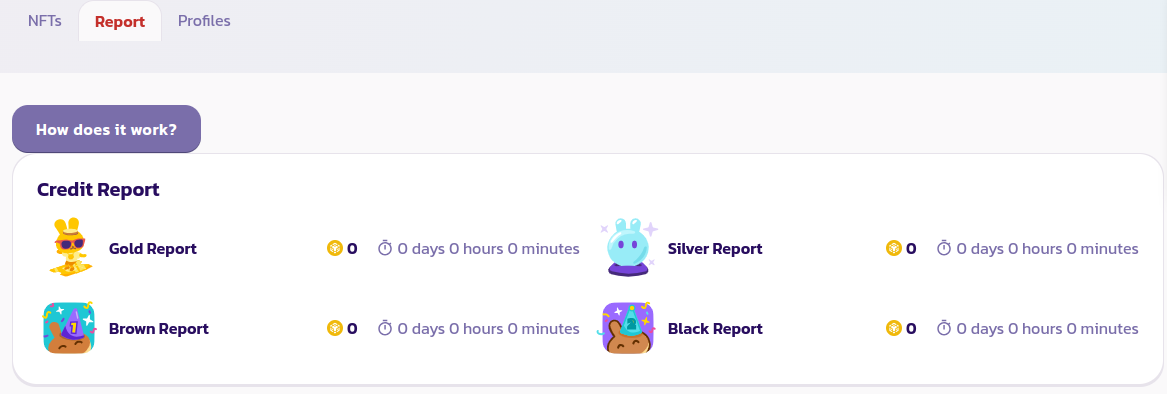
* 프로필 패널을 확장하고 **프로필 페이지 열기**를 클릭하여 해당 프로필 페이지를 엽니다. **Report** 탭을 클릭하여 소유자가 빚진 모든 돈의 기록을 확인합니다.
프로필이 Gold, Silver, Brown 및 Black ARPs에 빚진 토큰의 수와 빚진 기간을 확인할 수 있습니다.
[커뮤니티로부터 더 많은 지원을 받으려면 여기를 클릭하세요.](https://paychat.payswap.org/#/room/%23paycom%3Amatrix.org?via=matrix.org)