> For the complete documentation index, see [llms.txt](https://docs.payswap.org/llms.txt). Markdown versions of documentation pages are available by appending `.md` to page URLs; this page is available as [Markdown](https://docs.payswap.org/polski/products/cancan/auction-and-bids-1.md).

# Krople

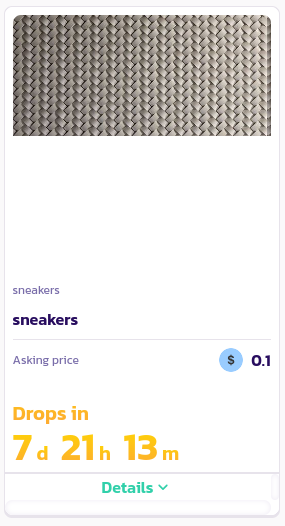
PaySwap umożliwia także wystawienie listy produktów/produktów subskrypcyjnych, których nie można kupić od razu i które można kupić dopiero po upływie określonego terminu. Oto przewodnik krok po kroku, jak to zrobić:

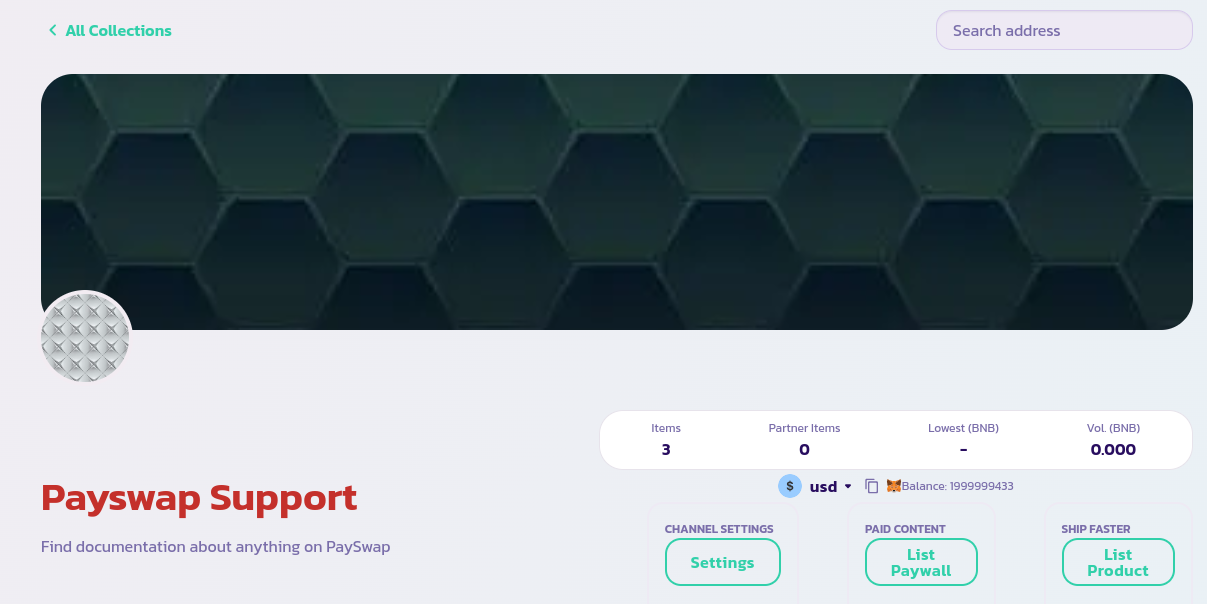
* Przejdź do strony głównej swojego kanału i kliknij przycisk **Lista produktów** (kliknij przycisk **Wyświetl Paywall** w przypadku produktów subskrypcyjnych)

<figure><img src="/files/LhaYcRZZzvc529whFIq2" alt=""><figcaption></figcaption></figure>

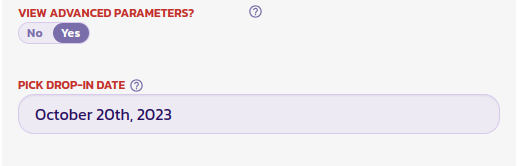
* Wypełnij formularz, który się pojawi, i ustaw pole **Wyświetl parametry zaawansowane** (na dole formularza) na **Tak**, aby wyświetlić pola potrzebne do ustawienia daty wizyty.

<figure><img src="/files/ZGjpZPVqFyVouucKuwB0" alt=""><figcaption></figcaption></figure>

* Na poniższym obrazku ustawiliśmy tę datę na 20 października 2023 r., co oznacza, że po zatwierdzeniu formularza produkt zostanie wyświetlony na liście tak jak w przypadku zwykłej oferty, ale użytkownicy będą mogli go kupić dopiero po określonej dacie.

Gratulacje! Pomyślnie wystawiłeś drop. Powinieneś być w stanie zobaczyć go na stronie głównej swojego kanału, obok innych produktów. W przypadku produktów objętych wyprzedażą wyświetlane są daty wypadania.
<figure><img src="/files/uyEtgrlzehUCWvwYhseI" alt=""><figcaption></figcaption></figure>


---

# Agent Instructions
This documentation is published with GitBook. GitBook is the documentation platform designed so that both humans and AI agents can read, navigate, and reason over technical content effectively. Learn more at gitbook.com.

## Querying This Documentation
If you need additional information that is not directly available in this page, you can query the documentation dynamically by asking a question.

Perform an HTTP GET request on the current page URL with the `ask` query parameter, and the optional `goal` query parameter:

```
GET https://docs.payswap.org/polski/products/cancan/auction-and-bids-1.md?ask=<question>&goal=<endgoal>
```

`ask` is the immediate question: it should be specific, self-contained, and written in natural language.
`goal` is optional and describes the broader end goal you are ultimately trying to accomplish on behalf of the user. GitBook uses it to tailor the answer towards what is most useful for that goal.

The response will contain a direct answer to the question and relevant excerpts and sources from the documentation.

Use this mechanism when the answer is not explicitly present in the current page, you need clarification or additional context, or you want to retrieve related documentation sections.