> For the complete documentation index, see [llms.txt](https://docs.payswap.org/llms.txt). Markdown versions of documentation pages are available by appending `.md` to page URLs; this page is available as [Markdown](https://docs.payswap.org/portugues/products/arps/automatic-arps.md).

# ARPs baseados em porcentagem

<figure><img src="/files/uGJhH0lhHTGbu2drgjKb" alt=""><figcaption></figcaption></figure>

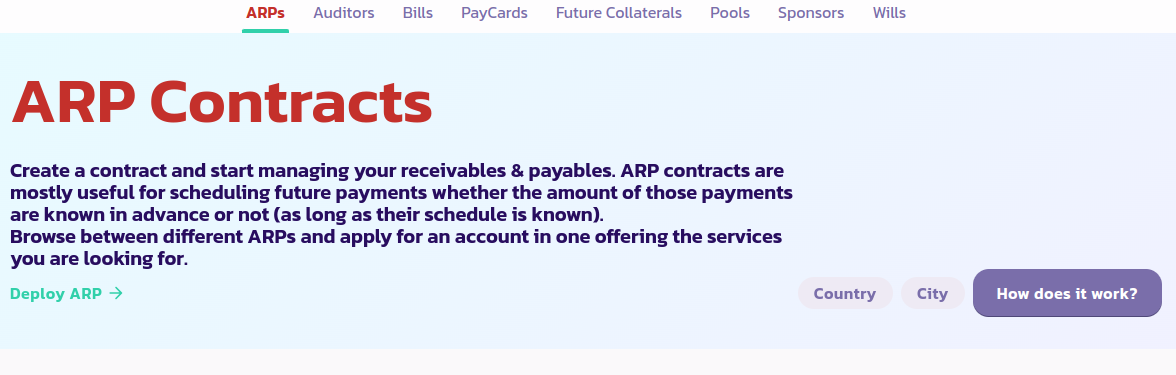
Aqui está um guia passo a passo para configurar um ARP baseado em percentagem:

* Vá para a [página ARP](https://payswap.org/arps) e clique no botão **Implementar ARP**.

<figure><img src="/files/61i4uRGBddgW0KD6nkVv" alt=""><figcaption></figcaption></figure>

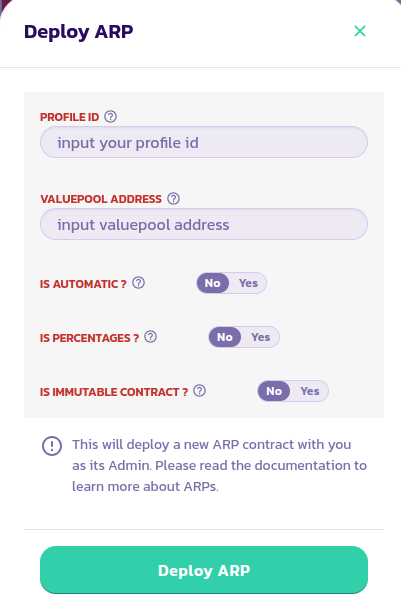
* Preencha o formulário que aparece; defina o parâmetro **São Percentagens** como Sim. Certifique-se de ler a descrição de cada parâmetro passando o cursor sobre o ícone de ajuda ao lado dele. Valide a transação.

<figure><img src="/files/ZyFQQ8vqM6ZqD9P5Ves2" alt=""><figcaption></figcaption></figure>

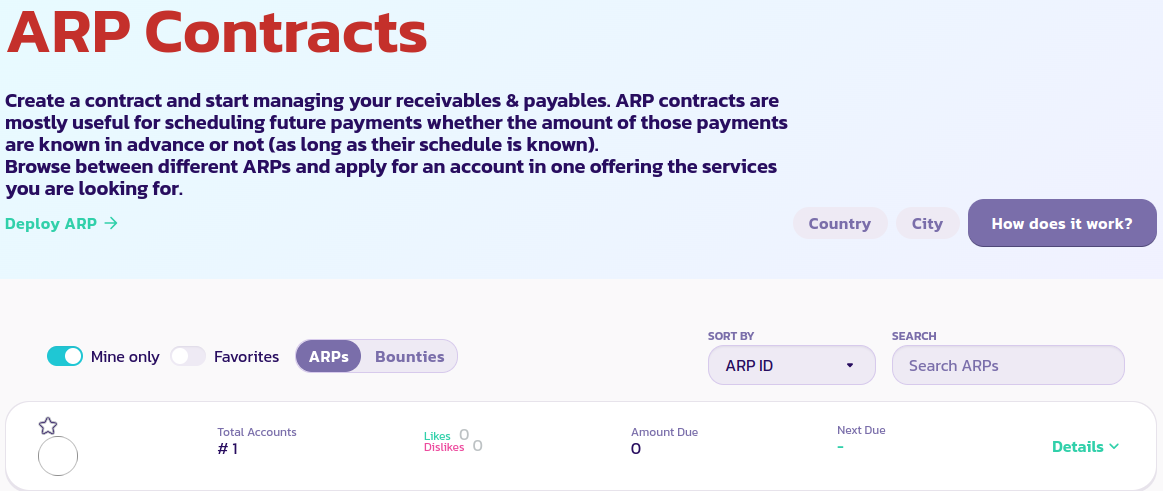
* Clique no botão **Apenas Meus** para exibir apenas seus contratos ARP. Se ainda não conseguir ver o contrato ARP, recarregue a página e clique em **Apenas Meus** novamente.

<figure><img src="/files/cRtUCSBhRSGSpNSx6CSE" alt=""><figcaption></figcaption></figure>

[Obtenha suporte adicional da comunidade aqui.](https://paychat.payswap.org/#/room/%23paycom%3Amatrix.org?via=matrix.org)


---

# Agent Instructions
This documentation is published with GitBook. GitBook is the documentation platform designed so that both humans and AI agents can read, navigate, and reason over technical content effectively. Learn more at gitbook.com.

## Querying This Documentation
If you need additional information that is not directly available in this page, you can query the documentation dynamically by asking a question.

Perform an HTTP GET request on the current page URL with the `ask` query parameter:

```
GET https://docs.payswap.org/portugues/products/arps/automatic-arps.md?ask=<question>
```

The question should be specific, self-contained, and written in natural language.
The response will contain a direct answer to the question and relevant excerpts and sources from the documentation.

Use this mechanism when the answer is not explicitly present in the current page, you need clarification or additional context, or you want to retrieve related documentation sections.