> For the complete documentation index, see [llms.txt](https://docs.payswap.org/llms.txt). Markdown versions of documentation pages are available by appending `.md` to page URLs; this page is available as [Markdown](https://docs.payswap.org/portugues/products/bills.md).
# Contas
Contas são contratos implantados na blockchain que permitem aos usuários configurar aplicativos bancários do sistema, aplicativos de processamento de impostos, etc.
Aqui está um guia passo a passo para implantar um contrato de Conta:
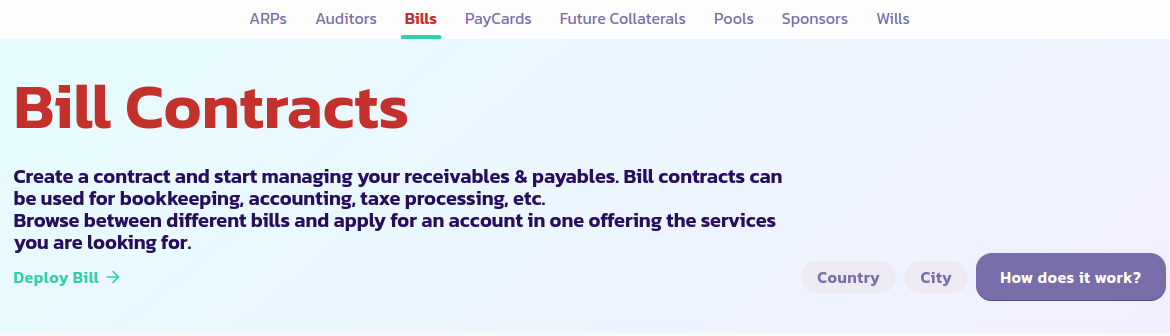
* Acesse a [página de Contas](https://payswap.org/bills) e clique no botão **Implantar Conta**
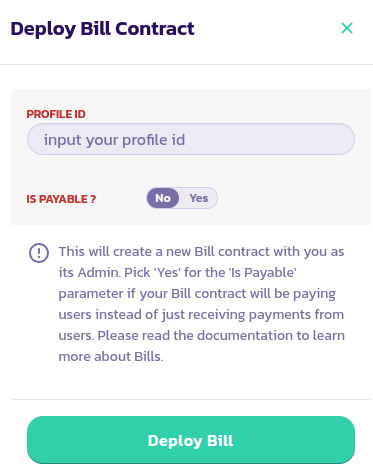
* Preencha o formulário que aparece e valide a transação
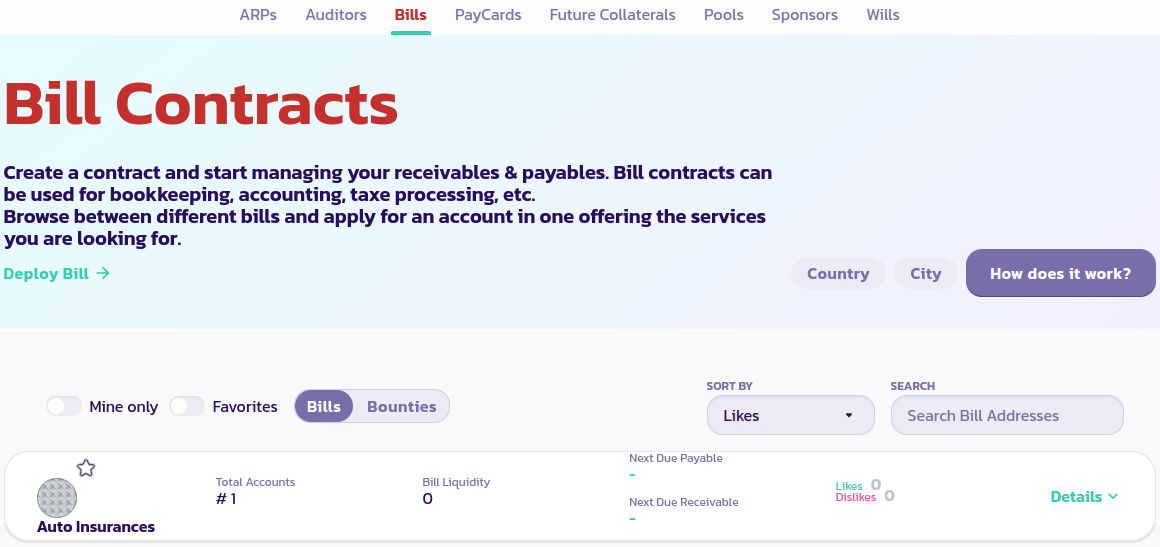
* Clique no botão **Apenas Meus** para exibir apenas seus contratos de Conta. Se ainda não conseguir ver seu contrato de Conta, recarregue a página e clique novamente em **Apenas Meus**
[Obtenha mais suporte da comunidade aqui.](https://paychat.payswap.org/#/room/%23paycom%3Amatrix.org?via=matrix.org)
.jpeg?alt=media)