> For the complete documentation index, see [llms.txt](https://docs.payswap.org/llms.txt). Markdown versions of documentation pages are available by appending `.md` to page URLs; this page is available as [Markdown](https://docs.payswap.org/portugues/products/worlds.md).
# Os mundos
Contratos mundiais criam incentivos para os usuários:
* criar gêmeos digitais do mundo atual - Mundos Red Pill
* propor alternativas para o mundo atual - Mundos Blue Pill
* limpar/ecologizar o mundo atual - Mundos Green Pill
O contrato mundial usa o sistema [plus code](https://plus.codes), que é um sistema de endereçamento digital de código aberto para o mundo inteiro, para criar incentivos em cada parte do globo.
Para implantar um contrato mundial:
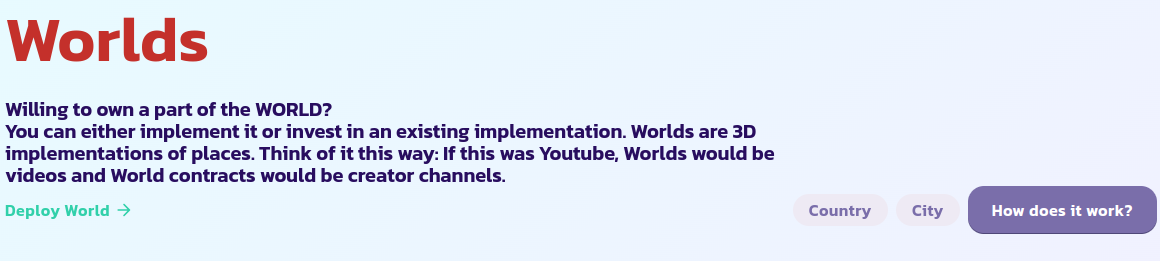
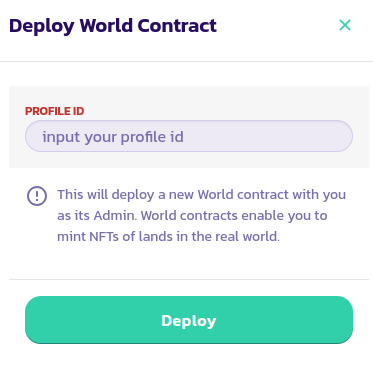
* Vá para a página de [Mundos](https://payswap.org/worlds) e clique no botão **Implantar Mundo**
* No formulário que aparece, insira seu ID de perfil e valide a transação
* Marque o botão **Apenas Minhas** para exibir apenas seus contratos mundiais; isso deve permitir que você encontre o contrato mundial que acabou de implantar mais rapidamente. Se você não conseguir encontrá-lo, recarregue a página e tente novamente
Parabéns! Você implantou com sucesso seu contrato mundial. O próximo passo é configurá-lo como um Mundo Red Pill, Mundo Blue Pill ou um Mundo Verde.
## IDs do Planeta
| Nome do Planeta | ID do Planeta |
| --------------- | ------------- |
| Terra | 1 |
| Vênus | 2 |
| Urano | 3 |
| Júpiter | 4 |
| Marte | 5 |
| Mercúrio | 6 |
| Saturno | 7 |
| Netuno | 8 |
[Obtenha suporte adicional da comunidade aqui.](https://paychat.payswap.org/#/room/%23paycom%3Amatrix.org?via=matrix.org)