> For the complete documentation index, see [llms.txt](https://docs.payswap.org/llms.txt). Markdown versions of documentation pages are available by appending `.md` to page URLs; this page is available as [Markdown](https://docs.payswap.org/ri-ben-yu/products/betting/bets-without-alpha-encoding.md).

# アルファベットエンコーディングを使用しないベット

![](/files/1RFkOZgxMaLmPyxSQ4PZ)

これらのベッティング契約は、ユーザーからの数字の回答のみを受け付けます。スマートコントラクトは、ユーザーが提供した回答を変換しません。そして、スマートコントラクトは数字しか理解しないため、これらの契約でのユーザーの回答はすでに数字の形式である必要があります。

たとえば、ユーザーにApple株価が1日の終わりに170米ドルを超えるか超えないかについてベットしてもらいたいとします。オプションのリストがかなり限られているため、これらのベットはアルファベットエンコーディングのないベッティングイベントで処理するのが良いアイデアです。

以下は、そのようなベッティングイベントを作成するためのステップバイステップのガイドです：

* ベッティング契約に移動します。ベッティング契約を展開する方法については、以下のページでガイドを読むことができます：

{% content-ref url="/pages/soPqt8b8lebynJYts41t" %}
[賭博契約](/ri-ben-yu/products/betting.md)
{% endcontent-ref %}

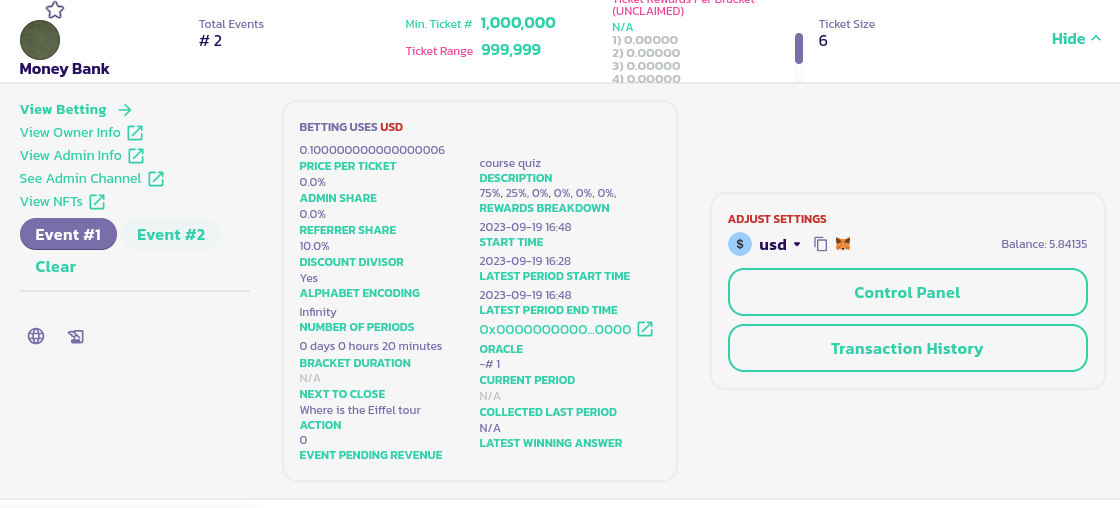
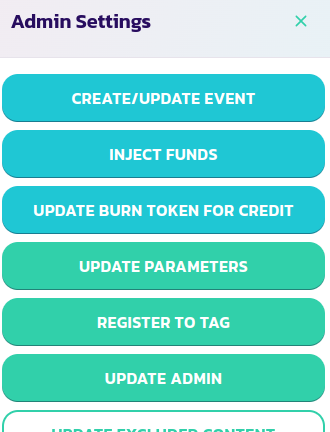
* 契約のパネルで、**Control Panel**ボタンをクリックし、次に**Create/Update Event**ボタンをクリックします。
<div><figure><img src="/files/hJpApeVP4l8bAUy4OhR3" alt=""><figcaption></figcaption></figure> <figure><img src="/files/OWapVcVpCLR0LnFaU7sA" alt=""><figcaption></figcaption></figure></div>

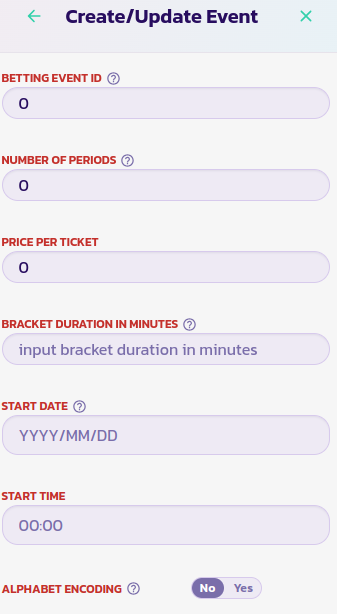
* 適切な値をフォームに入力し、Alphabet EncodingパラメーターにはNoのオプションを選択します。
* フォームを検証し、トランザクションを確認します。ベッティング契約のパネルの左下にイベントがリストされているはずです。

<figure><img src="/files/d4S4UnQ77WZp7oimEZB0" alt=""><figcaption></figcaption></figure>


---

# Agent Instructions
This documentation is published with GitBook. GitBook is the documentation platform designed so that both humans and AI agents can read, navigate, and reason over technical content effectively. Learn more at gitbook.com.

## Querying This Documentation
If you need additional information that is not directly available in this page, you can query the documentation dynamically by asking a question.

Perform an HTTP GET request on the current page URL with the `ask` query parameter, and the optional `goal` query parameter:

```
GET https://docs.payswap.org/ri-ben-yu/products/betting/bets-without-alpha-encoding.md?ask=<question>&goal=<endgoal>
```

`ask` is the immediate question: it should be specific, self-contained, and written in natural language.
`goal` is optional and describes the broader end goal you are ultimately trying to accomplish on behalf of the user. GitBook uses it to tailor the answer towards what is most useful for that goal.

The response will contain a direct answer to the question and relevant excerpts and sources from the documentation.

Use this mechanism when the answer is not explicitly present in the current page, you need clarification or additional context, or you want to retrieve related documentation sections.