> For the complete documentation index, see [llms.txt](https://docs.payswap.org/llms.txt). Markdown versions of documentation pages are available by appending `.md` to page URLs; this page is available as [Markdown](https://docs.payswap.org/ri-ben-yu/products/cancan/articles/tipping-writers.md).

# 投げ銭ライター

ライターは、特定の金額でユーザーからチップを受け取れるように、自分の記事を取引可能にすることができます。そのように選択する場合は、記事の価格を 0 にすることなく、または記事を作成する際に複数のチッピングオプションを追加してください。

### チッピングオプションの追加

* 記事のメインページに移動し、**Adjust Settings** ボタンをクリックします。

<figure><img src="/files/Tf1fejjgAuJEbExJtBdA" alt=""><figcaption></figcaption></figure>

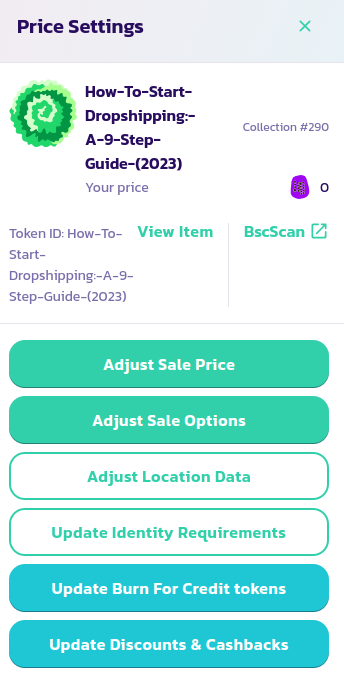
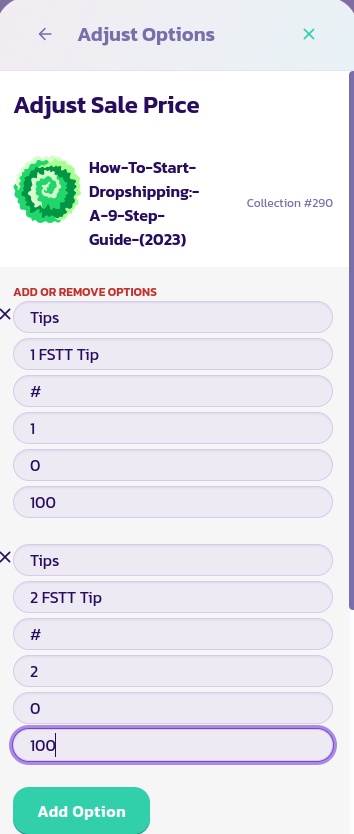
* 表示されたメニューで、**Adjust Sale Options** ボタンをクリックして、以下の右側の画像に示されているフォームを表示します。
<div><figure><img src="/files/pIQXydQcF4jHt162wlMn" alt=""><figcaption></figcaption></figure> <figure><img src="/files/EWjk8HKRJyriqg0GuviP" alt=""><figcaption></figcaption></figure></div>

* 右側の画像に示されているように、複数のチップオプションを追加するために、**Add Option** ボタンをクリックします。フォームを検証し、ページをリロードします。
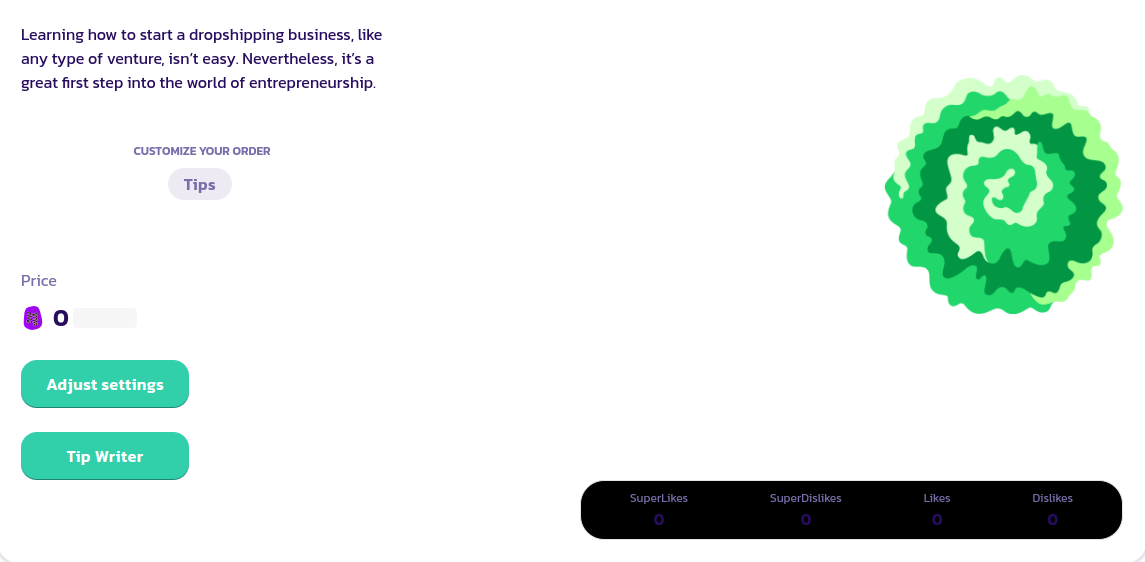
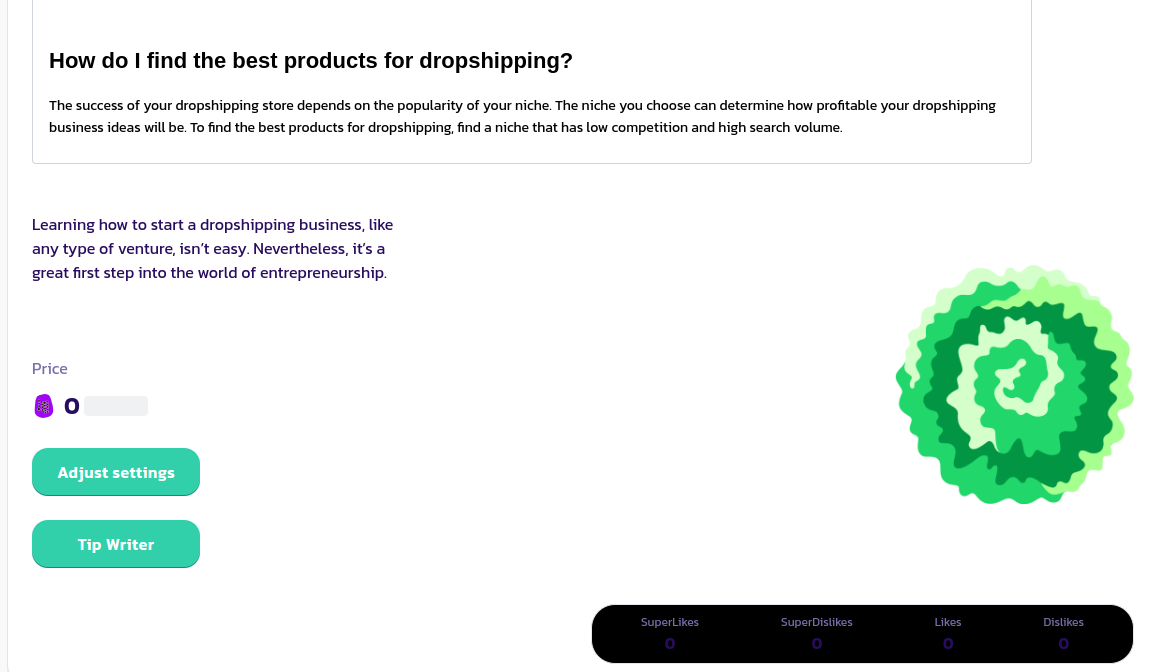
* ページをリロードすると、前に追加した **Tips** オプションが、**Tip Writer** ボタンの直上に表示されます。

<figure><img src="/files/rqljPwPVwosTy08Gf1YN" alt=""><figcaption></figcaption></figure>

* 読者は、1または2 FSTTトークンで任意の数のチップを追加できます。

### ライターにチップをする方法

* ライターの記事ページに移動します。
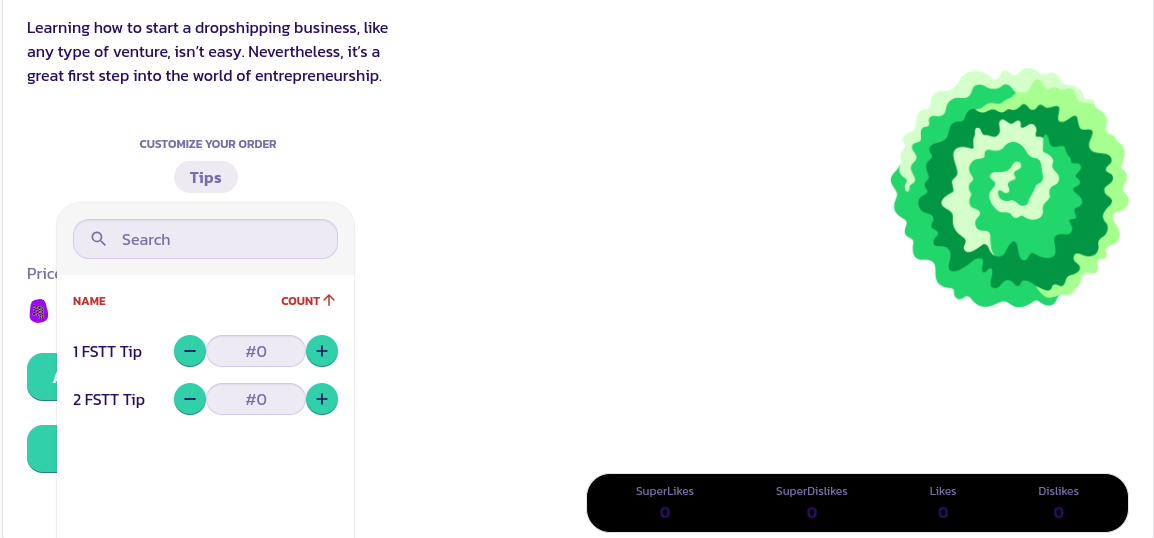
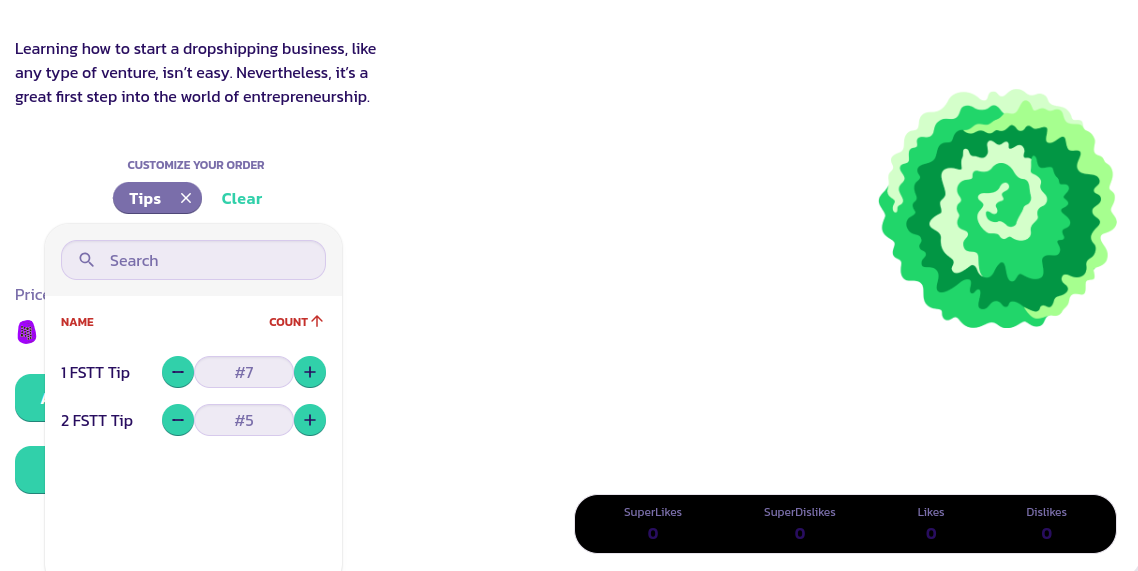
* 記事の最後までスクロールし、「Tip Writer」と表示されるボタンが表示されます。ライターが独自のチップを選択できるようにしている場合、オプションタブ（以下の画像のように）またはその他の名前が書かれた類似のタブも表示されます。

<figure><img src="/files/yPEqQPKbLqc1bWkxyizu" alt=""><figcaption></figcaption></figure>

* オプションタブをクリックして、チップの金額を選択します。以下の画像では、ライターに 17 FSTT トークンのチップを支払うことを選択しています（7 \* 1 FSTT トークン + 5 \* 2 FSTT トークン）。

<figure><img src="/files/GRbqRNMQWoH5in3UIlRO" alt=""><figcaption></figcaption></figure>

* ドロップダウンメニューの外側をクリックしてドロップダウンメニューを閉じ、次に **Tip Writer** ボタンをクリックして購入ウィザードを起動します。
* トランザクションを検証します。

おめでとうございます！17 FSTT トークンのライターに成功裏にチップを支払いました。


---

# Agent Instructions
This documentation is published with GitBook. GitBook is the documentation platform designed so that both humans and AI agents can read, navigate, and reason over technical content effectively. Learn more at gitbook.com.

## Querying This Documentation
If you need additional information that is not directly available in this page, you can query the documentation dynamically by asking a question.

Perform an HTTP GET request on the current page URL with the `ask` query parameter, and the optional `goal` query parameter:

```
GET https://docs.payswap.org/ri-ben-yu/products/cancan/articles/tipping-writers.md?ask=<question>&goal=<endgoal>
```

`ask` is the immediate question: it should be specific, self-contained, and written in natural language.
`goal` is optional and describes the broader end goal you are ultimately trying to accomplish on behalf of the user. GitBook uses it to tailor the answer towards what is most useful for that goal.

The response will contain a direct answer to the question and relevant excerpts and sources from the documentation.

Use this mechanism when the answer is not explicitly present in the current page, you need clarification or additional context, or you want to retrieve related documentation sections.