> For the complete documentation index, see [llms.txt](https://docs.payswap.org/llms.txt). Markdown versions of documentation pages are available by appending `.md` to page URLs; this page is available as [Markdown](https://docs.payswap.org/ri-ben-yu/products/cancan/auction-and-bids-1.md).

# ドロップ

PaySwapを使用すると、直ちに購入することはできず、ある特定の日付後にのみ購入できる製品/定期購読製品をリストすることもできます。以下はその手順です。

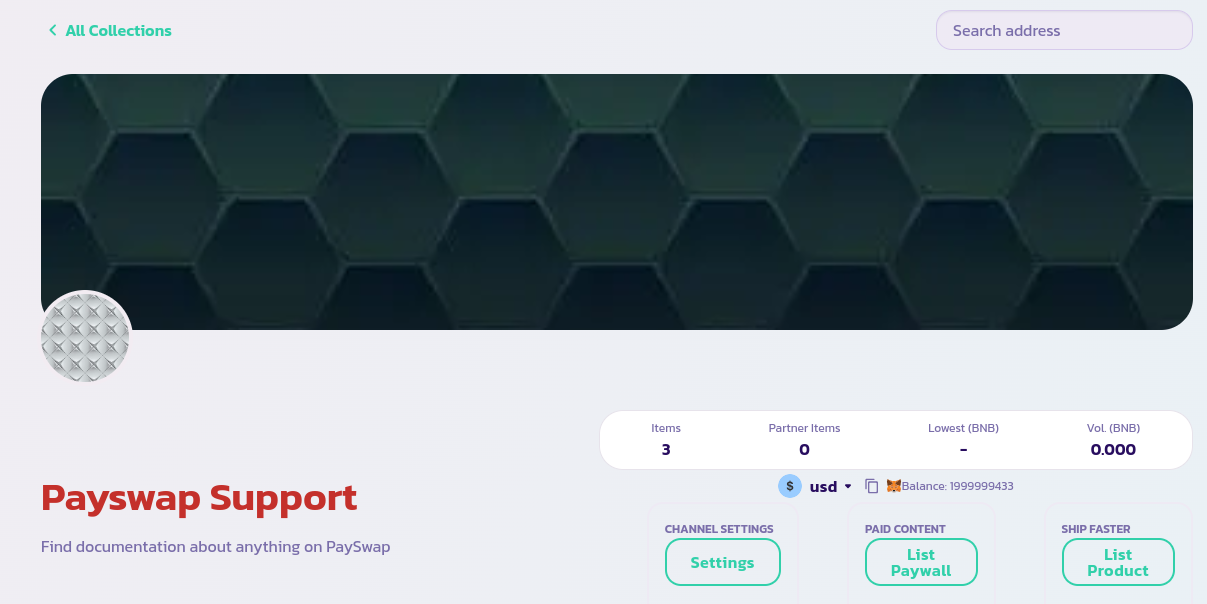
1. チャンネルのメインページに移動し、「**商品をリストする**」ボタンをクリックします（定期購読製品の場合は「**ペイウォールをリストする**」ボタンをクリックします）。

<figure><img src="/files/vb2D0NIBdmW0GUBg1pY2" alt=""><figcaption></figcaption></figure>

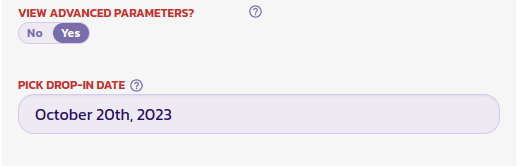
2. 表示されるフォームに入力し、「**高度なパラメータを表示**」フィールド（フォームの一番下にあります）を**Yes**に設定して、ドロップイン日付を設定する必要があるフィールドを表示します。

   <figure><img src="/files/gpalnPEwYlcMohgcB0Zd" alt=""><figcaption></figcaption></figure>
3. 下の画像のように、ドロップイン日付を2023年10月20日に設定します。これにより、フォームを検証した後、製品は通常のリストと同様にリストされますが、ユーザーは特定の日付後にのみ購入できるようになります。

<figure><img src="/files/yKJfsjubgoQnVAZkCNjb" alt=""><figcaption></figcaption></figure>

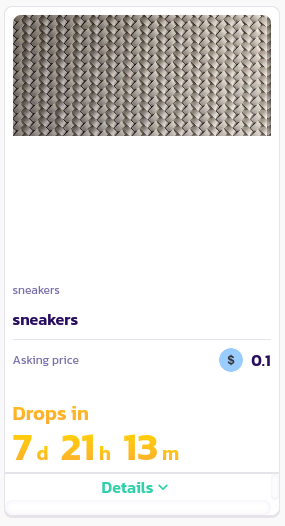
おめでとうございます！ドロップを正常にリストしました。チャンネルのメインページで他の製品と一緒に表示されるはずです。ドロップ製品には、ドロップ日が表示されます。

---

# Agent Instructions
This documentation is published with GitBook. GitBook is the documentation platform designed so that both humans and AI agents can read, navigate, and reason over technical content effectively. Learn more at gitbook.com.

## Querying This Documentation
If you need additional information that is not directly available in this page, you can query the documentation dynamically by asking a question.

Perform an HTTP GET request on the current page URL with the `ask` query parameter, and the optional `goal` query parameter:

```
GET https://docs.payswap.org/ri-ben-yu/products/cancan/auction-and-bids-1.md?ask=<question>&goal=<endgoal>
```

`ask` is the immediate question: it should be specific, self-contained, and written in natural language.
`goal` is optional and describes the broader end goal you are ultimately trying to accomplish on behalf of the user. GitBook uses it to tailor the answer towards what is most useful for that goal.

The response will contain a direct answer to the question and relevant excerpts and sources from the documentation.

Use this mechanism when the answer is not explicitly present in the current page, you need clarification or additional context, or you want to retrieve related documentation sections.