> For the complete documentation index, see [llms.txt](https://docs.payswap.org/llms.txt). Markdown versions of documentation pages are available by appending `.md` to page URLs; this page is available as [Markdown](https://docs.payswap.org/ri-ben-yu/products/cancan/paywalls/activating-paywall-subscriptions.md).

# ペイウォールサブスクリプションのアクティブ化

ペイウォールにサブスクライブするには、2つのステップが必要です。

1. サブスクリプションの購入
2. サブスクリプションのアクティブ化

アクティブ化されていない場合、サブスクリプションは開始されず、1か月のサブスクリプションを複数の月にわたって保持できます。これにより、投資家がペイウォールに投資するために、ペイウォールから複数のサブスクリプションを購入して（アクティブ化せずに）保持し、サブスクリプション価格が上昇した際に以前に購入したサブスクリプションをセカンダリマーケットで安いサブスクリプションを入手したいユーザーに売却することができます。

### サブスクリプションのアクティブ化

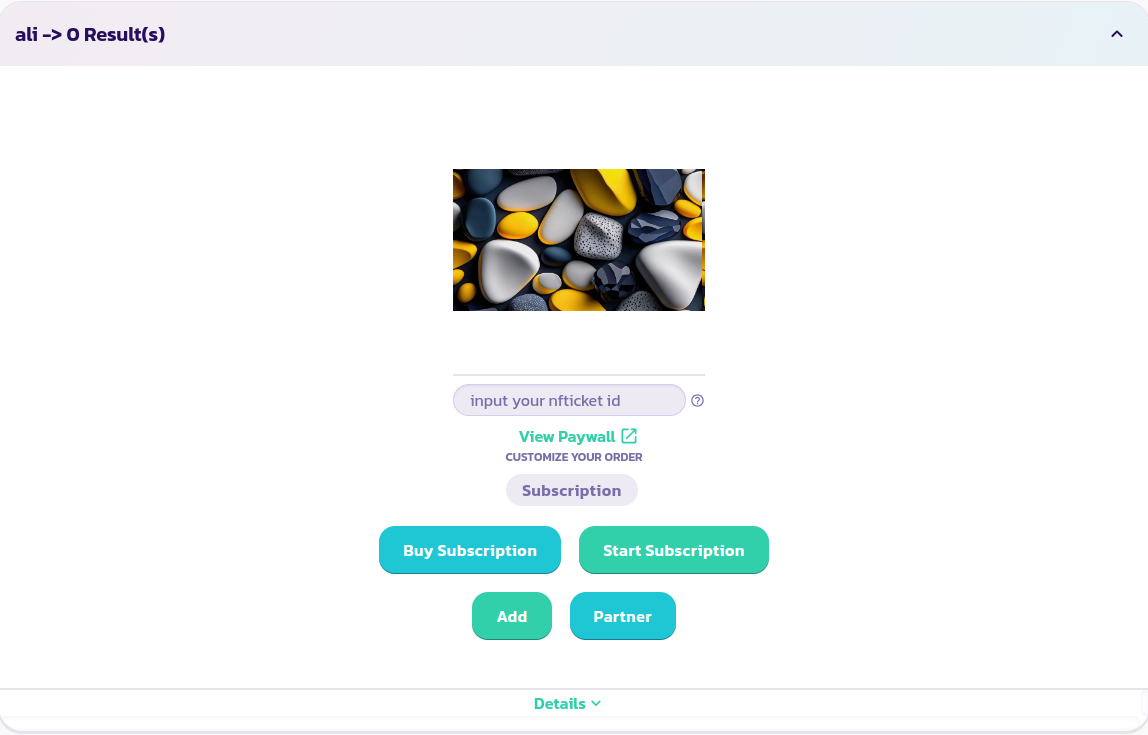
1. サブスクリプションを購読したいペイウォールを見つけて展開します。

<figure><img src="/files/0UrLm2nZ8g3t8hkKIrO2" alt=""><figcaption></figcaption></figure>

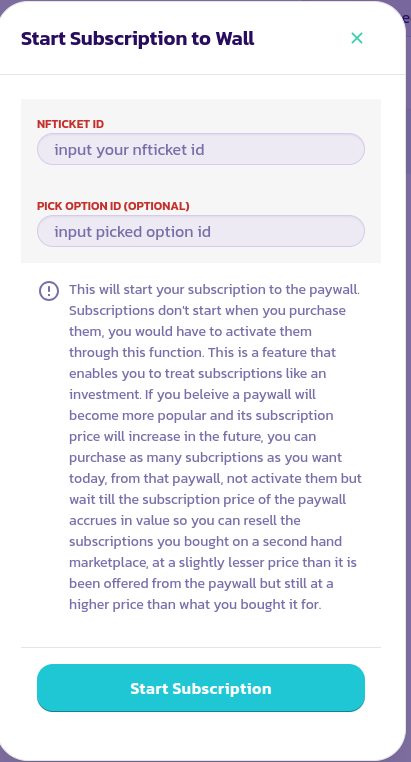
2. **サブスクリプションを開始**ボタンをクリックし、ポップアップしたフォームに入力して検証します。

<figure><img src="/files/i24rI9iNlP3IU7Pfrx3o" alt=""><figcaption></figcaption></figure>

3. ペイウォールの背後にあるコンテンツを表示するには、サブスクリプションを購入して受け取ったNFTicket/eReceiptのIDを**NFTicket IDを入力**フィールドに入力します。これにより、ペイウォールがサブスクリプションがアクティブ化されているかどうかを検出できます。すべての前のステップが正常に完了している場合、フィールドにIDを入力した数秒後にペイウォールのすべてのコンテンツを表示できるはずです。

<figure><img src="/files/0UrLm2nZ8g3t8hkKIrO2" alt=""><figcaption></figcaption></figure>

おめでとうございます！サブスクリプションの開始に成功しました。


---

# Agent Instructions
This documentation is published with GitBook. GitBook is the documentation platform designed so that both humans and AI agents can read, navigate, and reason over technical content effectively. Learn more at gitbook.com.

## Querying This Documentation
If you need additional information that is not directly available in this page, you can query the documentation dynamically by asking a question.

Perform an HTTP GET request on the current page URL with the `ask` query parameter, and the optional `goal` query parameter:

```
GET https://docs.payswap.org/ri-ben-yu/products/cancan/paywalls/activating-paywall-subscriptions.md?ask=<question>&goal=<endgoal>
```

`ask` is the immediate question: it should be specific, self-contained, and written in natural language.
`goal` is optional and describes the broader end goal you are ultimately trying to accomplish on behalf of the user. GitBook uses it to tailor the answer towards what is most useful for that goal.

The response will contain a direct answer to the question and relevant excerpts and sources from the documentation.

Use this mechanism when the answer is not explicitly present in the current page, you need clarification or additional context, or you want to retrieve related documentation sections.