> For the complete documentation index, see [llms.txt](https://docs.payswap.org/llms.txt). Markdown versions of documentation pages are available by appending `.md` to page URLs; this page is available as [Markdown](https://docs.payswap.org/ri-ben-yu/products/cancan/paywalls/partnering-with-paywalls.md).

# ペイウォールとの提携

異なる2つのペイウォールは互いに提携することができ、これにより両方のペイウォールのすべてのコンテンツが、どちらかのペイウォールの購読者に利用可能になります。

これにより、複数のユースケースが可能になります。たとえば、2人または複数のミュージシャンがそれぞれ独自のペイウォールを作成し、その後互いに提携して、どちらかのペイウォールに加入した人はすべてのペイウォールのコンテンツにアクセスできるようになります。各ミュージシャンの収益は、彼ら独自のペイウォールを通じて販売された加入者の数です。

一部のペイウォール（特に既にトラクションを持っている場合）は、提携に対して料金を請求することを決定するかもしれません。

以下は、ペイウォールとの提携の手順です：

* 最初にチャンネルと提携します。提携ページはそれに関するガイドを提供します

{% content-ref url="/pages/EAUhSJDo4ggNsgVhlIex" %}
[パートナーシップ](/ri-ben-yu/products/cancan/partnerships.md)
{% endcontent-ref %}

* ペイウォールを見つけて拡張し、**パートナーを追加**ボタンをクリックします

<figure><img src="/files/qGrMKKjSwj196jhMyRye" alt=""><figcaption></figcaption></figure>

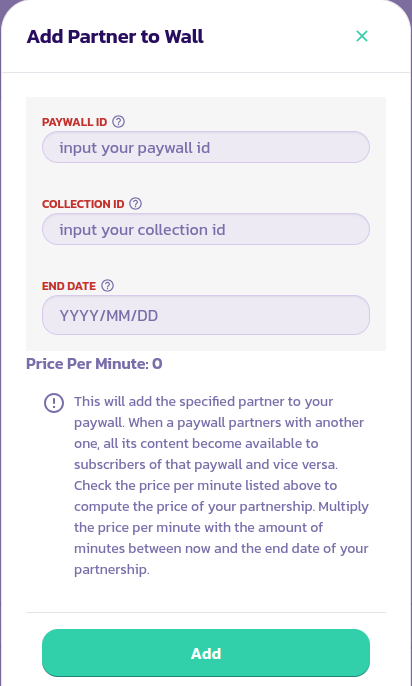
* 適切な値を入力してフォームを記入し、トランザクションを検証します

<figure><img src="/files/OP3W2MzYMGZl3AsRC5Lf" alt=""><figcaption></figcaption></figure>

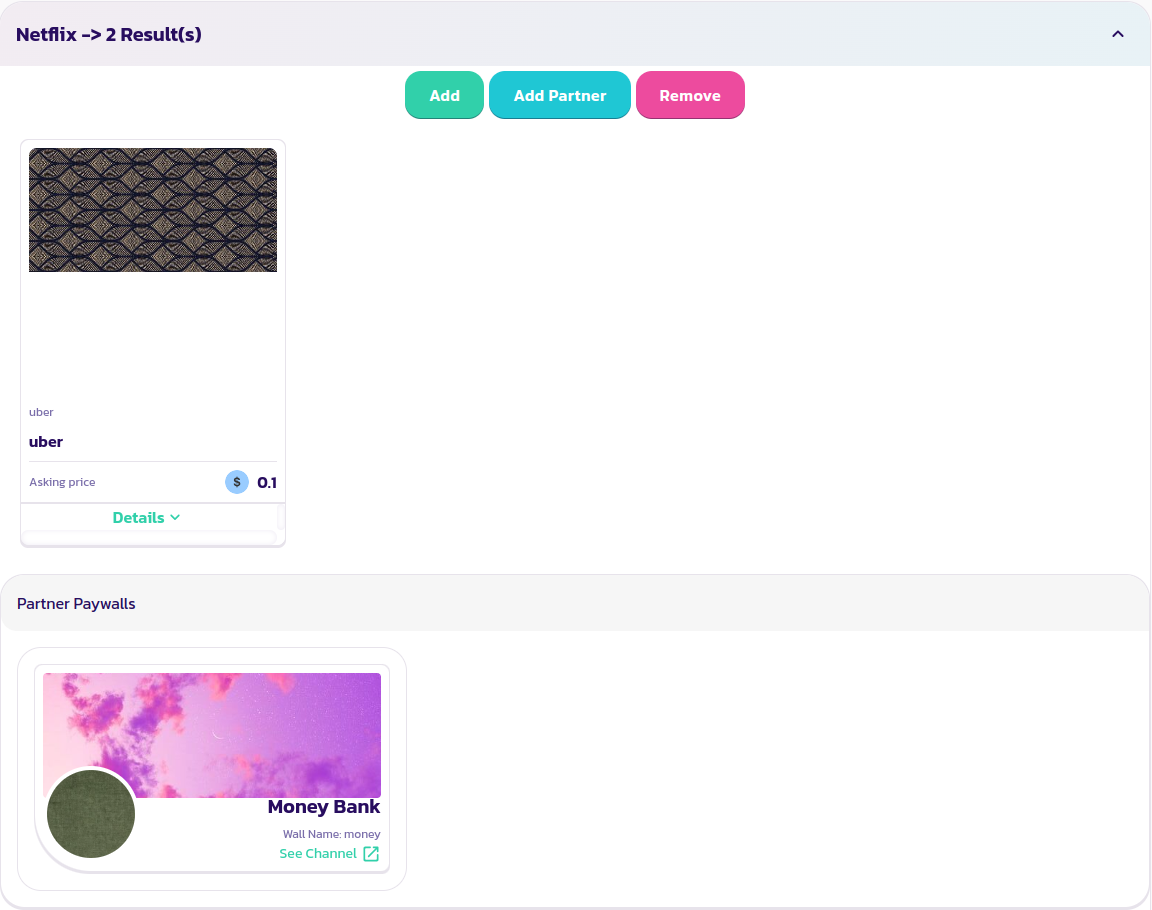
* あなたのペイウォールは、さっき提携したペイウォールのパートナーとして表示され、その逆も同様です

<figure><img src="/files/sVuP4nEYGtq6ttZyql2v" alt=""><figcaption></figcaption></figure>

<figure><img src="/files/VSAYDYw4kYOYtRthFSm5" alt=""><figcaption></figcaption></figure>


---

# Agent Instructions
This documentation is published with GitBook. GitBook is the documentation platform designed so that both humans and AI agents can read, navigate, and reason over technical content effectively. Learn more at gitbook.com.

## Querying This Documentation
If you need additional information that is not directly available in this page, you can query the documentation dynamically by asking a question.

Perform an HTTP GET request on the current page URL with the `ask` query parameter, and the optional `goal` query parameter:

```
GET https://docs.payswap.org/ri-ben-yu/products/cancan/paywalls/partnering-with-paywalls.md?ask=<question>&goal=<endgoal>
```

`ask` is the immediate question: it should be specific, self-contained, and written in natural language.
`goal` is optional and describes the broader end goal you are ultimately trying to accomplish on behalf of the user. GitBook uses it to tailor the answer towards what is most useful for that goal.

The response will contain a direct answer to the question and relevant excerpts and sources from the documentation.

Use this mechanism when the answer is not explicitly present in the current page, you need clarification or additional context, or you want to retrieve related documentation sections.