> For the complete documentation index, see [llms.txt](https://docs.payswap.org/llms.txt). Markdown versions of documentation pages are available by appending `.md` to page URLs; this page is available as [Markdown](https://docs.payswap.org/ri-ben-yu/products/profile/building-your-social-graph.md).

# ソーシャル グラフを構築する

他のユーザーにフォローされることで、お気に入りのブロックチェーン上でソーシャルグラフを構築できます。これにより、メールリストを作成し、いつでも所有できるソーシャルグラフを構築することができます。これは、いつでも取り上げられる可能性のある、任意のソーシャルメディアプラットフォーム上で構築できるソーシャルグラフとは異なります。

新しいソーシャルメディアに参加するたびにソーシャルグラフをゼロから作り直す必要はありません。ソーシャルメディアプラットフォームは、もちろんあなたがそれを許可した後、あなたのソーシャルグラフをブロックチェーンから瞬時に取得できるべきです。

私たちのプロフィールのソーシャルグラフを使用すると、これが可能です。ソーシャルプラットフォームは、私たちのAPIを使用して、ユーザーがオンボーディングプロセス中にすべてのフォロワーのメールをダウンロードし、そのソーシャルグラフを構築できるようにすることができます。ソーシャルプラットフォームから獲得した新しいフォロワーは、インターネット上のすべてのソーシャルプラットフォームで同じソーシャルグラフに即座に追加されるため、ブロックチェーン上で同じソーシャルグラフが提供されます。

## プロフィールのフォロー/アンフォロー方法

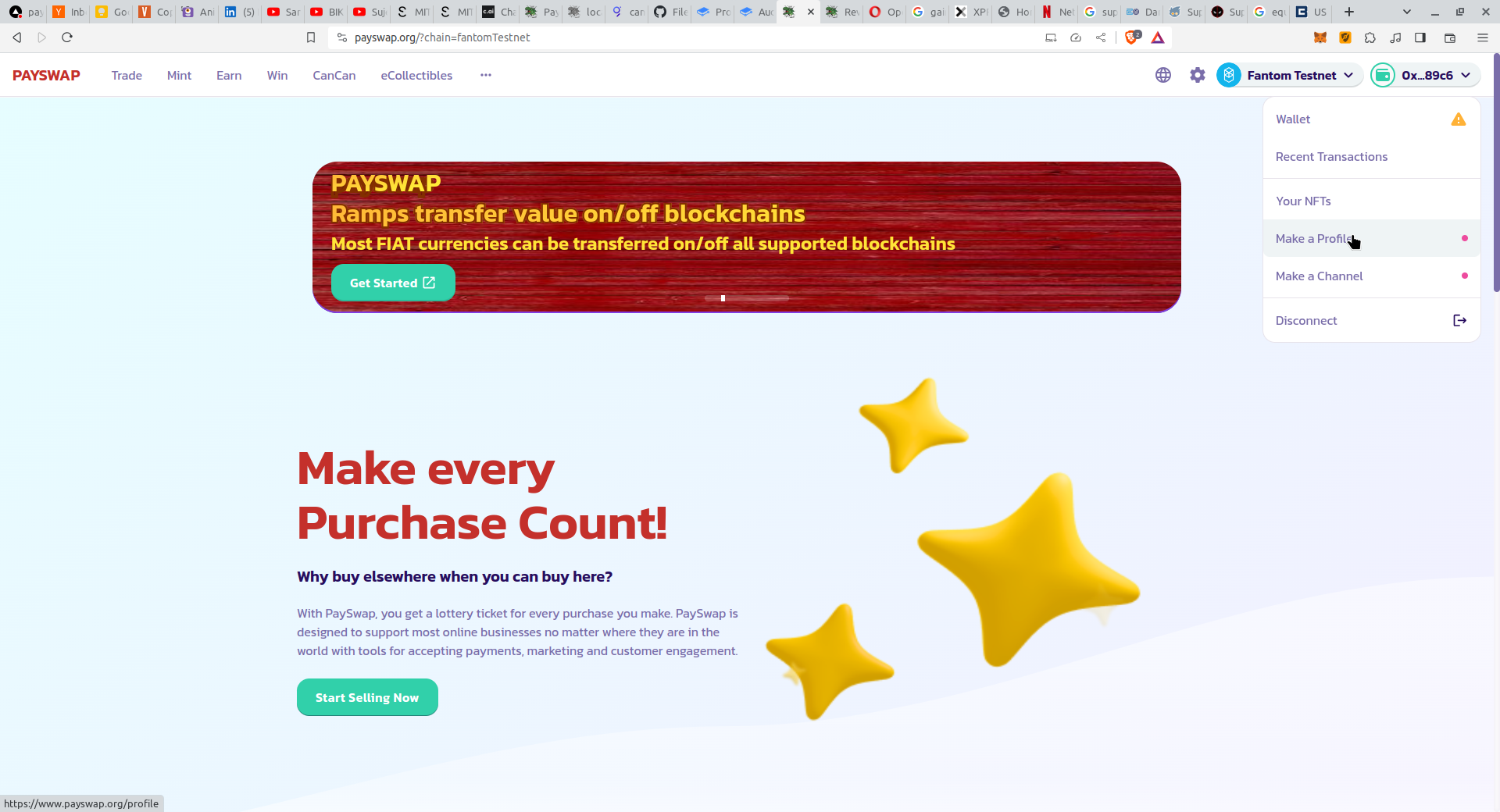
* [PaySwapサイト](https://ekontetevi.gitbook.io/tubecoin/)の右上のドロップダウンから**プロフィールを作成**ボタンをクリックして、プロフィールページに移動します。

<figure><img src="/files/QJaxjjqkNWQr3g9Og09p" alt=""><figcaption></figcaption></figure>

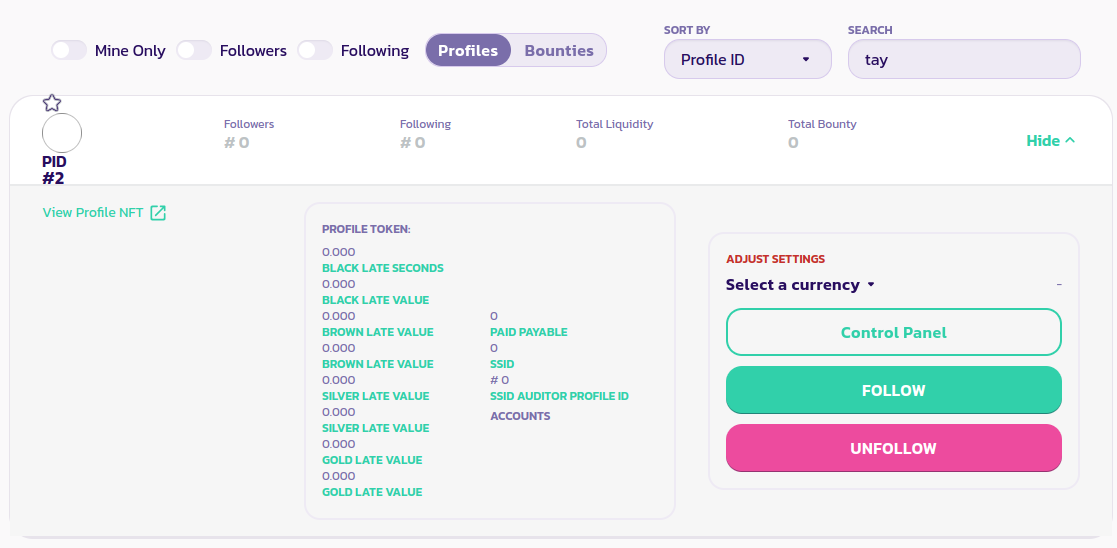
* プロフィールページで、**Profiles**タブをクリックし、検索ボックスに受信者のユーザー名を入力します。これにより、受信者のプロフィールが一覧表示されます。

<figure><img src="/files/KnGlyjOYgSgUkdvQHQc6" alt=""><figcaption></figcaption></figure>

* プロフィールをフォローするには**フォロー**ボタンをクリックし、プロフィールのフォローを解除するには**アンフォロー**ボタンをクリックします。

[コミュニティからのさらなるサポートを受けるにはこちらをクリックしてください。](https://paychat.payswap.org/#/room/%23paycom%3Amatrix.org?via=matrix.org)
---

# Agent Instructions
This documentation is published with GitBook. GitBook is the documentation platform designed so that both humans and AI agents can read, navigate, and reason over technical content effectively. Learn more at gitbook.com.

## Querying This Documentation
If you need additional information that is not directly available in this page, you can query the documentation dynamically by asking a question.

Perform an HTTP GET request on the current page URL with the `ask` query parameter, and the optional `goal` query parameter:

```
GET https://docs.payswap.org/ri-ben-yu/products/profile/building-your-social-graph.md?ask=<question>&goal=<endgoal>
```

`ask` is the immediate question: it should be specific, self-contained, and written in natural language.
`goal` is optional and describes the broader end goal you are ultimately trying to accomplish on behalf of the user. GitBook uses it to tailor the answer towards what is most useful for that goal.

The response will contain a direct answer to the question and relevant excerpts and sources from the documentation.

Use this mechanism when the answer is not explicitly present in the current page, you need clarification or additional context, or you want to retrieve related documentation sections.
