> For the complete documentation index, see [llms.txt](https://docs.payswap.org/llms.txt). Markdown versions of documentation pages are available by appending `.md` to page URLs; this page is available as [Markdown](https://docs.payswap.org/ri-ben-yu/products/profile/transferring-money.md).

# 送金

ブロックチェーン上でのお金の送金は少し手間がかかる場合があります。正しいウォレットアドレスを取得する必要がありますが、これは一連の長い文字列です（0x2fbfd5A8B2C31DDB921211933bfb1842FF39B5eA）。間違ってお金を間違ったアドレスに送金した場合、基本的に返金は受けられません。

プロフィールは、以下の2つの理由ではるかに優れた安全な代替手段を提供します。

* ユーザーごとに固有のユーザー名を使用して、プロフィールページで受信者のプロフィールを見つけることができます。
* プロフィールに送金されたお金は、誤って送金された場合、プロフィールの所有者によって返金される可能性があります。そうでない場合は、送信者がプロフィールのバウンティを請求できます。プロフィールの所有者は、プロフィールに送金されたお金を引き出すことはできません（プロフィールに十分なバウンティが添付されている場合を除く）。

## プロフィールの検索

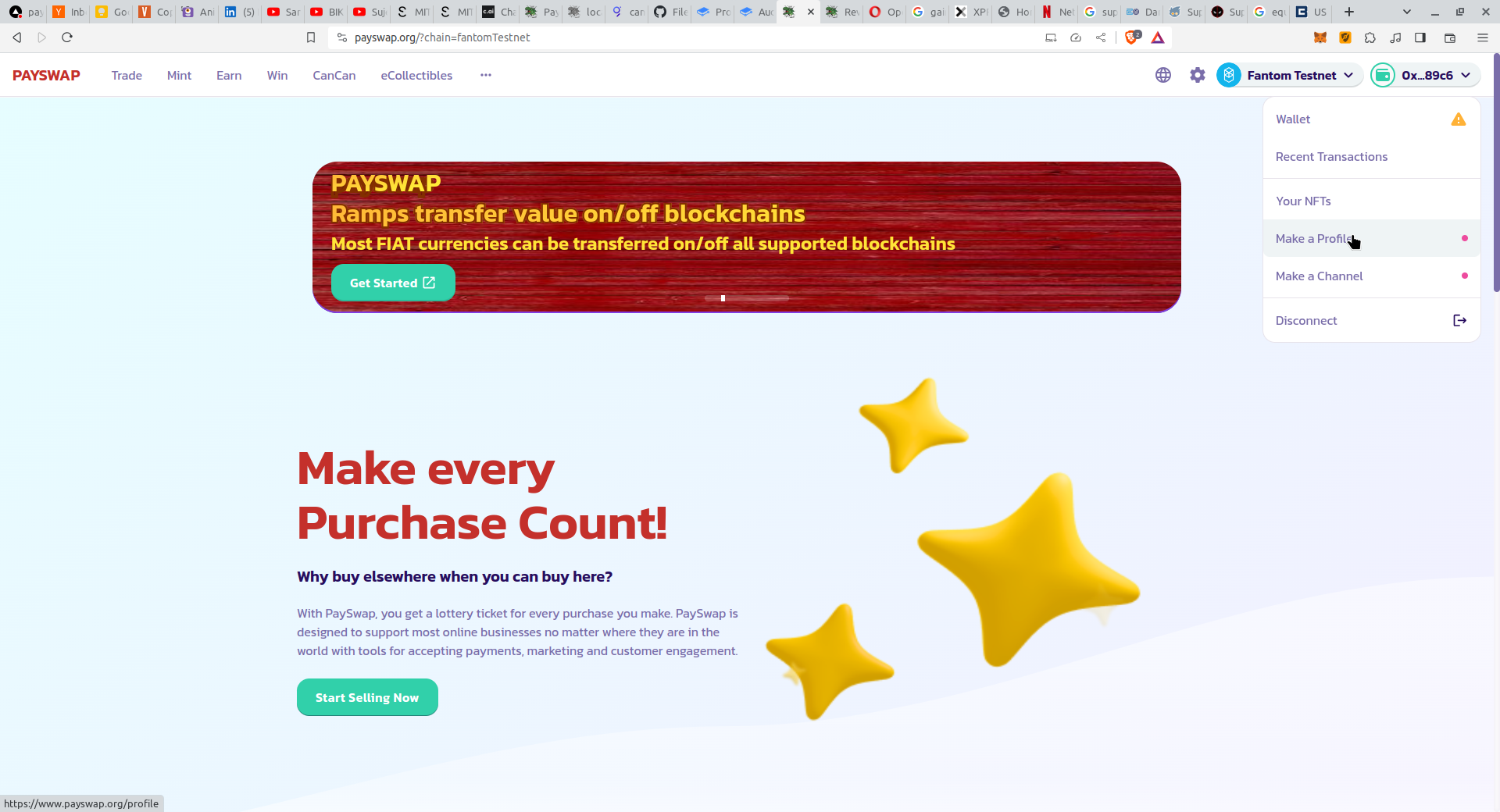
* [PaySwapサイト](https://ekontetevi.gitbook.io/tubecoin/)の右上のドロップダウンメニューから**Make a Profile**ボタンをクリックして、プロフィールのページに移動します。

<figure><img src="/files/QJaxjjqkNWQr3g9Og09p" alt=""><figcaption></figcaption></figure>

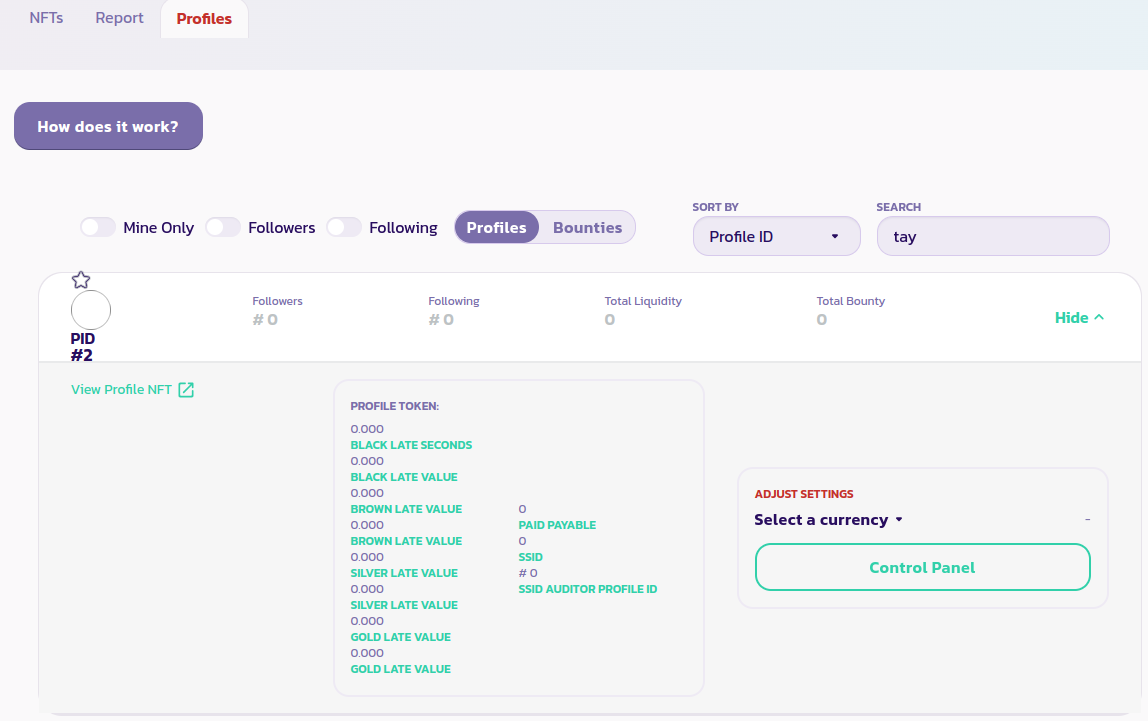
* プロフィールのページで、**Profiles**タブをクリックし、検索ボックスに受信者のユーザー名を入力します。これにより、受信者のプロフィールが表示されます。

<figure><img src="/files/mMqt30jok9HOMUgle4nK" alt=""><figcaption></figcaption></figure>

## プロフィールへのトークンの送金

* 受信者のプロフィールを検索して、受信者のユーザー名で検索します。
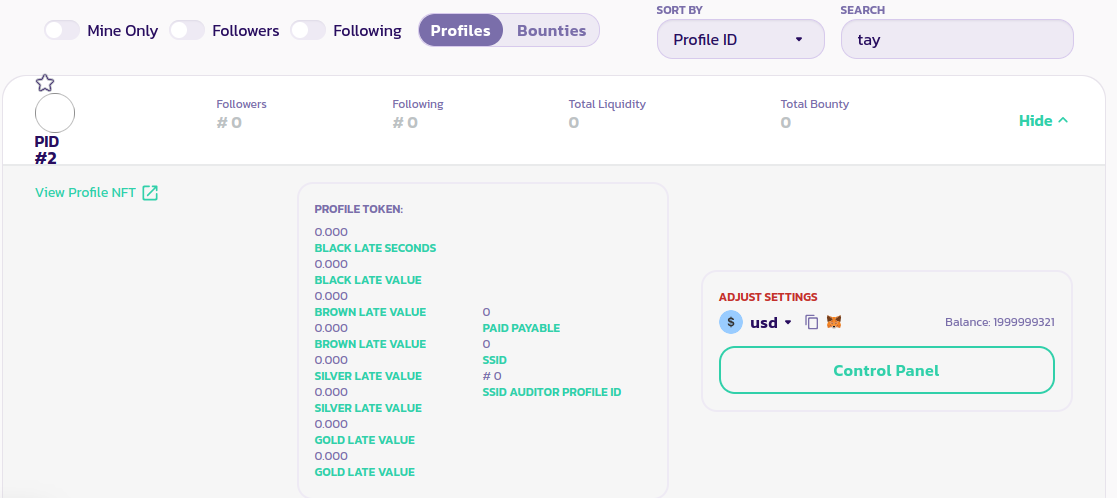
* 受信者のプロフィールを展開し、送金したいトークンを選択するための**Select a currency**ボタンをクリックします。

<figure><img src="/files/Yyz9XO6IYR3J6e5085IC" alt=""><figcaption></figcaption></figure>

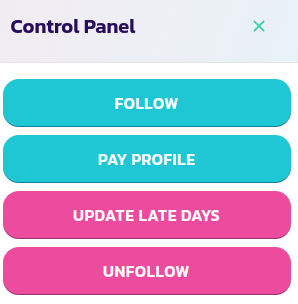
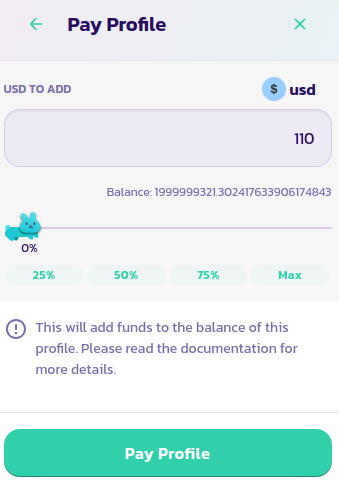
* **Control Panel**ボタンをクリックし、**Pay Profile**ボタンを選択します。前に選択したトークンの金額を入力し、トランザクションを検証します。
<div><figure><img src="/files/H4SFABqztyEuNVMHppkQ" alt=""><figcaption></figcaption></figure> <figure><img src="/files/tpBnUI9g3wWmC5K1C4f4" alt=""><figcaption></figcaption></figure></div>

## プロフィールにバウンティを添付する

プロフィールにバウンティを添付するには、添付するバウンティが存在する通貨を選択します。

<figure><img src="/files/Yyz9XO6IYR3J6e5085IC" alt=""><figcaption></figcaption></figure>

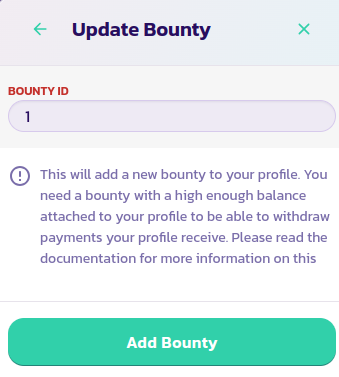
次に、**Control Panel**ボタンをクリックし、次に**Update Bounty**ボタンをクリックします。

<div><figure><img src="/files/u2nhuTmYKQNlQnFIjiVI" alt=""><figcaption></figcaption></figure> <figure><img src="/files/qVrIebXwROVJcuX8psxE" alt=""><figcaption></figcaption></figure></div>

バウンティのIDを入力して、トランザクションを検証します。

## プロフィールからトークンを引き出す

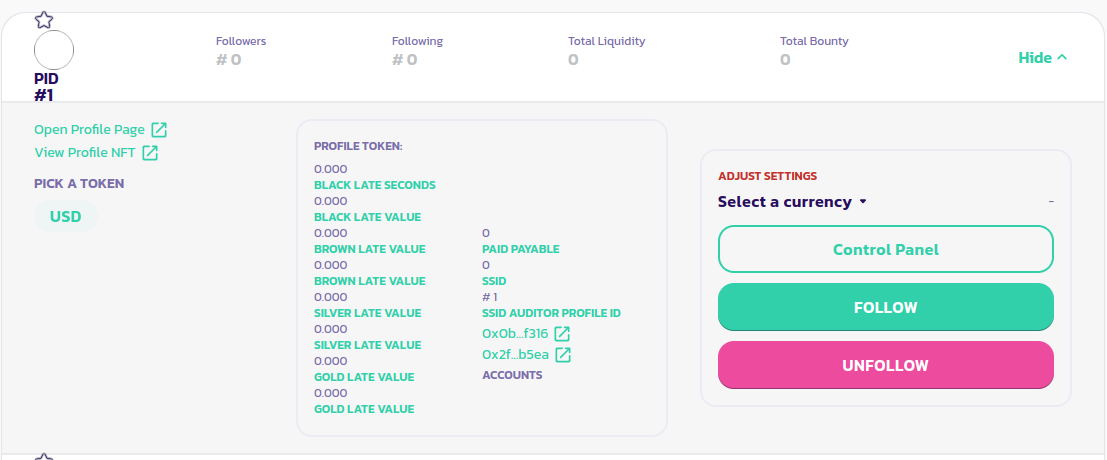
プロフィールに送金されたトークンは、プロフィールのパネルの左下セクションから表示できます。以下の画像のように、USDがプロフィールに送信されていることが表示されます。

<figure><img src="/files/nyLGCnUNao2zr1aQDU8D" alt=""><figcaption></figcaption></figure>

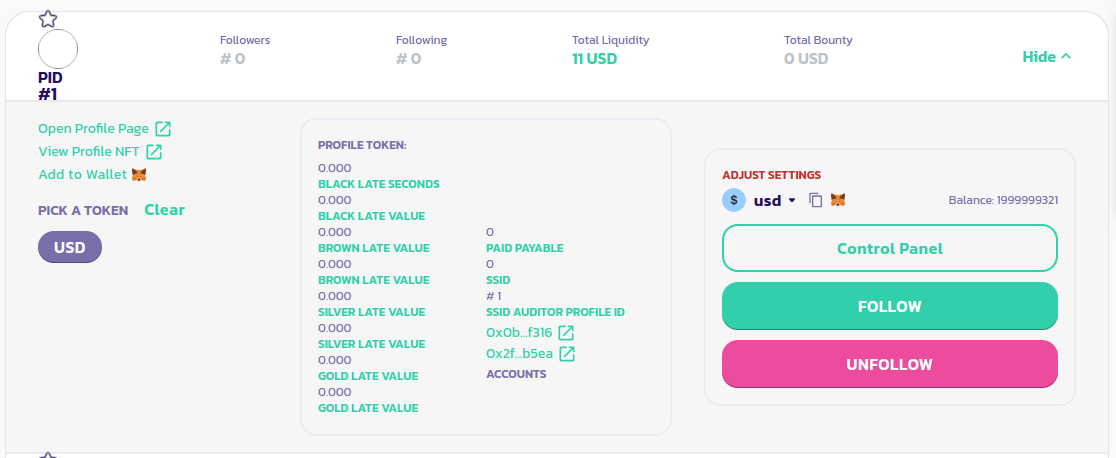
プロフィールのバランスに持っているトークンの量を表示するには、トークンを選択します。以下の画像のように、プロフィールは11 USDを保持しています。

<figure><img src="/files/4FucJweyo9tn98bEulqf" alt=""><figcaption></figcaption></figure>

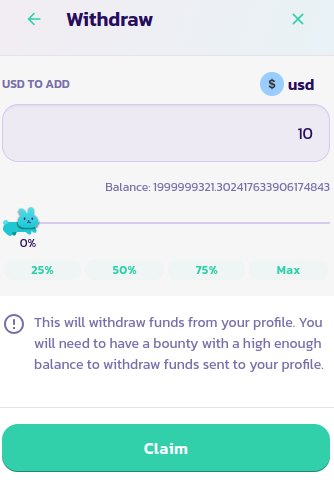
これを引き出すには、プロフィールに少なくとも11 USDのバウンティを添付する必要があります。バウンティを添付した後、**Control Panel**ボタンをクリックし、次に**Claim Revenue**ボタンをクリックします。

<div><figure><img src="/files/u2nhuTmYKQNlQnFIjiVI" alt=""><figcaption></figcaption></figure> <figure><img src="/files/2NEwFfXqVcAMCXuDXnuL" alt=""><figcaption></figcaption></figure></div>

[コミュニティからさらなるサポートを受けるにはこちら。](https://paychat.payswap.org/#/room/%23paycom%3Amatrix.org?via=matrix.org)


---

# Agent Instructions
This documentation is published with GitBook. GitBook is the documentation platform designed so that both humans and AI agents can read, navigate, and reason over technical content effectively. Learn more at gitbook.com.

## Querying This Documentation
If you need additional information that is not directly available in this page, you can query the documentation dynamically by asking a question.

Perform an HTTP GET request on the current page URL with the `ask` query parameter, and the optional `goal` query parameter:

```
GET https://docs.payswap.org/ri-ben-yu/products/profile/transferring-money.md?ask=<question>&goal=<endgoal>
```

`ask` is the immediate question: it should be specific, self-contained, and written in natural language.
`goal` is optional and describes the broader end goal you are ultimately trying to accomplish on behalf of the user. GitBook uses it to tailor the answer towards what is most useful for that goal.

The response will contain a direct answer to the question and relevant excerpts and sources from the documentation.

Use this mechanism when the answer is not explicitly present in the current page, you need clarification or additional context, or you want to retrieve related documentation sections.