> For the complete documentation index, see [llms.txt](https://docs.payswap.org/llms.txt). Markdown versions of documentation pages are available by appending `.md` to page URLs; this page is available as [Markdown](https://docs.payswap.org/russkii/products/cancan/paywalls/activating-paywall-subscriptions.md).

# Активация подписки Paywall

Подписка на платную стену включает в себя два этапа:

* Покупка подписки
* Активация подписки

Когда подписка не активирована, она не начинается, и подписка на 1 месяц может быть сохранена на несколько месяцев до активации. Это позволяет инвесторам инвестировать в платные стены, покупая (но не активируя) несколько подписок на эти платные стены и ожидая повышения цены подписки на эти платные стены, чтобы продать ранее купленные подписки на вторичном рынке пользователям, желающим получить более дешевую подписку на платную стену.

### Активация подписки

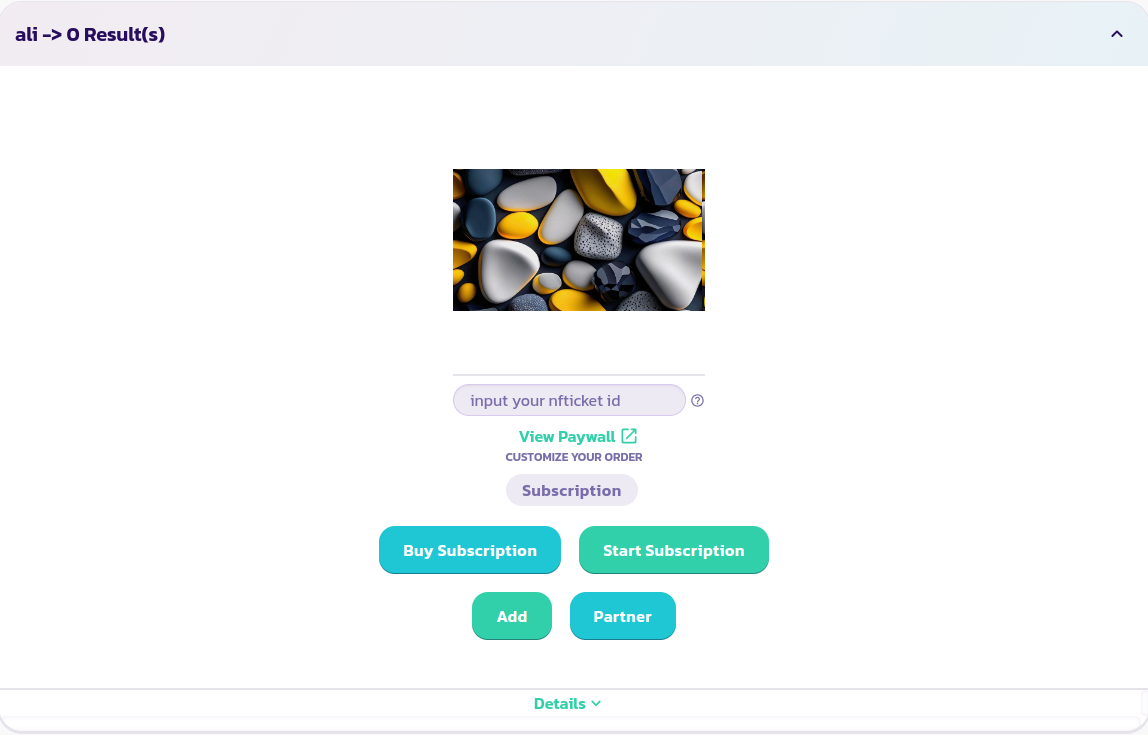
* Найдите и разверните платную стену, на которую вы хотите подписаться:

<figure><img src="/files/z6VuRPYNWdwAkb2ZfqBC" alt=""><figcaption></figcaption></figure>

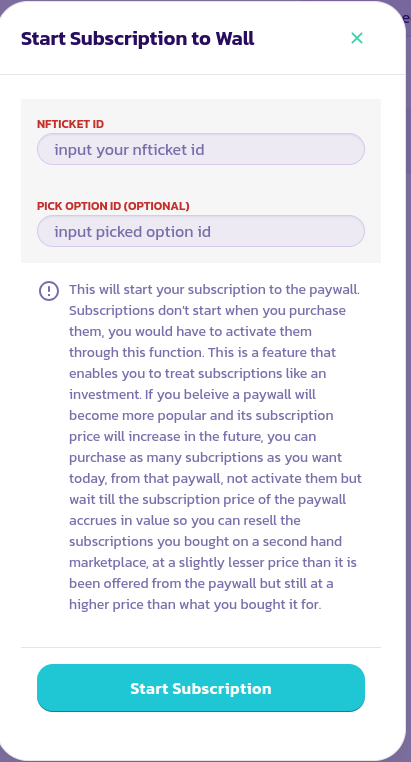
* Нажмите на кнопку **Начать подписку**, заполните и проверьте форму, которая появится:

<figure><img src="/files/5VVY35P9ezajULwY7zyD" alt=""><figcaption></figcaption></figure>

* Чтобы просмотреть контент за платной стеной, введите идентификатор NFTicket/eReceipt, который вы получили после покупки подписки, в поле **Ввод идентификатора NFTicket**. Это позволит платной стене определить, активирована ли ваша подписка или нет. Если все предыдущие шаги были успешно выполнены, вы должны сможете увидеть через несколько секунд после ввода вашего идентификатора в поле весь контент вашей платной стены.

<figure><img src="/files/z6VuRPYNWdwAkb2ZfqBC" alt=""><figcaption></figcaption></figure>

Поздравляем! Вы успешно начали подписку.

---

# Agent Instructions
This documentation is published with GitBook. GitBook is the documentation platform designed so that both humans and AI agents can read, navigate, and reason over technical content effectively. Learn more at gitbook.com.

## Querying This Documentation
If you need additional information that is not directly available in this page, you can query the documentation dynamically by asking a question.

Perform an HTTP GET request on the current page URL with the `ask` query parameter, and the optional `goal` query parameter:

```
GET https://docs.payswap.org/russkii/products/cancan/paywalls/activating-paywall-subscriptions.md?ask=<question>&goal=<endgoal>
```

`ask` is the immediate question: it should be specific, self-contained, and written in natural language.
`goal` is optional and describes the broader end goal you are ultimately trying to accomplish on behalf of the user. GitBook uses it to tailor the answer towards what is most useful for that goal.

The response will contain a direct answer to the question and relevant excerpts and sources from the documentation.

Use this mechanism when the answer is not explicitly present in the current page, you need clarification or additional context, or you want to retrieve related documentation sections.