> For the complete documentation index, see [llms.txt](https://docs.payswap.org/llms.txt). Markdown versions of documentation pages are available by appending `.md` to page URLs; this page is available as [Markdown](https://docs.payswap.org/russkii/products/cancan/paywalls/removing-items-from-paywalls.md).
# Удаление элементов из платного доступа
Вот пошаговое руководство по удалению ранее добавленного товара из вашей платной стены:
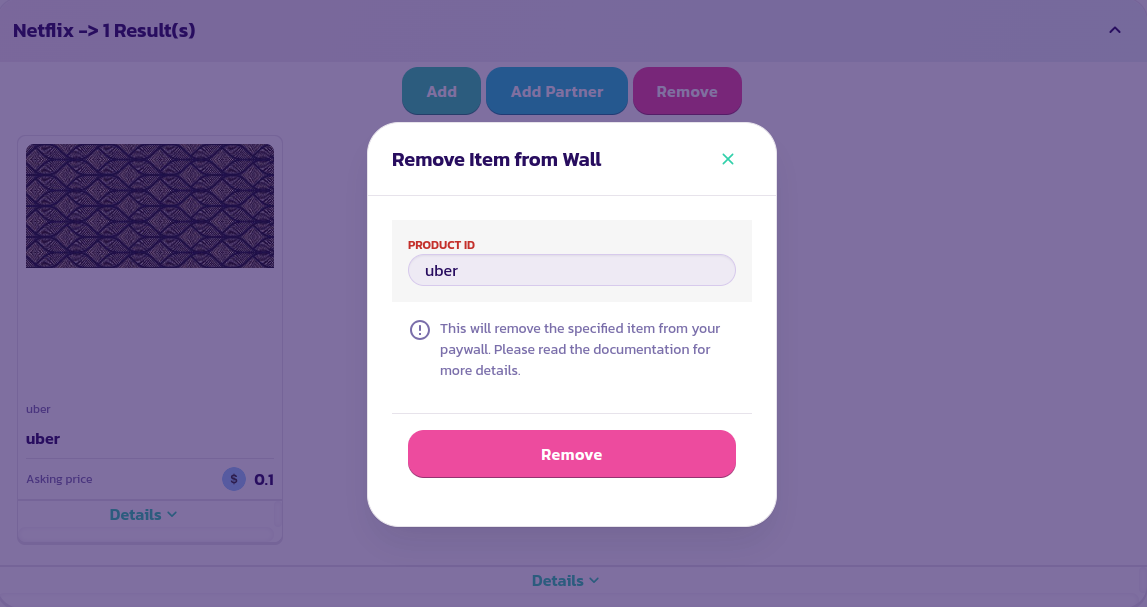
* Найдите и разверните платную стену, затем нажмите на кнопку **Удалить**:
* В появившейся форме введите идентификатор товара, который вы хотите удалить, и проверьте форму:
Поздравляем! Вы успешно удалили товар из вашей платной стены.
.png?alt=media)