> For the complete documentation index, see [llms.txt](https://docs.payswap.org/llms.txt). Markdown versions of documentation pages are available by appending `.md` to page URLs; this page is available as [Markdown](https://docs.payswap.org/tieng-viet/products/arps/automatic-arps.md).

# ARP dựa trên tỷ lệ phần trăm

<figure><img src="https://3535295642-files.gitbook.io/~/files/v0/b/gitbook-x-prod.appspot.com/o/spaces%2FWPdDAc0S7OLAKkjsONwT%2Fuploads%2Fgit-blob-f7115bff266dc33f2384ceb2bbdaacb9395f5f5e%2Fideogram%20(30).jpeg?alt=media" alt=""><figcaption></figcaption></figure>

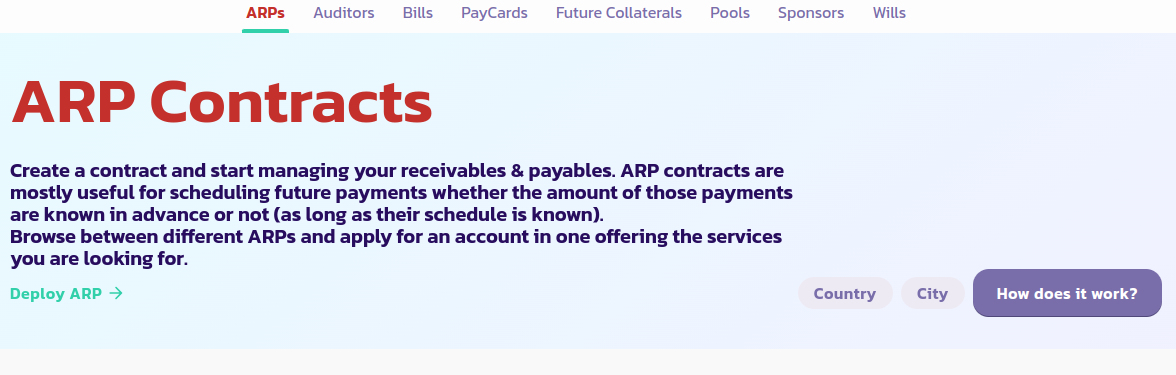
Dưới đây là hướng dẫn từng bước để thiết lập một ARP dựa trên phần trăm:

* Đi tới [trang ARP](https://payswap.org/arps) và nhấp vào nút **Triển khai ARP**

<figure><img src="https://3535295642-files.gitbook.io/~/files/v0/b/gitbook-x-prod.appspot.com/o/spaces%2FWPdDAc0S7OLAKkjsONwT%2Fuploads%2Fgit-blob-7be1175663642aebc259b14bdff2e430824cd6c6%2Farp.png?alt=media" alt=""><figcaption></figcaption></figure>

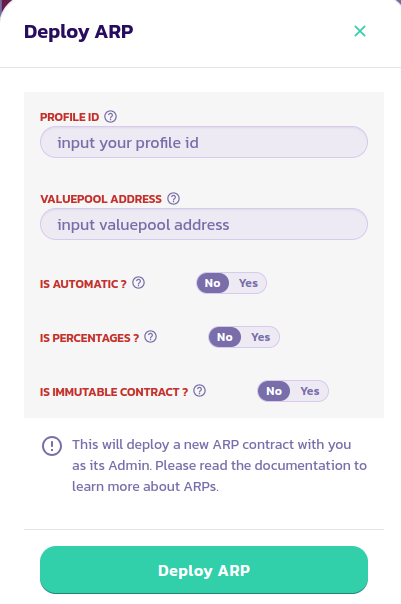
* Điền vào biểu mẫu xuất hiện; đặt tham số **Is Percentages** thành Có. Hãy chắc chắn đọc mô tả của mỗi tham số bằng cách di chuột qua biểu tượng trợ giúp bên cạnh nó. Xác thực giao dịch.

<figure><img src="https://3535295642-files.gitbook.io/~/files/v0/b/gitbook-x-prod.appspot.com/o/spaces%2FWPdDAc0S7OLAKkjsONwT%2Fuploads%2Fgit-blob-b0c9bf11b7b2b1b08b98c1bef0a06b5922432b5d%2Farp2.png?alt=media" alt=""><figcaption></figcaption></figure>

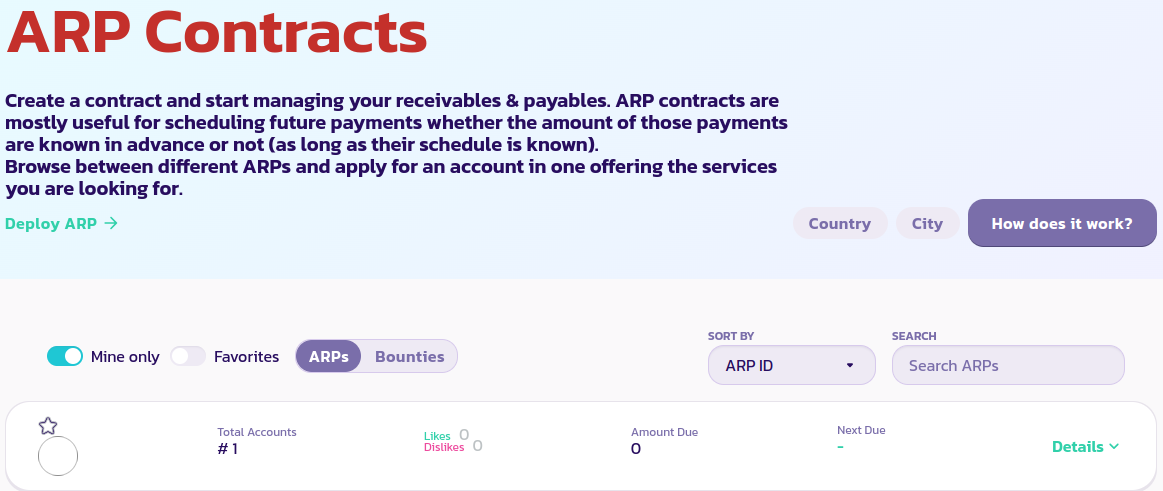
* Nhấp vào nút **Mine Only** để chỉ hiển thị các hợp đồng ARP của bạn. Nếu bạn vẫn không thể thấy được hợp đồng ARP của mình, tải lại trang và nhấp vào **Mine Only** lại một lần nữa

<figure><img src="https://3535295642-files.gitbook.io/~/files/v0/b/gitbook-x-prod.appspot.com/o/spaces%2FWPdDAc0S7OLAKkjsONwT%2Fuploads%2Fgit-blob-e261bf4a8515f225228cdffdd73c2f8ad619a464%2Farps3.png?alt=media" alt=""><figcaption></figcaption></figure>

[Nhận sự hỗ trợ chi tiết hơn từ cộng đồng tại đây.](https://paychat.payswap.org/#/room/%23paycom%3Amatrix.org?via=matrix.org)