> For the complete documentation index, see [llms.txt](https://docs.payswap.org/llms.txt). Markdown versions of documentation pages are available by appending `.md` to page URLs; this page is available as [Markdown](https://docs.payswap.org/tieng-viet/products/cancan/paywalls/buying-paywall-subscriptions.md).
# Mua đăng ký Paywall
Việc đăng ký tường thanh toán bao gồm hai bước:
* Mua đăng ký
* Kích hoạt đăng ký
Khi chưa được kích hoạt, đăng ký không bắt đầu và một đăng ký trong vòng 1 tháng có thể được giữ trong nhiều tháng trước khi được kích hoạt. Điều này có thể cho phép các nhà đầu tư đầu tư vào các tường thanh toán bằng cách mua (nhưng không kích hoạt) nhiều đăng ký từ các tường thanh toán đó và chờ đợi cho đến khi giá đăng ký của các tường thanh toán đó tăng giá để bán các đăng ký đã mua trước đó trên thị trường phụ cho các người dùng muốn có một đăng ký tường thanh toán rẻ hơn.
### Mua Một Đăng Ký
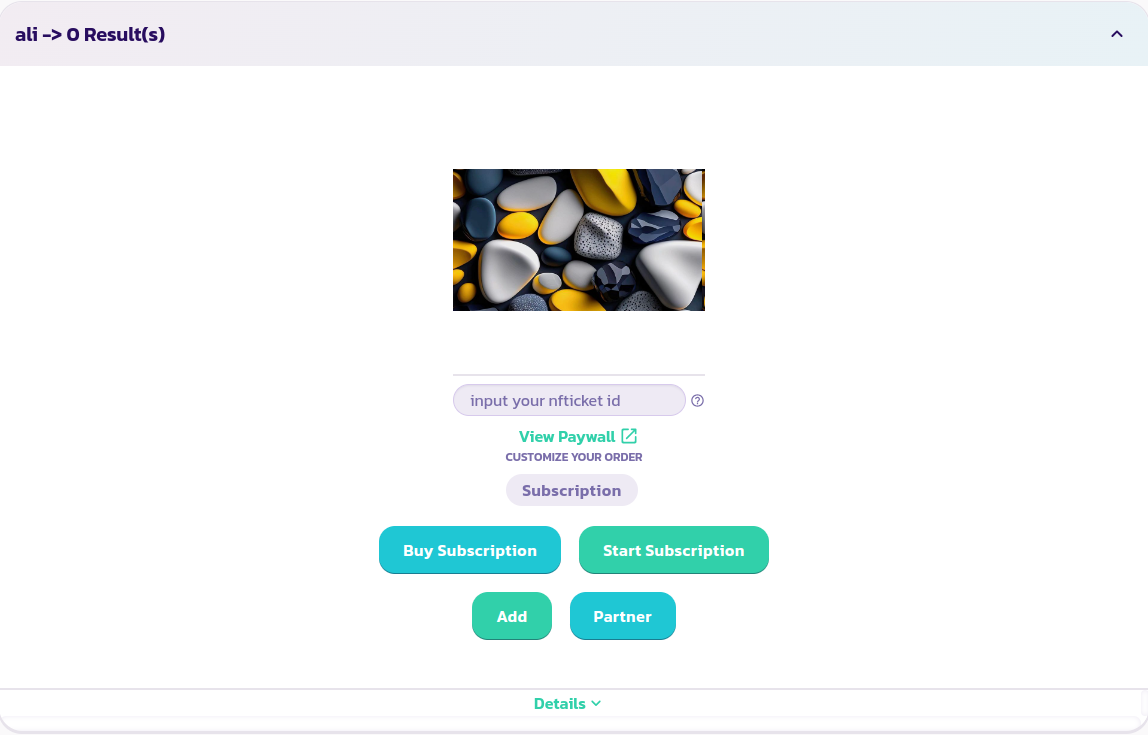
* Tìm và mở rộng tường thanh toán mà bạn muốn đăng ký
* Chọn tùy chọn Đăng Ký mà bạn muốn mua (nếu tường thanh toán của bạn có các tùy chọn). Trong hình ảnh dưới đây, chúng tôi chọn mua một đăng ký hàng tháng
* Nhấp vào nút **Mua Đăng Ký**, điền và xác nhận biểu mẫu. Bạn có thể mua đăng ký trực tiếp bằng ví của bạn, thông qua thị trường cổ phần hoặc thông qua một Valuepool/DAO. Hướng dẫn về cách tiếp tục trong mỗi trường hợp đều có sẵn trong phần sản phẩm/dịch vụ.
{% content-ref url="/pages/96DqjFMjwj2olzahwBu4" %}
[Sản phẩm và dịch vụ](/tieng-viet/products/cancan/products-services.md)
{% endcontent-ref %}
Chúc mừng! Bạn đã mua thành công một đăng ký.