> For the complete documentation index, see [llms.txt](https://docs.payswap.org/llms.txt). Markdown versions of documentation pages are available by appending `.md` to page URLs; this page is available as [Markdown](https://docs.payswap.org/tieng-viet/products/cancan/products-services/listing-products-services.md).
# Danh sách sản phẩm/dịch vụ
Dưới đây là hướng dẫn từng bước để liệt kê sản phẩm/dịch vụ trên kênh của bạn:
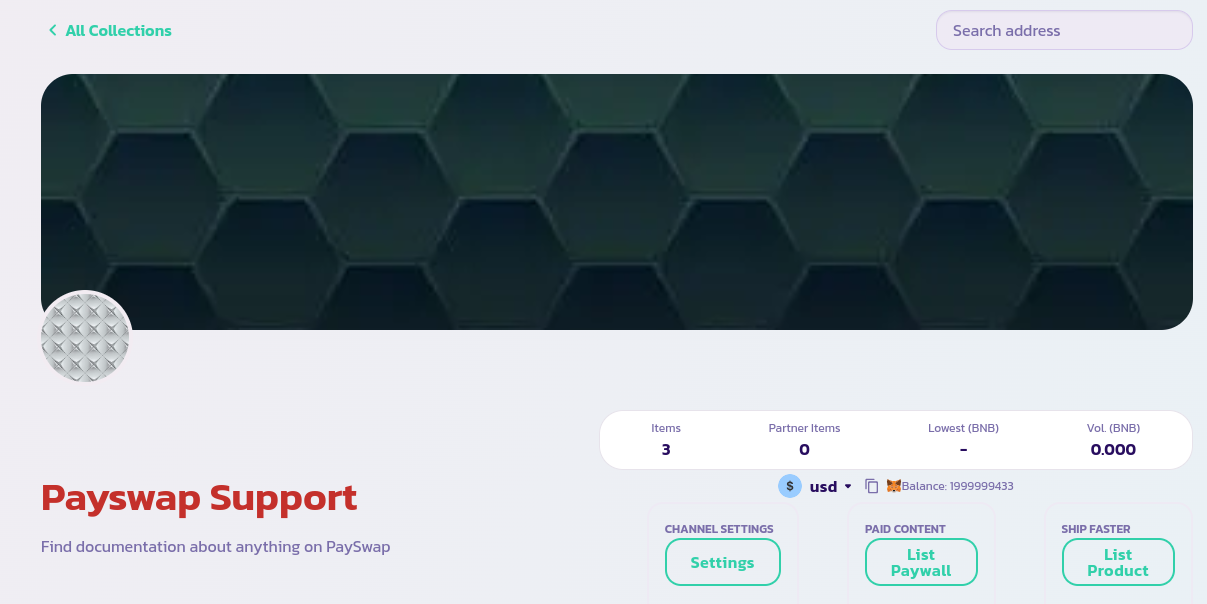
* Đảm bảo rằng bạn đang ở trang chính của kênh của mình và đã kết nối với ví quản trị của kênh. Nếu có, bạn sẽ thấy trang được hiển thị như dưới đây.
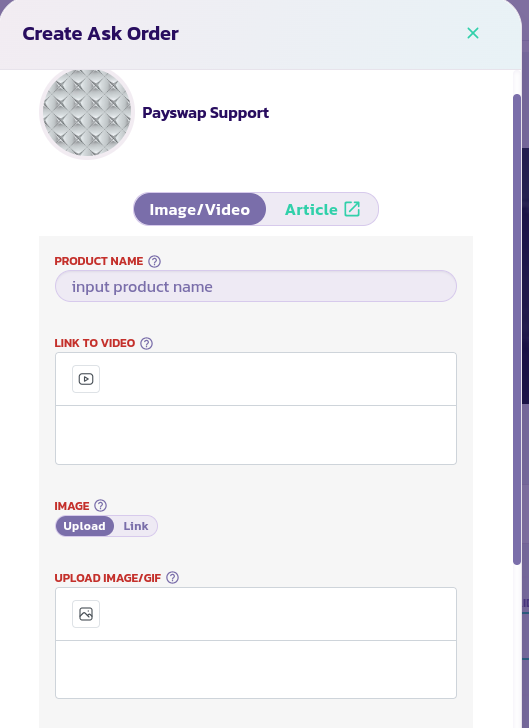
* Nhấp vào nút **Liệt kê Sản phẩm** để hiển thị mẫu dưới đây.
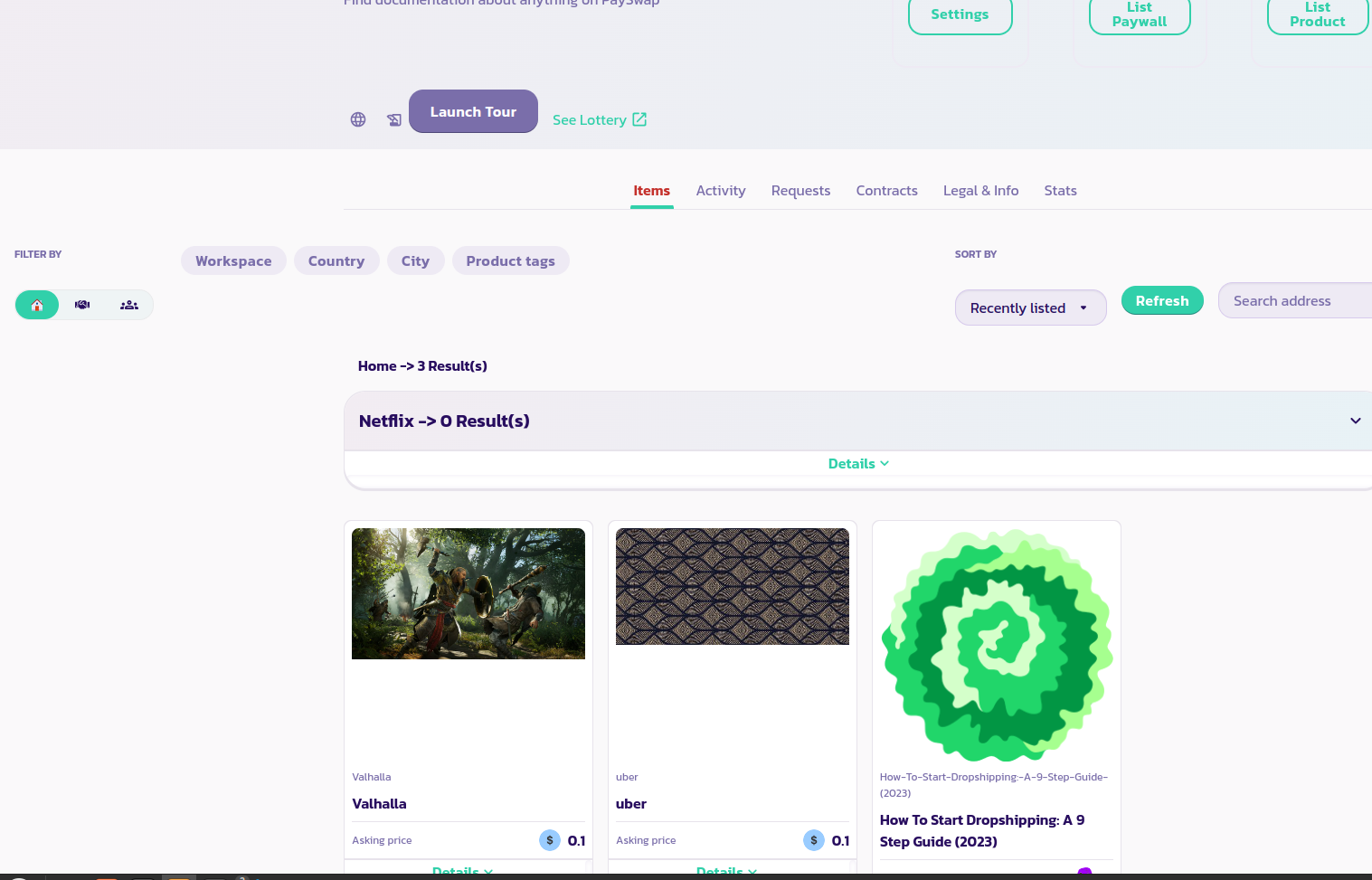
* Đọc mô tả của từng tham số và cung cấp giá trị phù hợp. Xác nhận mẫu và sau vài giây, bạn sẽ thấy sản phẩm của mình được hiển thị cùng với các sản phẩm trước đó như trong hình ảnh dưới đây. Tải lại trang nếu sản phẩm của bạn không hiển thị. Trong hình ảnh dưới đây, chúng ta có thể thấy 4 sản phẩm được liệt kê; một sản phẩm gọi là Netflix, Valhalla, uber và How to start dropshipping: A 9 step guide (2023).
Chúc mừng! Bạn đã thành công trong việc liệt kê sản phẩm của mình và nếu bạn đã làm cho nó có thể giao dịch, người dùng sẽ có thể mua nó trực tiếp từ kênh của bạn.