> For the complete documentation index, see [llms.txt](https://docs.payswap.org/llms.txt). Markdown versions of documentation pages are available by appending `.md` to page URLs; this page is available as [Markdown](https://docs.payswap.org/turkish/products/arps/manual-arps.md).

# Manuel ARP'ler

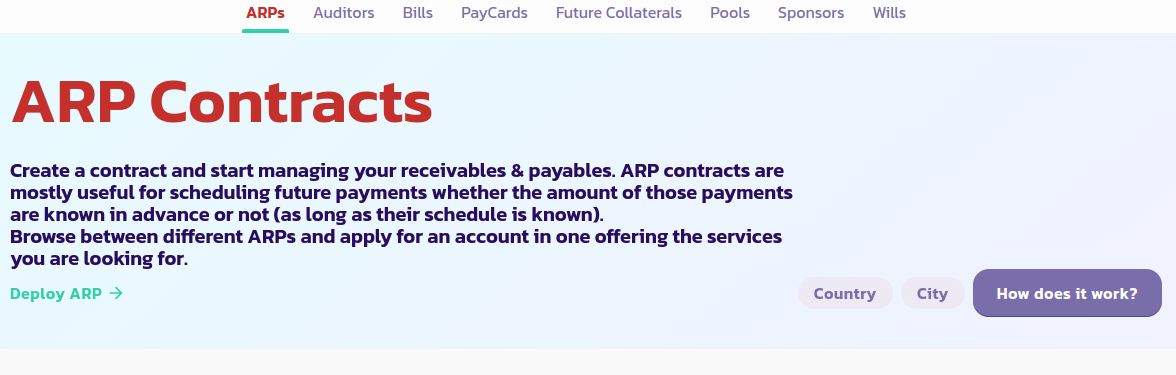
<figure><img src="/files/I3R9lXIWwhiKEJP5j09D" alt=""><figcaption></figcaption></figure>

## Bir Manuel ARP Dağıtma

İşte bir manuel ARP kurulumunu adım adım yapmanın kılavuzu:

* [ARP sayfasına](https://payswap.org/arps) gidin ve **ARP Dağıt** düğmesine tıklayın.

<figure><img src="/files/wHouRuuEqB48Gqbz5606" alt=""><figcaption></figcaption></figure>

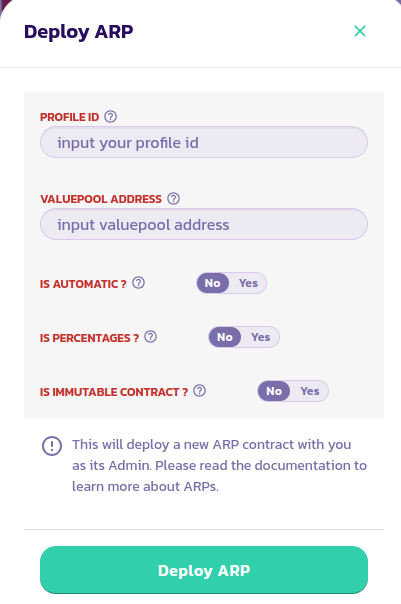
* Açılan formu doldurun; **Otomatik mi** parametresini Hayır olarak ayarlayın. Her parametrenin açıklamasını okumak için, üzerine gelerek yanındaki yardım simgesine tıklayın. İşlemi doğrulayın.

<figure><img src="/files/Ffy2wqvF2InDsdl4yq9u" alt=""><figcaption></figcaption></figure>

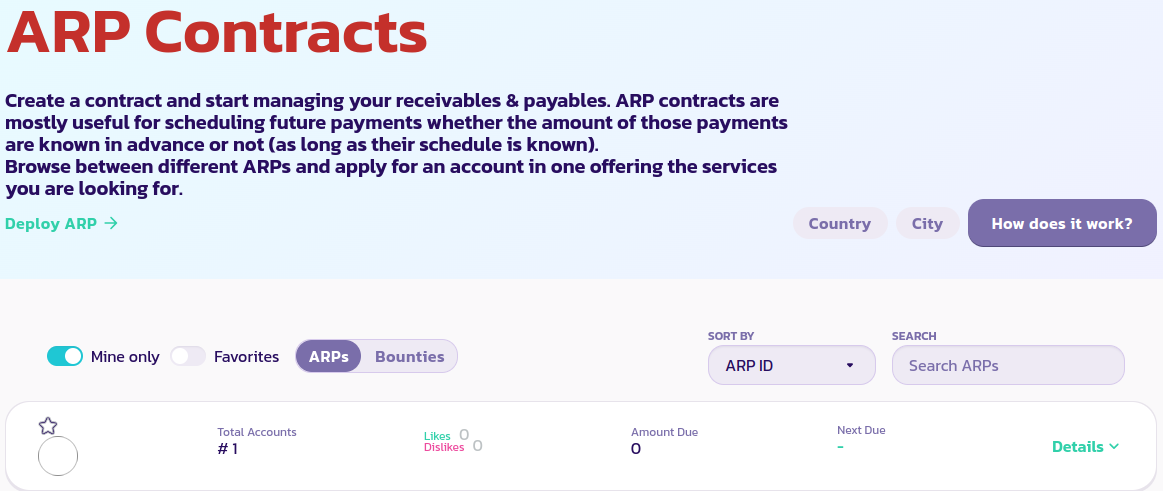
* Yalnızca ARP sözleşmelerinizi görüntülemek için **Yalnız Benimki** düğmesine tıklayın. Hala ARP sözleşmenizi göremiyorsanız, sayfayı yenileyin ve tekrar **Yalnız Benimki**'ne tıklayın.

<figure><img src="/files/48MDsQCwHrWj7VWPzJeX" alt=""><figcaption></figcaption></figure>

## Etiketleri Güncelleme

ARP'nizin etiketlerini güncellemeniz gerekmektedir, böylece insanlar daha hızlı bulabilirler. Bunun için, ARP'nizin kontrol paneli menüsüne gidin ve etiketlerinizi güncelleyin:

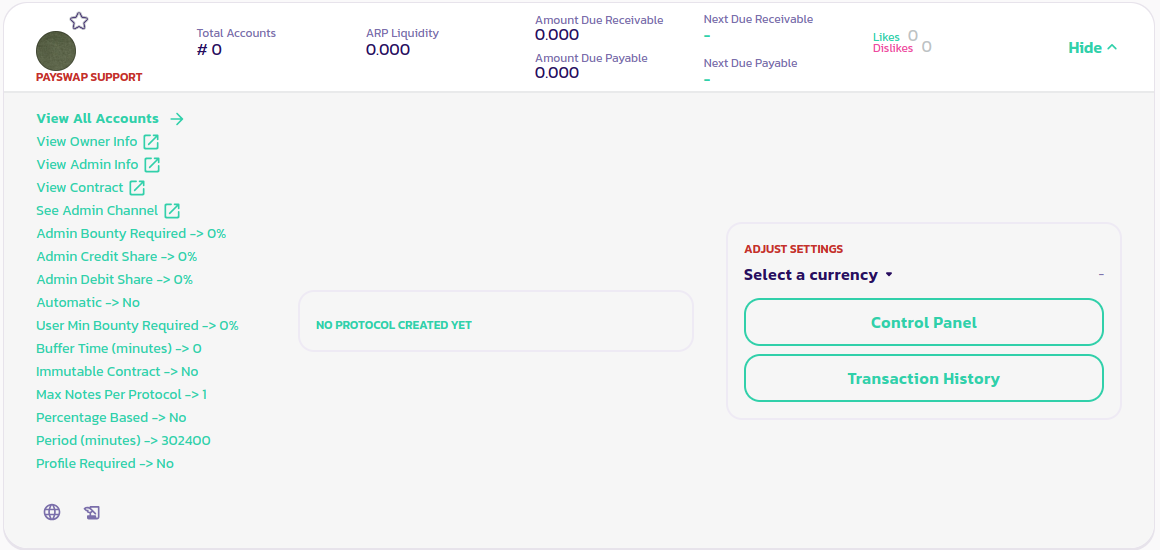
* ARP'nizin widget'ındaki **Ayrıntılar** düğmesine tıklayın ve **Kontrol Paneli** düğmesini ortaya çıkarmak için tıklayın.

<figure><img src="/files/IpzSBRywtZpvWqt3OdZe" alt=""><figcaption></figcaption></figure>

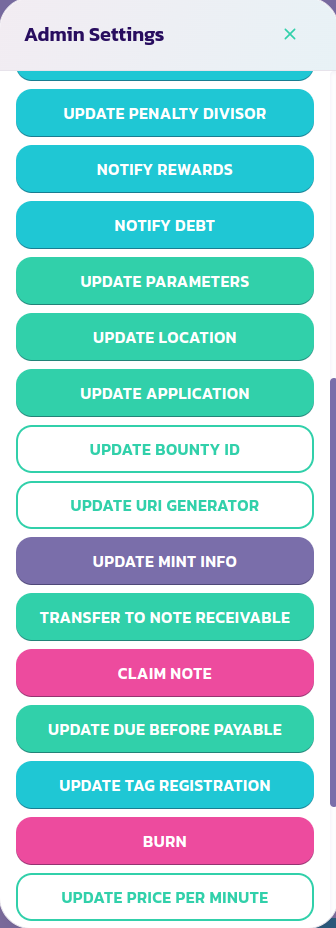
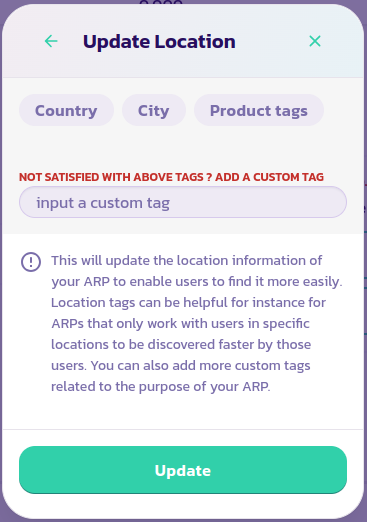
* Kontrol Paneli düğmesine tıklayın ve ardından Kontrol Paneli menüsünden **Konum Güncelleme** düğmesine tıklayın.

<div><figure><img src="/files/Yf1hPmFaKygFpgFdW5zA" alt=""><figcaption></figcaption></figure> <figure><img src="/files/Q8QY6JuetScOpklFmdsG" alt=""><figcaption></figcaption></figure></div>

* Faaliyet gösterdiğiniz ülkeleri ve şehirleri, ARP'nize uygun bir etiketi seçin. Ürün etiketleri listesinden beğendiğiniz bir etiketi bulamıyorsanız özel bir ürün etiketi ekleyebilirsiniz. Yalnızca bir ürün etiketi ekleyebilirsiniz, bu nedenle yalnızca bir ürün etiketi veya özel bir ürün etiketi seçtiğinizden emin olun.

[Topluluktan daha fazla destek almak için buraya gidin.](https://paychat.payswap.org/#/room/%23paycom%3Amatrix.org?via=matrix.org)


---

# Agent Instructions
This documentation is published with GitBook. GitBook is the documentation platform designed so that both humans and AI agents can read, navigate, and reason over technical content effectively. Learn more at gitbook.com.

## Querying This Documentation
If you need additional information that is not directly available in this page, you can query the documentation dynamically by asking a question.

Perform an HTTP GET request on the current page URL with the `ask` query parameter, and the optional `goal` query parameter:

```
GET https://docs.payswap.org/turkish/products/arps/manual-arps.md?ask=<question>&goal=<endgoal>
```

`ask` is the immediate question: it should be specific, self-contained, and written in natural language.
`goal` is optional and describes the broader end goal you are ultimately trying to accomplish on behalf of the user. GitBook uses it to tailor the answer towards what is most useful for that goal.

The response will contain a direct answer to the question and relevant excerpts and sources from the documentation.

Use this mechanism when the answer is not explicitly present in the current page, you need clarification or additional context, or you want to retrieve related documentation sections.