> For the complete documentation index, see [llms.txt](https://docs.payswap.org/llms.txt). Markdown versions of documentation pages are available by appending `.md` to page URLs; this page is available as [Markdown](https://docs.payswap.org/turkish/products/arps/minting-and-claiming-notes.md).

# Basım ve Talep Notları

### Not Basma

Hesabınızdaki bir ARP sözleşmesinde not basma adımlarının ayrıntılı kılavuzu aşağıda sunulmuştur:

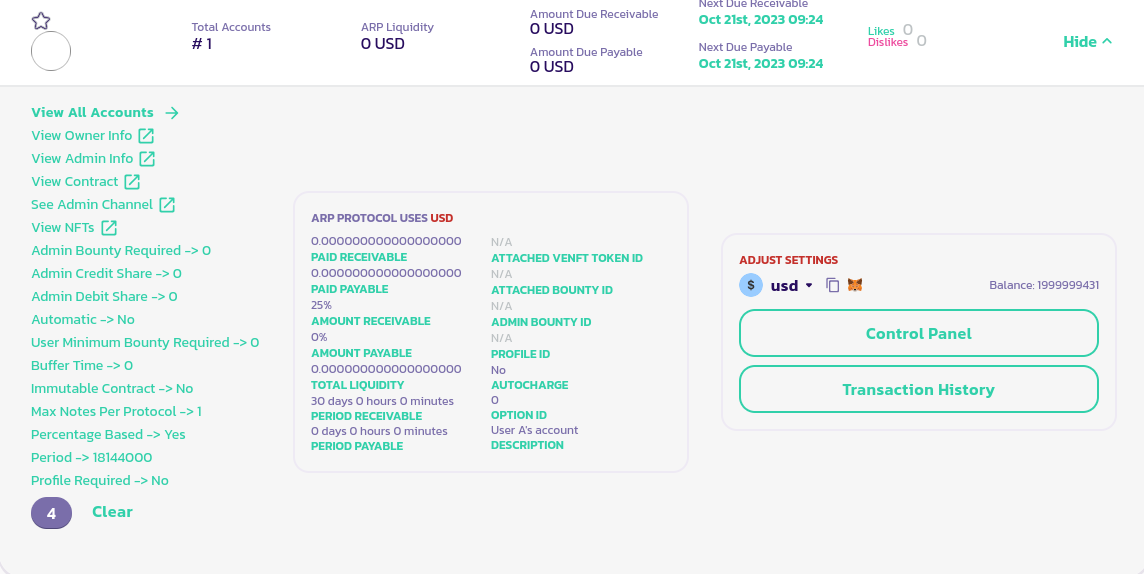
* ARP sözleşmenize gidin, panelini ortaya çıkarmak için **Ayrıntılar** düğmesine tıklayın ve ARP'nizin panelinin sol alt köşesinde, hesabınızın kimliğine (aşağıdaki resimde, hesap kimliğimiz 4 olduğu için 4'e tıkladık) tıklayın:

<figure><img src="/files/vufzzy7fR1AWg6hUczdo" alt=""><figcaption></figcaption></figure>

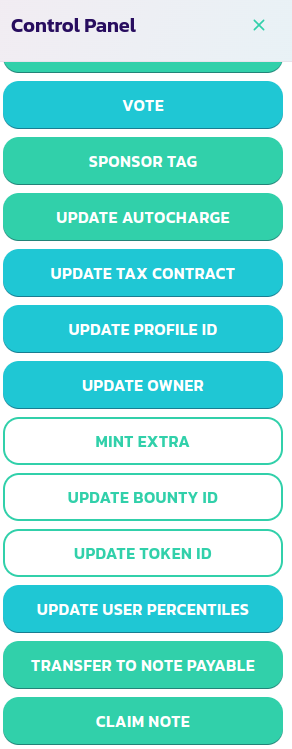
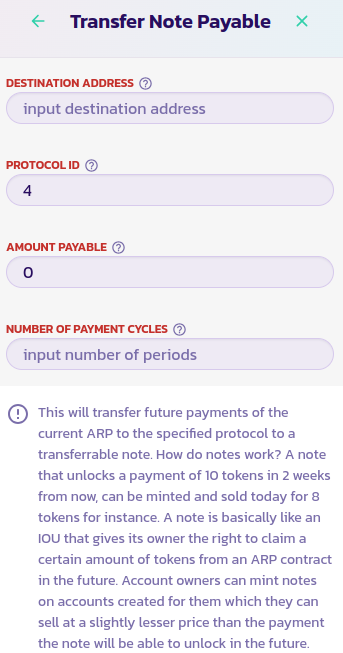
* Kontrol panelinizin menüsünde, **Borçlanılabilir Not'a Aktar** düğmesine tıklayın

<div><figure><img src="/files/y3fWd4s5gKdUzRTlijZz" alt=""><figcaption></figcaption></figure> <figure><img src="/files/VAY5xlGcllRNOdU6IpSd" alt=""><figcaption></figcaption></figure></div>

* Formu doldurun ve işlemi doğrulayın.

Tebrikler! Gelecekteki gelirinizin bir kısmını veya tamamını bir nota aktarmak için bir not bastınız. Bu notu şu anda [ARP eKoleksiyonlar](https://www.payswap.org/cancan/collections/283) kanalında satabilir ve gelecekteki gelirinize şimdi erişebilirsiniz.

### Not Talep Etme

Satın aldığınız bir notun vadesi geldiğinde, onu ARP sözleşmesi aracılığıyla talep edebilirsiniz. İşte bunu yapmanın adım adım kılavuzu:

* Satın aldığınız notun ARP sözleşmesini [ARP sayfasında](https://payswap.org/arps) bulun
* ARP'nizin panelini ortaya çıkarmak için **Ayrıntılar** düğmesine tıklayın ve ardından **Kontrol Paneli** düğmesine tıklayın

<div><figure><img src="/files/tuNv3L6gYkeFYc4InQP8" alt=""><figcaption></figcaption></figure> <figure><img src="/files/P84oaF3ptG25DMITTnBq" alt=""><figcaption></figcaption></figure></div>

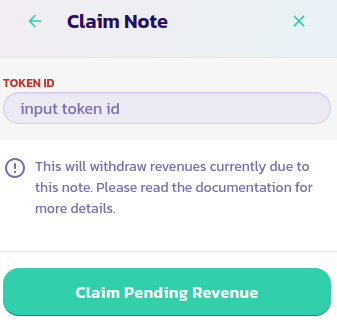
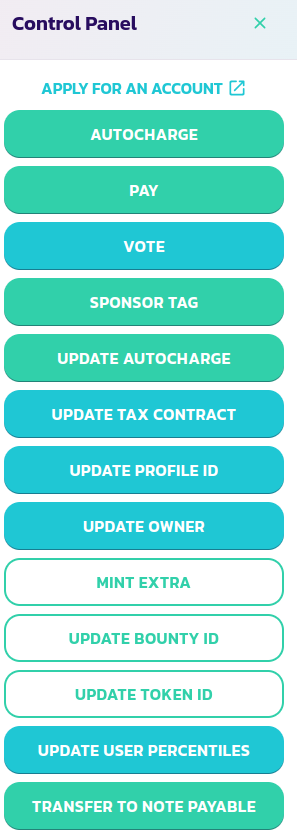
* Kontrol panelinin menüsünden **Notu Talep Et** düğmesine tıklayın, notunuzun token kimliğini doldurun ve işlemi doğrulayın.

Tebrikler! Notunuzun kazançlarını başarıyla talep ettiniz.

[Topluluktan daha fazla destek almak için buraya gidin.](https://paychat.payswap.org/#/room/%23paycom%3Amatrix.org?via=matrix.org)
---

# Agent Instructions
This documentation is published with GitBook. GitBook is the documentation platform designed so that both humans and AI agents can read, navigate, and reason over technical content effectively. Learn more at gitbook.com.

## Querying This Documentation
If you need additional information that is not directly available in this page, you can query the documentation dynamically by asking a question.

Perform an HTTP GET request on the current page URL with the `ask` query parameter, and the optional `goal` query parameter:

```
GET https://docs.payswap.org/turkish/products/arps/minting-and-claiming-notes.md?ask=<question>&goal=<endgoal>
```

`ask` is the immediate question: it should be specific, self-contained, and written in natural language.
`goal` is optional and describes the broader end goal you are ultimately trying to accomplish on behalf of the user. GitBook uses it to tailor the answer towards what is most useful for that goal.

The response will contain a direct answer to the question and relevant excerpts and sources from the documentation.

Use this mechanism when the answer is not explicitly present in the current page, you need clarification or additional context, or you want to retrieve related documentation sections.