> For the complete documentation index, see [llms.txt](https://docs.payswap.org/llms.txt). Markdown versions of documentation pages are available by appending `.md` to page URLs; this page is available as [Markdown](https://docs.payswap.org/turkish/products/dramps/update-prices-on-a-token-market.md).
# Token Piyasasında Fiyatları Güncelleyin
Her mint edilen token'ın aşırı teminatlı olduğundan emin olmak için, dRamp'ların, dRamp'ın dağıtıldığı blockchain'in yerel coin'ine karşı token'ın güncel bir döviz kuruyla sahip olması gerekir.
Diyelim ki dRamp, Fantom blockchain'inde dağıtılmış ve X miktar EUR basmak istiyoruz. dRamp, FTM'yi EUR'ye dönüştürmek için en azından her 24 saatte bir güncellenmiş bir kur gerektirir.
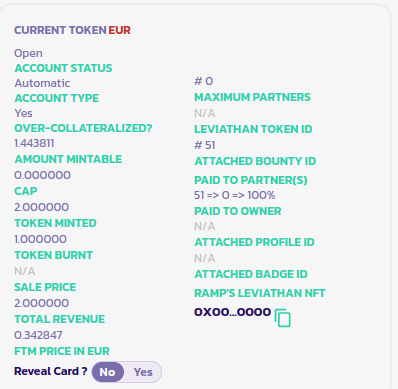
Token'ımızın döviz kurunun güncellenmesi gerektiğini bileceğiz **FTM Price In EUR** değerinin (bu parametrenin adı, blockchain'in yerel coin'ine ve seçilen token pazarına bağlı olarak değişir) null olduğunda; aksi takdirde, döviz kuru güncellemesi yapmamıza gerek yoktur.
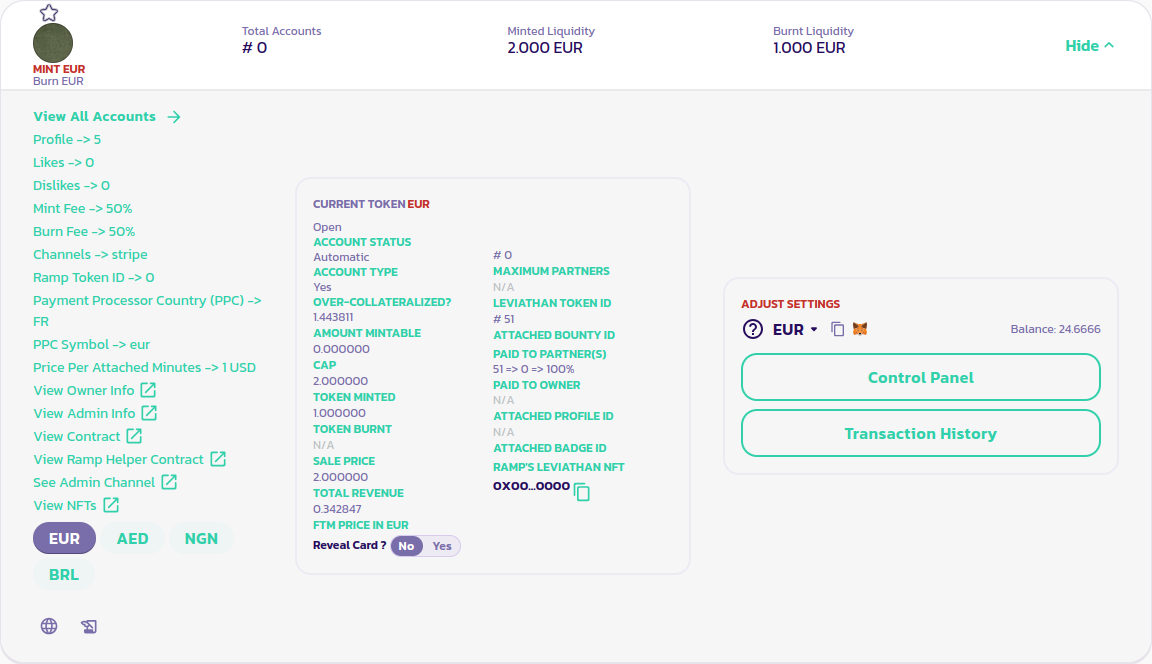
Döviz kurumuzu güncellemek için, dRamp'ın paneline gider ve aşağıdaki resimde olduğu gibi EUR token'ını seçeriz.
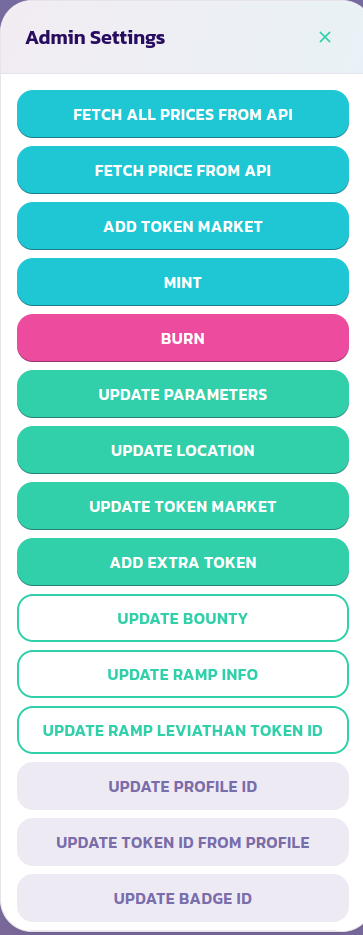
Ardından, dRamp'ın kontrol paneli menüsünde, FTM fiyatını EUR cinsinden almak için **Fetch Price From API** seçeneğini seçeriz.
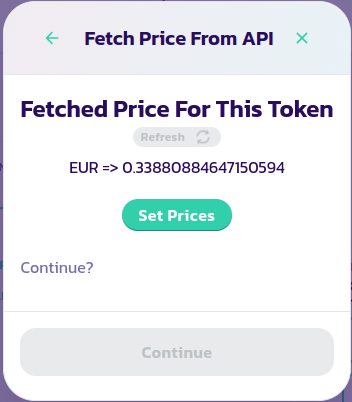
Döviz kuru için bir sayı alamazsanız, yukarıdaki resimde olduğu gibi bir sayı alana kadar defalarca yenileyin. Döviz kuru aldıktan sonra, **Set Prices** düğmesine tıklayın, ardından **Devam** düğmesine ve işlemi doğrulayın.
Yeni döviz kurunun dRamp'ınızın parametreler bölümünde güncellendiğini görmelisiniz, aşağıdaki resimde olduğu gibi:
Ayrıca, **Fetch All Prices From API** işlemini çalıştırarak birden çok fiyatı aynı anda alabilirsiniz, ancak bu biraz daha karmaşık olabilir çünkü birden çok NaN dönebilir ve tüm sayıları almak için birden çok kez yenilemeniz gerekebilir.