> For the complete documentation index, see [llms.txt](https://docs.payswap.org/llms.txt). Markdown versions of documentation pages are available by appending `.md` to page URLs; this page is available as [Markdown](https://docs.payswap.org/turkish/products/ssi/creating-a-unique-profile.md).

# Benzersiz Bir Profil Oluşturma

Bir SSID oluşturduktan sonra yalnızca benzersiz bir profil oluşturabilirsiniz. SSID'nizi oluşturmak için, SSID denetçilerinin sayfasından bir SSID denetçisi bulmanız ve ardından sizin için bir SSID oluşturması için başvurmanız gerekir.

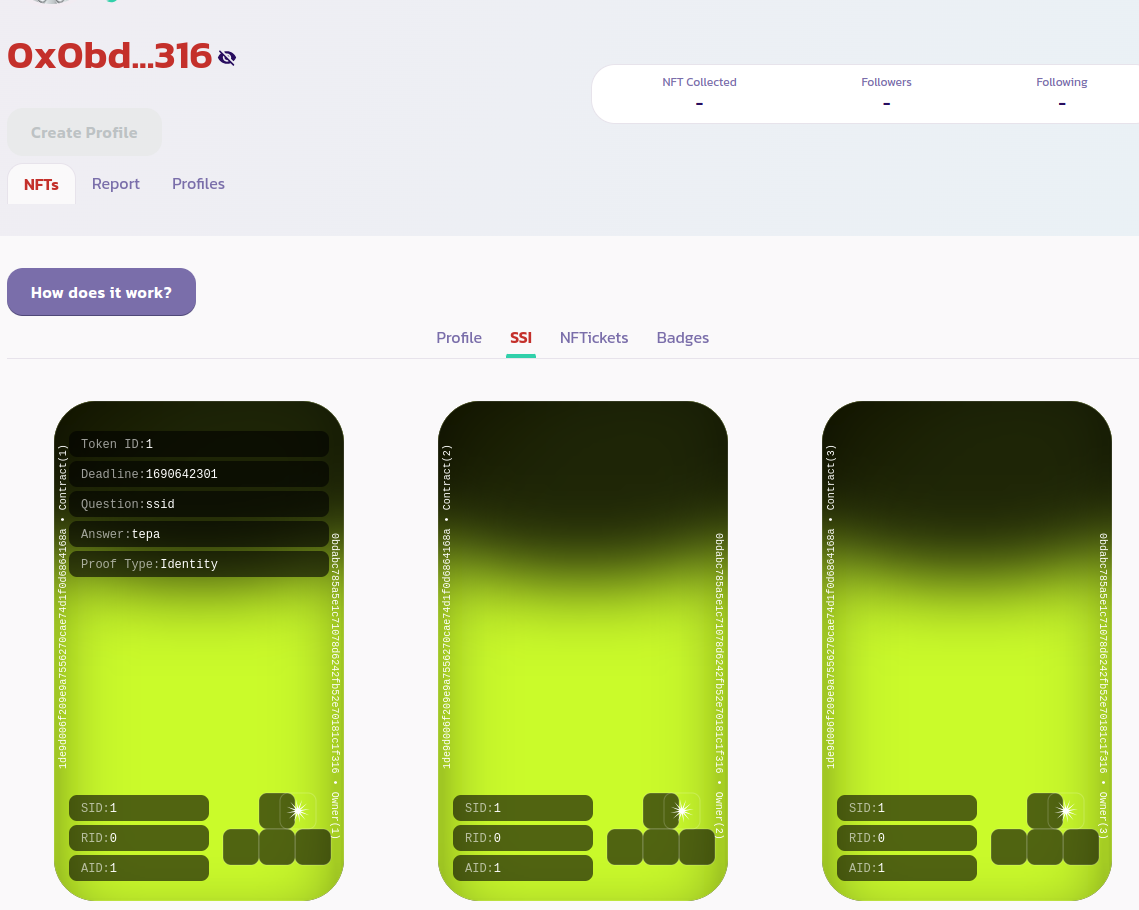
SSİ'niz oluşturulduktan sonra, profil sayfanızın **NFT'ler > SSİ** sekmesi altında kimlik jetonunu görüntüleyebilmeniz gerekmektedir. Aşağıdaki resimde olduğu gibi:

<figure><img src="/files/tvgn1ZqknRFCzPjuUnlL" alt=""><figcaption></figcaption></figure>

Artık profilinizi benzersiz hale getirebilirsiniz. Bunun için, **Profiller** sekmesine gidin ve yalnızca profilinizi göstermek için **Yalnızca Benim** seçeneğini işaretleyin, aşağıdaki resimde olduğu gibi:

<figure><img src="/files/3ySdjv5S1DE0ifb5J4vj" alt=""><figcaption></figcaption></figure>

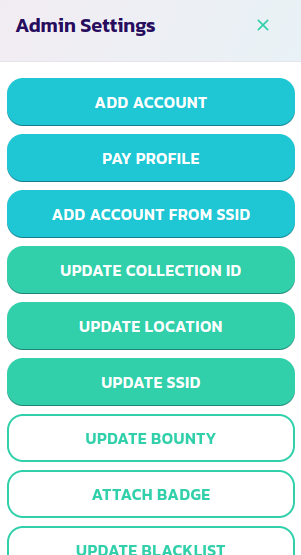
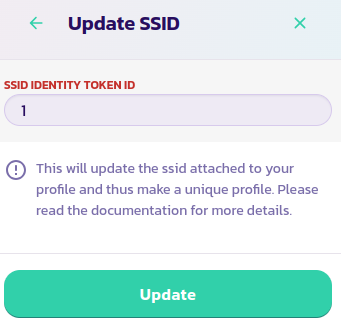
**Kontrol Paneli** düğmesine tıklayın ve ardından **SSID Güncelle** düğmesine tıklayın. SSID'nizin kimlik jetonunun kimliğini girin ve işlemi doğrulayın

<div><figure><img src="/files/etZHfSA6jPs7AGMV0voU" alt=""><figcaption></figcaption></figure> <figure><img src="/files/6KPrjwvT7sNc2iywim6c" alt=""><figcaption></figcaption></figure></div>

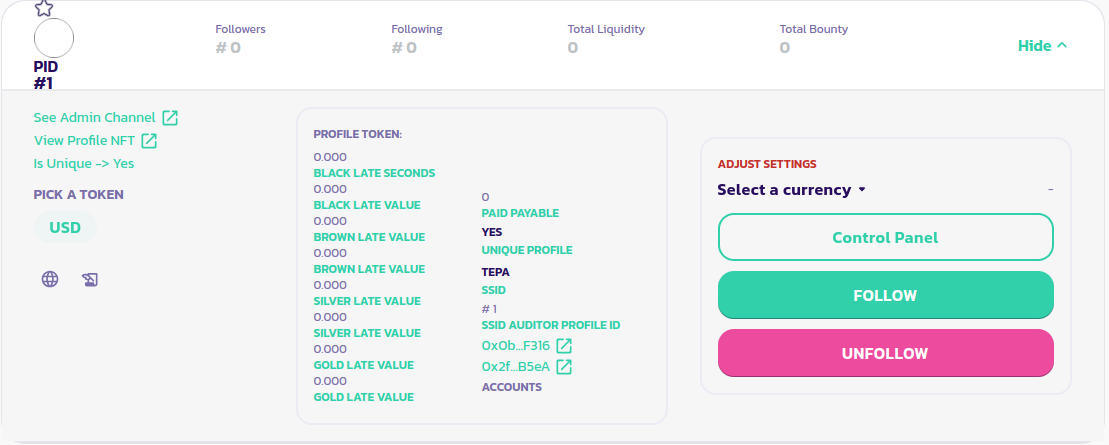
Bu kadar, profiliniz artık benzersizdir. Profil panelinizin sol bölümünü okuyarak bunu doğrulayabilirsiniz. Aşağıdaki resimde görebileceğiniz gibi, **Benzersiz Mi** parametresi artık Evet olarak ayarlanmıştır

<figure><img src="/files/Gz9h2xmAPJTvDca1hNXj" alt=""><figcaption></figcaption></figure>

[Topluluktan daha fazla destek almak için buraya gidin.](https://paychat.payswap.org/#/room/%23paycom%3Amatrix.org?via=matrix.org)

---

# Agent Instructions
This documentation is published with GitBook. GitBook is the documentation platform designed so that both humans and AI agents can read, navigate, and reason over technical content effectively. Learn more at gitbook.com.

## Querying This Documentation
If you need additional information that is not directly available in this page, you can query the documentation dynamically by asking a question.

Perform an HTTP GET request on the current page URL with the `ask` query parameter:

```
GET https://docs.payswap.org/turkish/products/ssi/creating-a-unique-profile.md?ask=<question>
```

The question should be specific, self-contained, and written in natural language.
The response will contain a direct answer to the question and relevant excerpts and sources from the documentation.

Use this mechanism when the answer is not explicitly present in the current page, you need clarification or additional context, or you want to retrieve related documentation sections.