> For the complete documentation index, see [llms.txt](https://docs.payswap.org/llms.txt). Markdown versions of documentation pages are available by appending `.md` to page URLs; this page is available as [Markdown](https://docs.payswap.org/turkish/products/cancan/products-services/buying-products-services/buying-with-your-wallet.md).
# Cüzdanınızla Satın Alma
Cüzdanınızla ürün/hizmet satın almak oldukça basittir. İşte adım adım kılavuz:
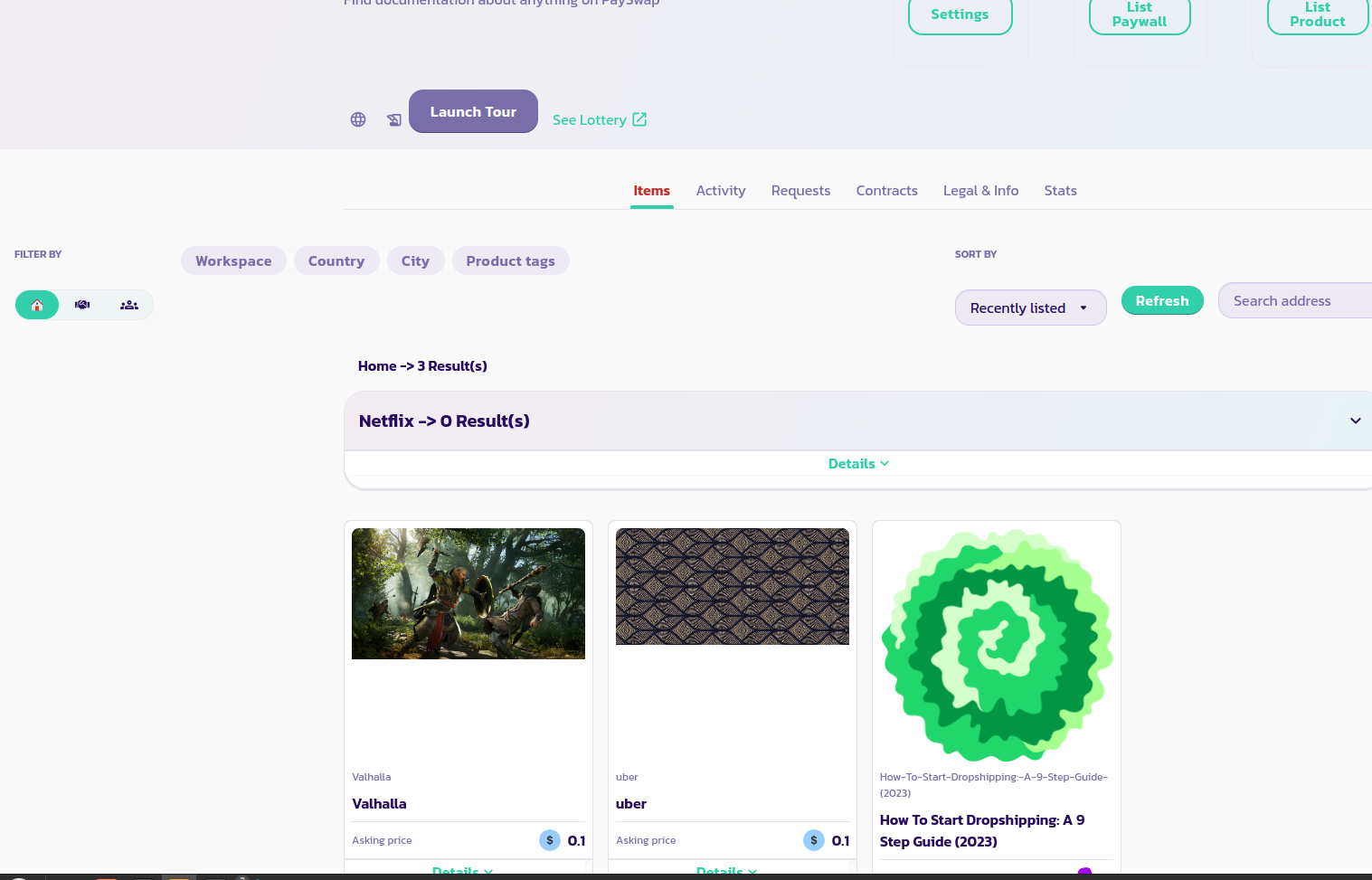
* Ürünün kanalına gidin ve satın almak istediğiniz ürünü ürün listesinde bulun.
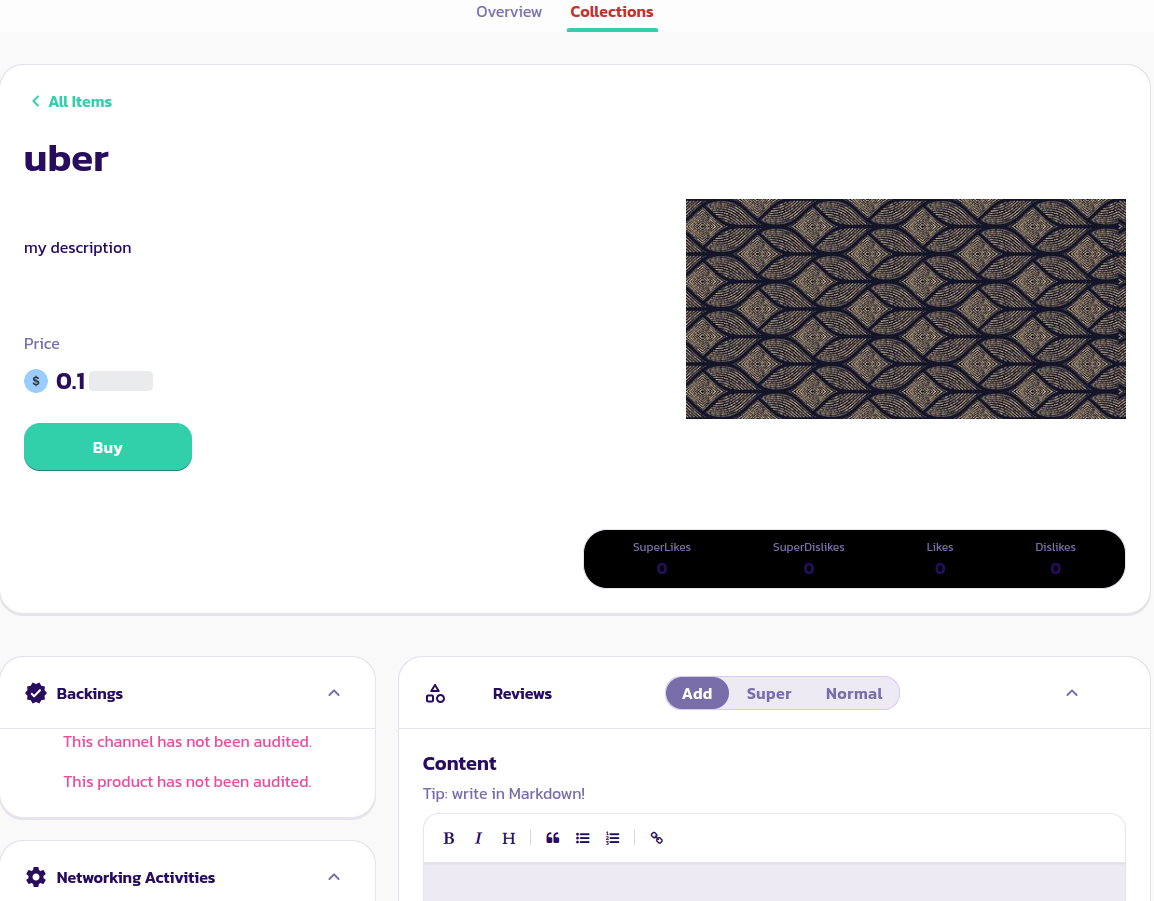
* Ürünün bir ürün sayfasını göstermek için ürüne tıklayın, aşağıdaki resimde olduğu gibi.
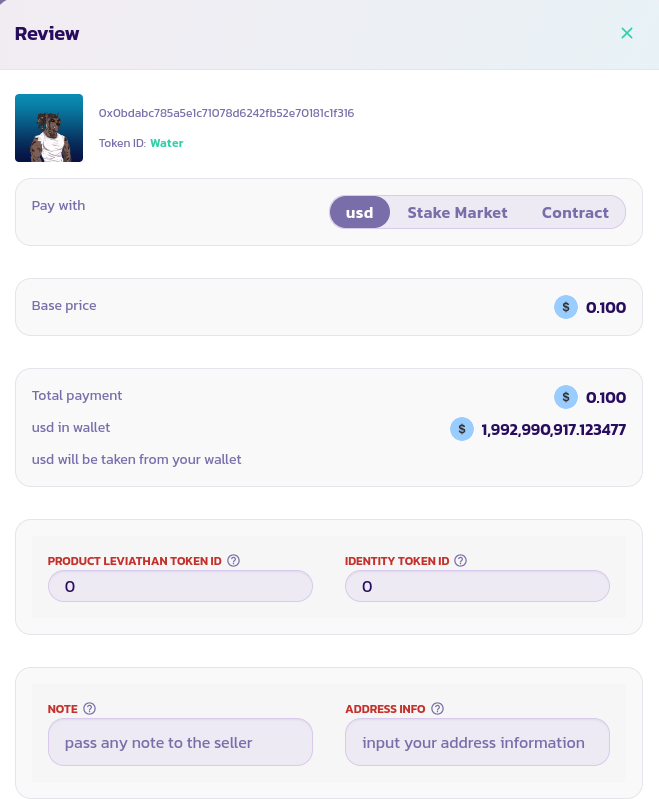
* Satın almak istediğiniz ürünün **Satın Al** düğmesine tıklayarak satın alma sihirbazını gösterin, aşağıdaki resimde olduğu gibi.
* Satıcının oy vermesi için Leviathan Jeton Kimliğinizi girin
* Satıcıya bir not bırakabilirsiniz (muhtemelen satıcı ile iletişim kurabilmesi için [Paychat](https://paychat.payswap.org) adresinizi bırakmalısınız) veya satıcıya ihtiyaç duyabileceği adres bilgilerinizi bırakabilirsiniz
* Son olarak, **Ödeme Yap** düğmesine tıklayın, marketplace sözleşmesinin cüzdanınızdan gerekli jetonları çekmesine izin verin ve satın almayı onaylayın.
Tebrikler! İlk ürününüzü başarıyla satın aldınız. Eğer not bölümünde [Paychat](https://paychat.payswap.org) adresinizi bıraktıysanız, satıcı yakında sizinle iletişime geçecektir.