# 铸造和领取纸币

### 铸造票据

以下是在 ARP 合约中铸造票据的逐步指南：

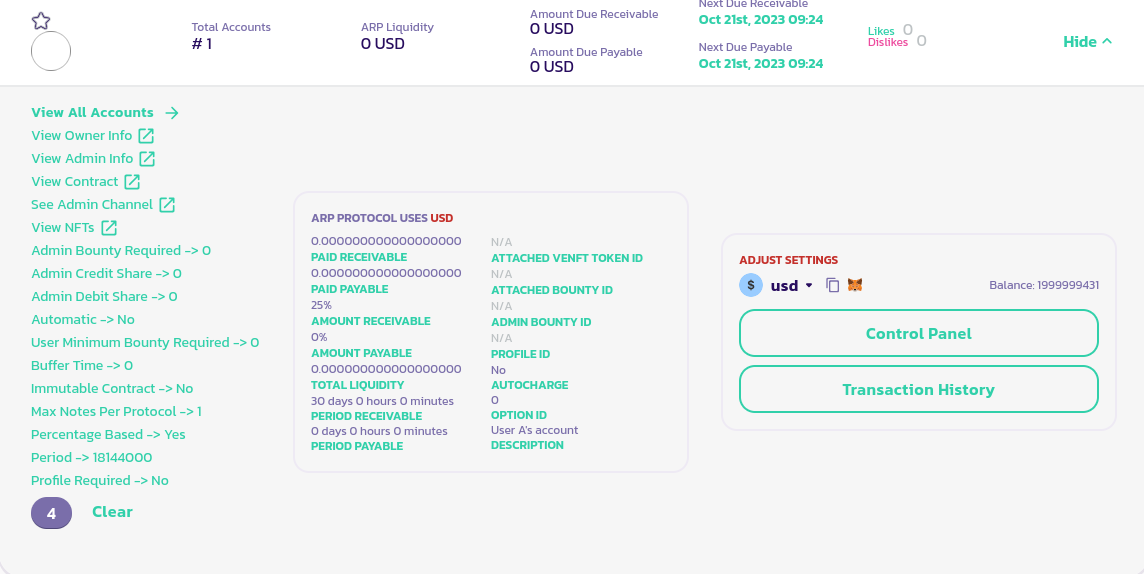
* 转到您的 ARP 合约，单击 **Details** 按钮以显示其面板，并在您的 ARP 面板的左下角，单击您的帐户 ID（在下图中，我们单击了 4，因为那是我们的帐户 ID）：

<figure><img src="/files/q7Hat1LR1KG33sOHeYnm" alt=""><figcaption></figcaption></figure>

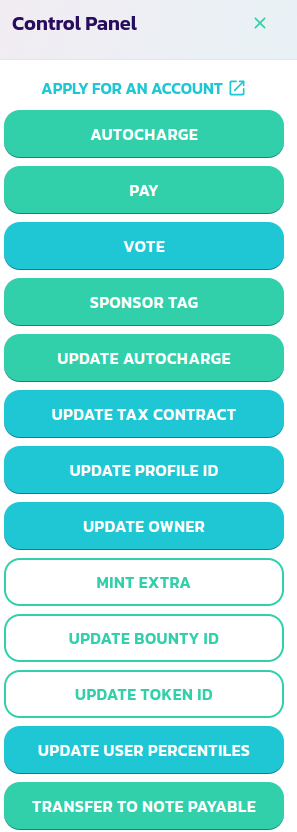
* 在您的控制面板菜单中，单击 **Transfer To Note Payable** 按钮。
<div><figure><img src="/files/zOB8U4qkluZ072U4HtM3" alt=""><figcaption></figcaption></figure> <figure><img src="/files/EUXSSH6zCLCy65sjDoiy" alt=""><figcaption></figcaption></figure></div>

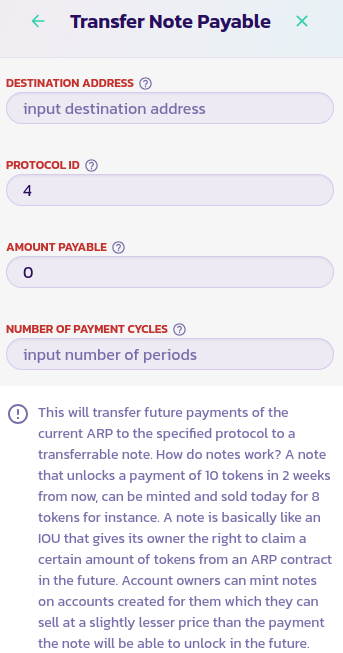
* 填写表格并验证交易。

恭喜！您已成功铸造了一张票据，将您未来收入的一部分或全部转移到票据上。您可以在 [ARP eCollectibles' channel](https://www.payswap.org/cancan/collections/283) 上出售该票据，以便立即获取您未来的收入。

### 索取票据

每当您购买的票据到期时，您可以通过其 ARP 合约索取。以下是执行此操作的逐步指南：

* 在 [ARPs 页面](https://payswap.org/arps) 上找到您购买的票据的 ARP 合约。
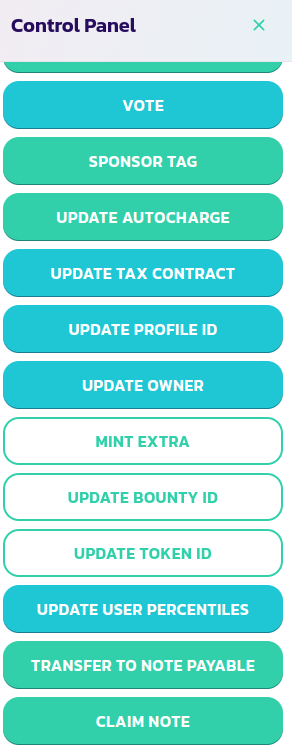
* 单击 **Details** 按钮以显示 ARP 的面板，并单击其 **Control Panel** 按钮。

<div><figure><img src="/files/teBrFY0TiiU9BrQSIDtB" alt=""><figcaption></figcaption></figure> <figure><img src="/files/yypVYoikIAlSOvgBwKGx" alt=""><figcaption></figcaption></figure></div>

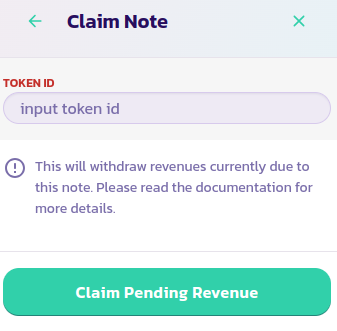
* 从控制面板菜单中单击 **Claim Note** 按钮，填写您的票据令牌 ID，并验证交易。

恭喜！您已成功索取了您票据的收益。

[在此获取社区的进一步支持。](https://paychat.payswap.org/#/room/%23paycom%3Amatrix.org?via=matrix.org)


---

# Agent Instructions: Querying This Documentation

If you need additional information that is not directly available in this page, you can query the documentation dynamically by asking a question.

Perform an HTTP GET request on the current page URL with the `ask` query parameter:

```
GET https://docs.payswap.org/zhong-guo-ren/products/arps/minting-and-claiming-notes.md?ask=<question>
```

The question should be specific, self-contained, and written in natural language.
The response will contain a direct answer to the question and relevant excerpts and sources from the documentation.

Use this mechanism when the answer is not explicitly present in the current page, you need clarification or additional context, or you want to retrieve related documentation sections.