# 滴

PaySwap 还可以让您列出那些不能立即购买，只能在特定日期后购买的产品/订阅产品。以下是逐步指南：

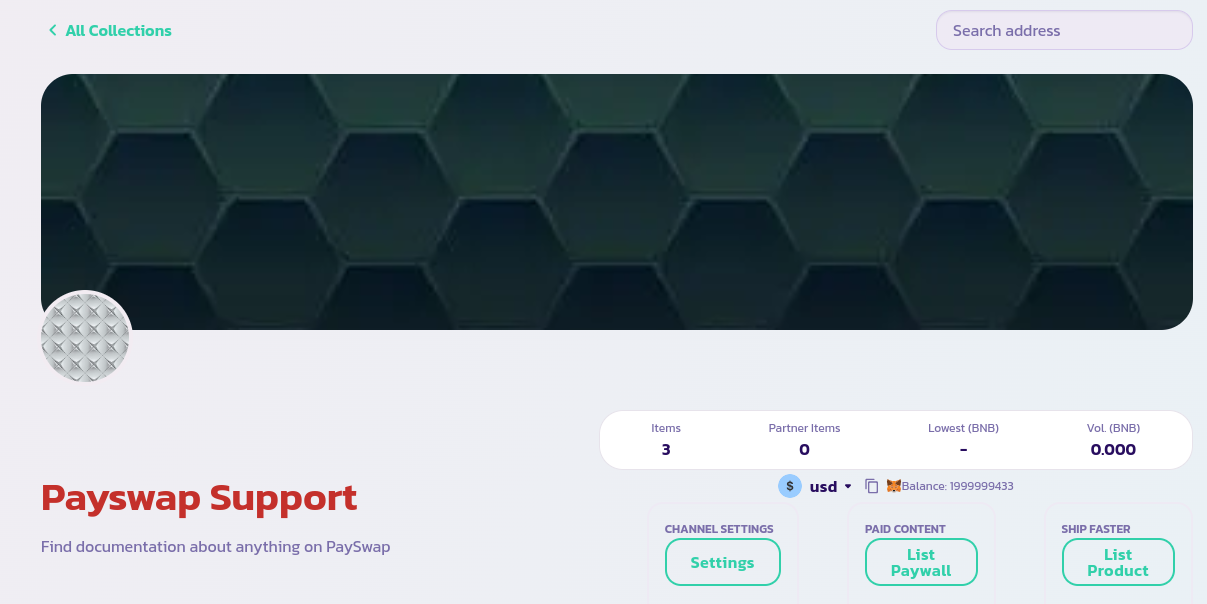
* 转到您频道的主页，单击**列出产品**按钮（对于订阅产品，请单击**列出支付墙**按钮）

<figure><img src="/files/rpY3jrSz0dQ3jOSzvOHr" alt=""><figcaption></figcaption></figure>

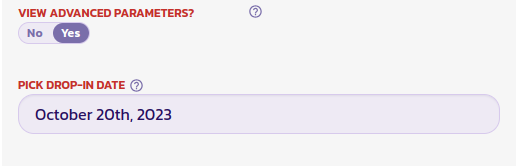
* 填写弹出的表单，并将**查看高级参数**字段（表单底部）设置为**是**，以显示您需要设置的日期字段。

<figure><img src="/files/ZOaFYKdhCoaLluYiHhO4" alt=""><figcaption></figcaption></figure>

* 在下图中，我们将该时间设置为 2023 年 10 月 20 日，这意味着验证表单后，产品将像正常列表一样列出，但用户只能在特定日期后购买它。

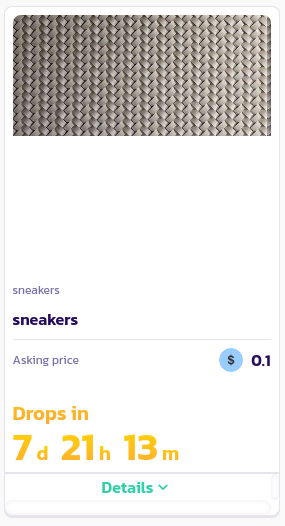
恭喜！您已成功列出一个掉落。您应该能够在您频道的主页上与其他产品一起查看它。掉落产品会显示它们的掉落日期。
<figure><img src="/files/nfofQDLyWHUpHgkacofj" alt=""><figcaption></figcaption></figure>


---

# Agent Instructions: Querying This Documentation

If you need additional information that is not directly available in this page, you can query the documentation dynamically by asking a question.

Perform an HTTP GET request on the current page URL with the `ask` query parameter:

```
GET https://docs.payswap.org/zhong-guo-ren/products/cancan/auction-and-bids-1.md?ask=<question>
```

The question should be specific, self-contained, and written in natural language.
The response will contain a direct answer to the question and relevant excerpts and sources from the documentation.

Use this mechanism when the answer is not explicitly present in the current page, you need clarification or additional context, or you want to retrieve related documentation sections.