> For the complete documentation index, see [llms.txt](https://docs.payswap.org/llms.txt). Markdown versions of documentation pages are available by appending `.md` to page URLs; this page is available as [Markdown](https://docs.payswap.org/zhong-guo-ren/products/cancan/paywalls/activating-paywall-subscriptions.md).

# 激活付费专区订阅

订阅付费墙涉及两个步骤：

* 购买订阅
* 激活订阅

当订阅未激活时，订阅尚未开始，1个月的订阅可以在激活之前保留多个月。这可以让投资者通过购买（但不激活）来自这些付费墙的多个订阅，并等待订阅价格上涨，然后在二级市场上将先前购买的订阅出售给愿意以更便宜的价格订阅付费墙的用户。

### 激活订阅

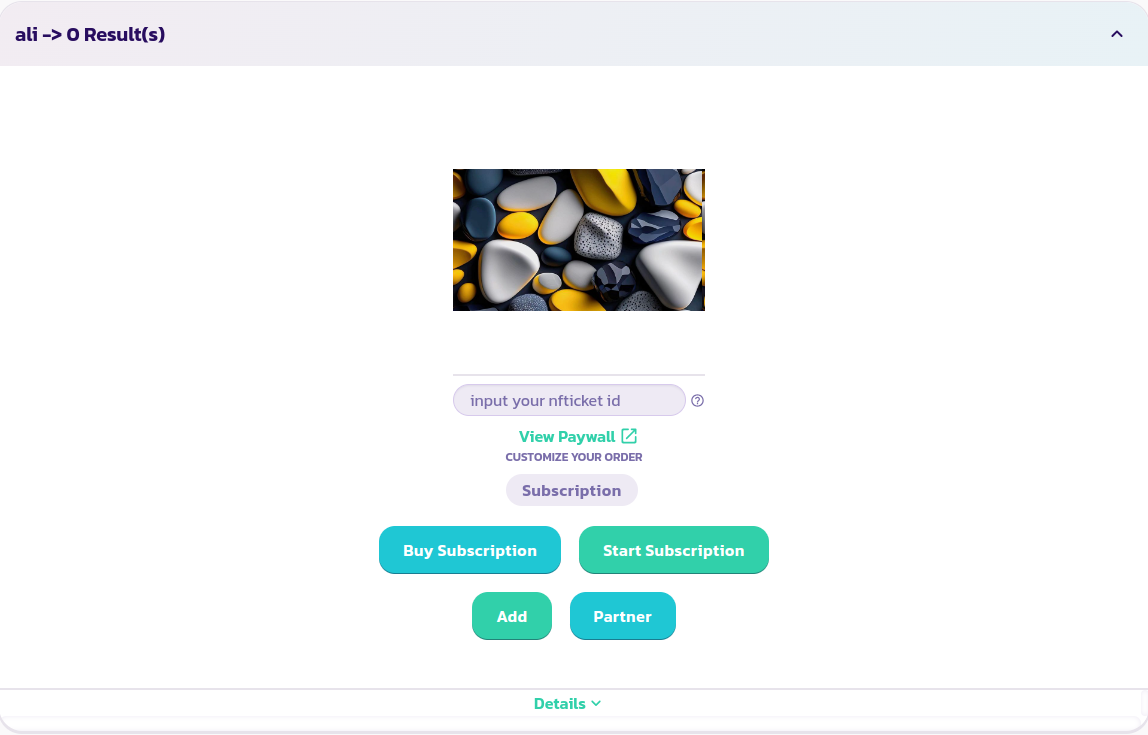
* 找到并展开您希望订阅的付费墙

<figure><img src="/files/kWiI2vMrD8AOlLmd0ePA" alt=""><figcaption></figcaption></figure>

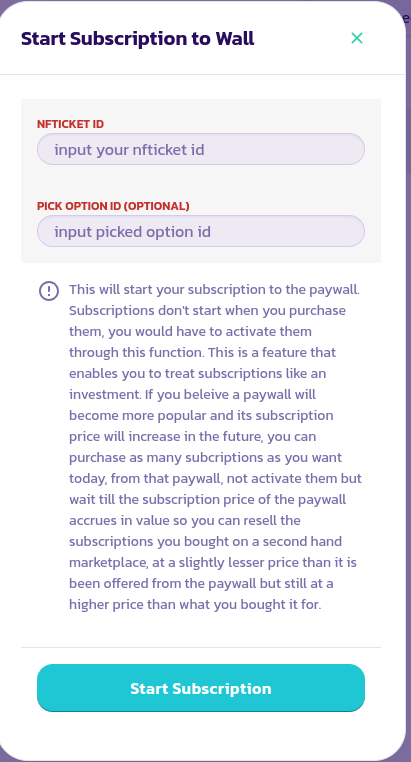
* 单击“开始订阅”按钮，填写并验证弹出的表单。

<figure><img src="/files/MjIEb8kIXAxWJEpYfH2q" alt=""><figcaption></figcaption></figure>

* 要查看付费墙后面的内容，请在“输入nfticket id”字段中输入您购买订阅后收到的NFTicket/eReceipt的ID。这将使付费墙能够检测您的订阅是否已激活。如果所有先前的步骤都已成功完成，那么在输入您的ID后，您应该能够在几秒钟内看到您付费墙的所有内容

<figure><img src="/files/kWiI2vMrD8AOlLmd0ePA" alt=""><figcaption></figcaption></figure>

恭喜！您已成功开始了订阅


---

# Agent Instructions
This documentation is published with GitBook. GitBook is the documentation platform designed so that both humans and AI agents can read, navigate, and reason over technical content effectively. Learn more at gitbook.com.

## Querying This Documentation
If you need additional information that is not directly available in this page, you can query the documentation dynamically by asking a question.

Perform an HTTP GET request on the current page URL with the `ask` query parameter, and the optional `goal` query parameter:

```
GET https://docs.payswap.org/zhong-guo-ren/products/cancan/paywalls/activating-paywall-subscriptions.md?ask=<question>&goal=<endgoal>
```

`ask` is the immediate question: it should be specific, self-contained, and written in natural language.
`goal` is optional and describes the broader end goal you are ultimately trying to accomplish on behalf of the user. GitBook uses it to tailor the answer towards what is most useful for that goal.

The response will contain a direct answer to the question and relevant excerpts and sources from the documentation.

Use this mechanism when the answer is not explicitly present in the current page, you need clarification or additional context, or you want to retrieve related documentation sections.