# 将项目添加到付费专区

您只能向已经列出的付费墙添加物品。以下是向付费墙添加物品的逐步指南。

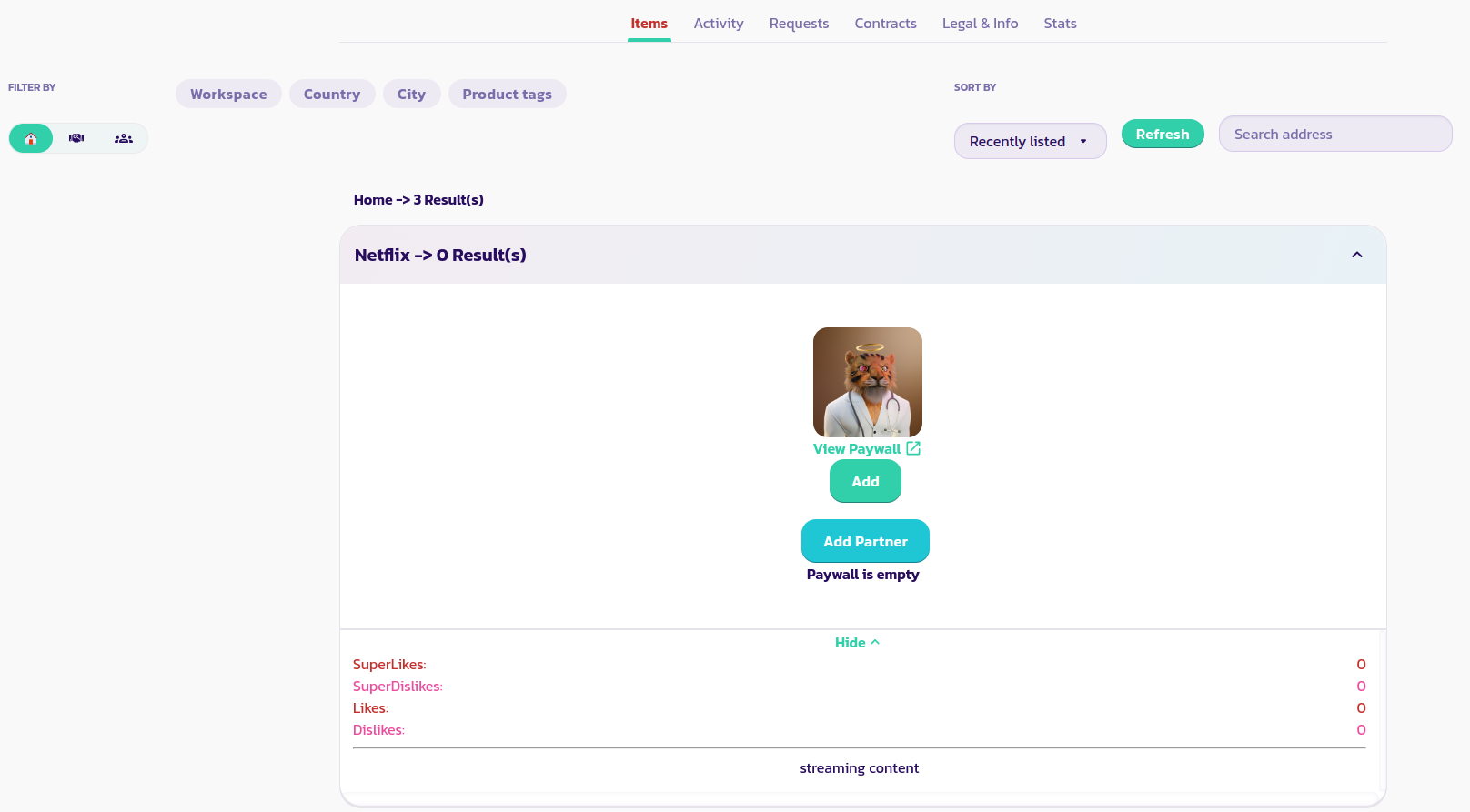
* 找到并展开付费墙，然后单击“添加”按钮。

<figure><img src="/files/ScaN7I9IZwUsgC51rqux" alt=""><figcaption></figcaption></figure>

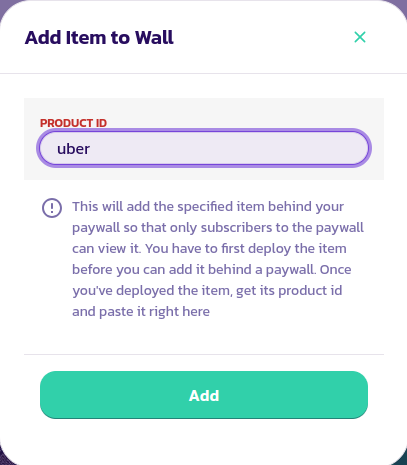
* 输入您想要添加到付费墙的物品的ID。验证表单。

<figure><img src="/files/PlIfE7pYdzvAWrF3V6Dz" alt=""><figcaption></figcaption></figure>

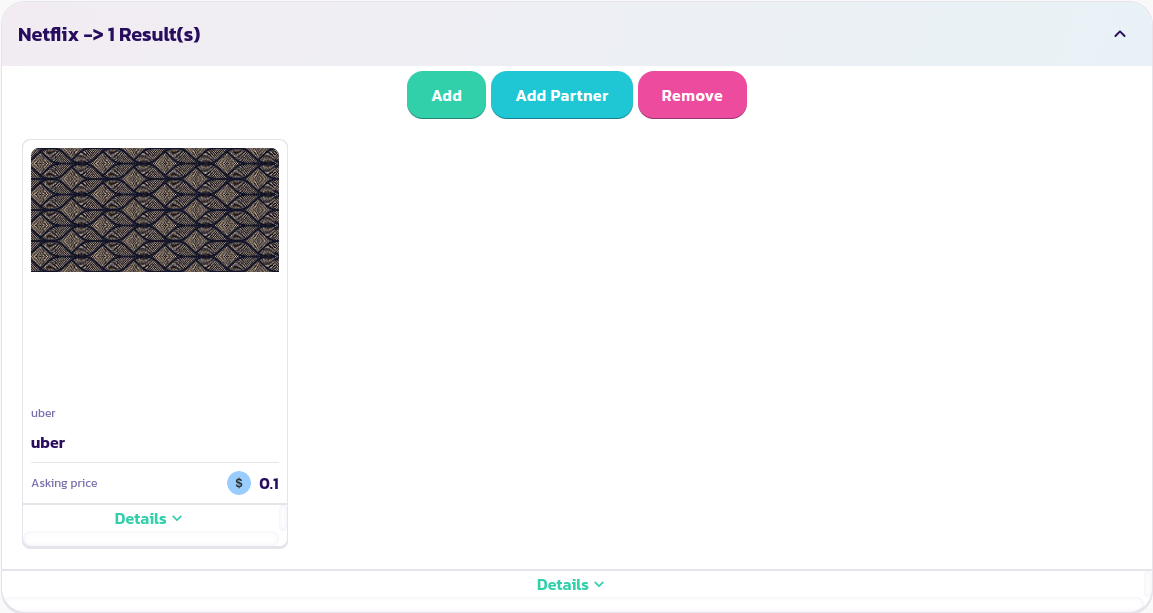
* 这将把产品添加到您的付费墙中，从现在开始，只有您和其他订阅者才能访问该产品；至少直到您从付费墙中将其删除为止。

<figure><img src="/files/1QXZKTqEquCvYXvllH52" alt=""><figcaption></figcaption></figure>

恭喜！您已成功将第一个产品添加到付费墙中。您可以添加任意数量的产品。


---

# Agent Instructions: Querying This Documentation

If you need additional information that is not directly available in this page, you can query the documentation dynamically by asking a question.

Perform an HTTP GET request on the current page URL with the `ask` query parameter:

```
GET https://docs.payswap.org/zhong-guo-ren/products/cancan/paywalls/adding-items-to-paywalls.md?ask=<question>
```

The question should be specific, self-contained, and written in natural language.
The response will contain a direct answer to the question and relevant excerpts and sources from the documentation.

Use this mechanism when the answer is not explicitly present in the current page, you need clarification or additional context, or you want to retrieve related documentation sections.