# 列表付费专区

以下是在您的频道上列出付费墙的逐步指南：

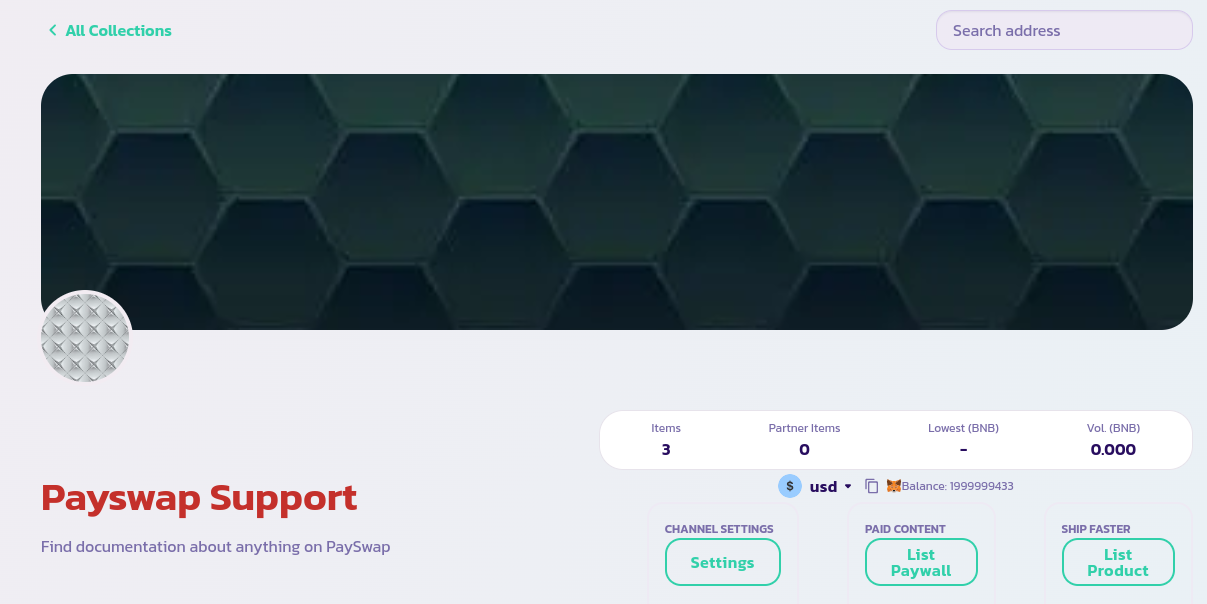
* 确保您位于您频道的主页面，并使用频道的管理员钱包连接。如果是这样，您应该看到下面显示的页面。

<figure><img src="/files/rpY3jrSz0dQ3jOSzvOHr" alt=""><figcaption></figcaption></figure>

* 通过单击“列出付费墙”按钮顶部的下拉按钮，选择您希望用户使用的代币订阅您的付费墙。在上面的图像中，我们选择了usd代币。
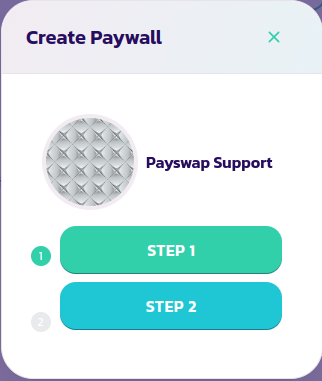
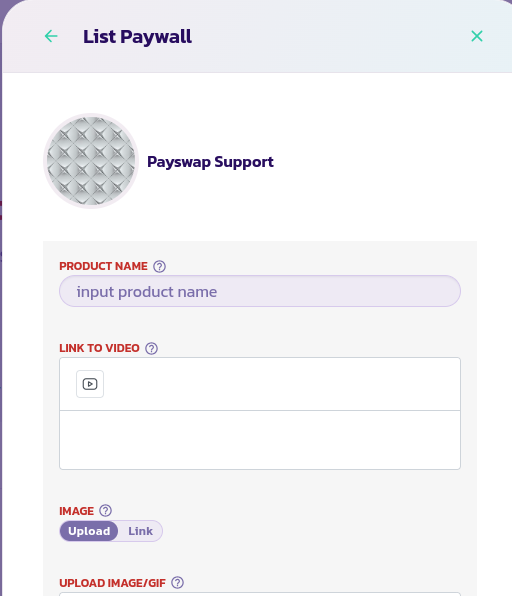
* 单击“列出付费墙”按钮以显示下面左侧的表单。单击“第1步”并验证操作。
* 再次单击“列出付费墙”按钮，然后单击“第2步”以显示右侧的表单。

<div><figure><img src="/files/QYxXCrgAU9VSiBkje6kl" alt=""><figcaption></figcaption></figure> <figure><img src="/files/Uveg91PjYmE06bmVBLKm" alt=""><figcaption></figcaption></figure></div>

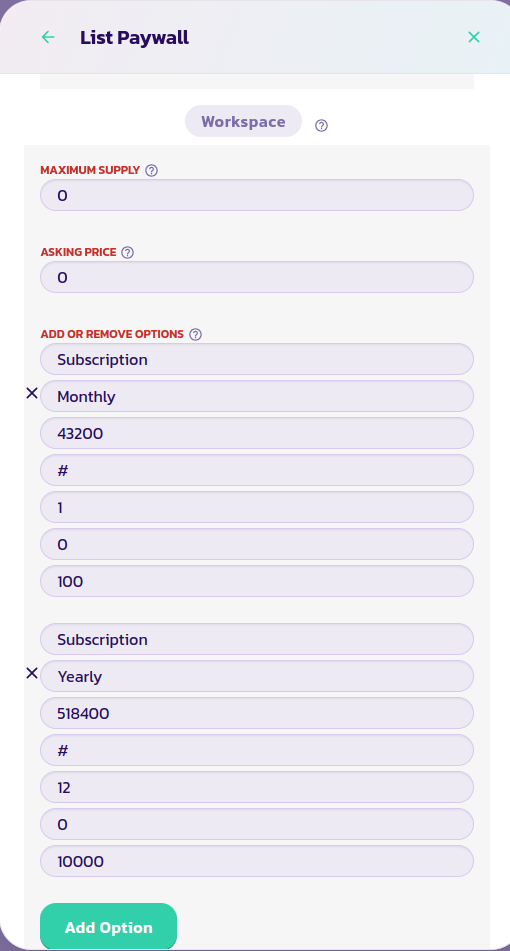
* 在下面的图像中，我们向付费墙添加了2个订阅选项：一个每月1代币的订阅和一个每年2代币的订阅（在此处代币是在“列出付费墙”按钮顶部的下拉菜单中预先选择的代币）。您可以添加任意数量的订阅选项。值43200是一个月的分钟数；这样合约就知道每月订阅的持续时间。我们将该数字乘以12得到年度订阅。值100是我们愿意出售的每月订阅数量，值10000是我们愿意出售的每年订阅数量。您可以将数字设置得尽可能高，但保持合理。

<figure><img src="/files/9ORZYbZnq8jZzL4RVL64" alt=""><figcaption></figcaption></figure>

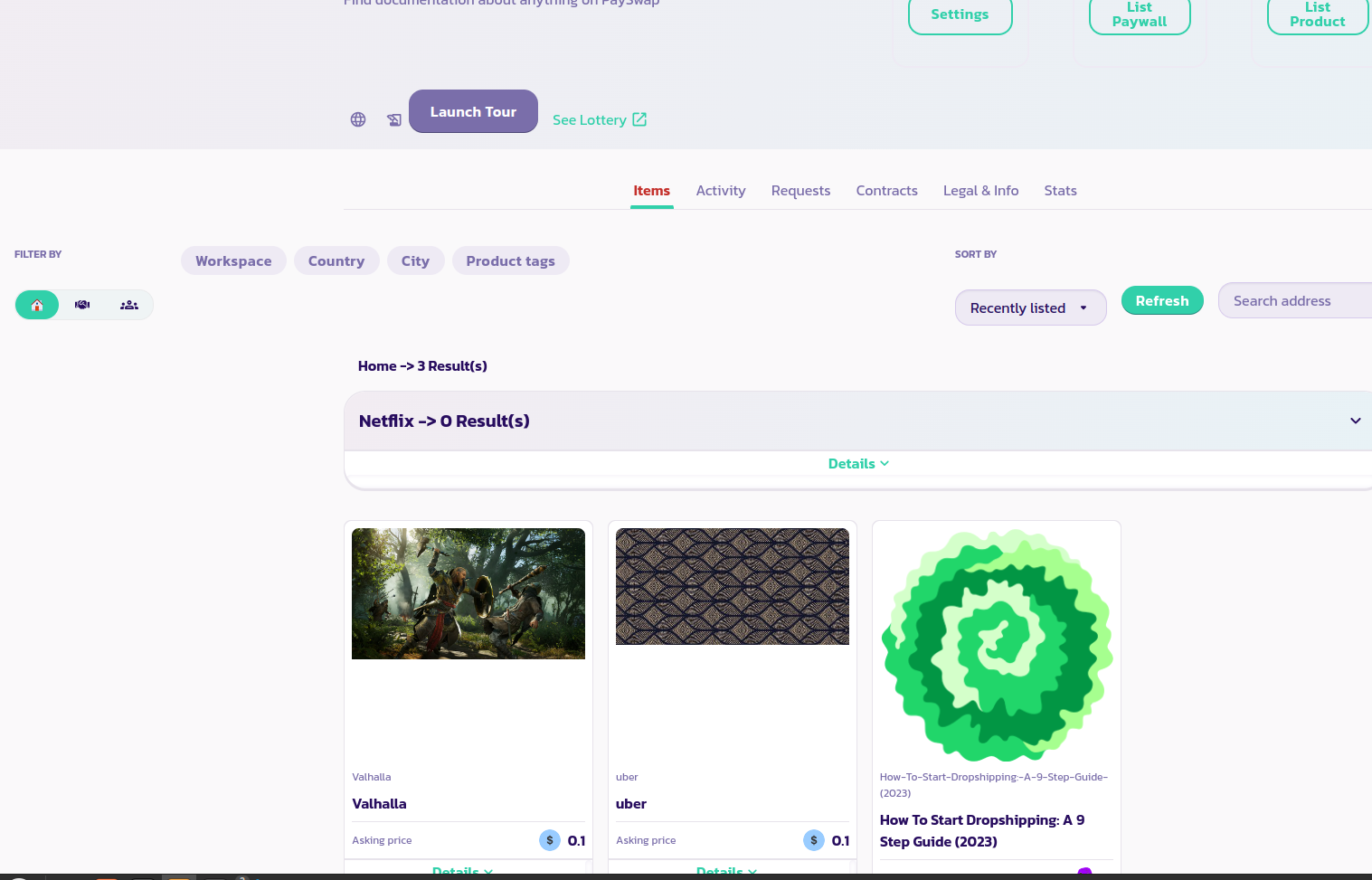
* 阅读每个参数的描述并提供适当的值。确保您已添加了您的订阅选项并验证表单。几秒钟后，您应该能够在下面的图像中看到您的付费墙与先前列出的其他产品一起显示。如果您的产品没有显示，请重新加载页面。在下面的图像中，我们可以看到列出了4个产品；一个名为Netflix、Valhalla、uber和如何开始dropshipping：一个9步指南（2023）。图像下面称为Netflix的产品是一个付费墙。

<figure><img src="/files/5rCRdzIHmvLM2xd4sgyt" alt=""><figcaption></figcaption></figure>

恭喜！您已成功列出您的付费墙，如果您已经使其可交易，用户将能够直接从您的频道购买其订阅。


---

# Agent Instructions: Querying This Documentation

If you need additional information that is not directly available in this page, you can query the documentation dynamically by asking a question.

Perform an HTTP GET request on the current page URL with the `ask` query parameter:

```
GET https://docs.payswap.org/zhong-guo-ren/products/cancan/paywalls/listing-paywalls.md?ask=<question>
```

The question should be specific, self-contained, and written in natural language.
The response will contain a direct answer to the question and relevant excerpts and sources from the documentation.

Use this mechanism when the answer is not explicitly present in the current page, you need clarification or additional context, or you want to retrieve related documentation sections.