# 通过 StakeMarket 出售

作为商家，您将通过电子邮件收到对任何您产品创建的新Stake的通知。您还可以查看您频道的Stake市场，以查看任何新创建的Stake并对其申请。这将允许您完成对Stake对象的购买。一旦对象已交付或向客户提供了服务，他/她将让Stake市场释放您的付款。

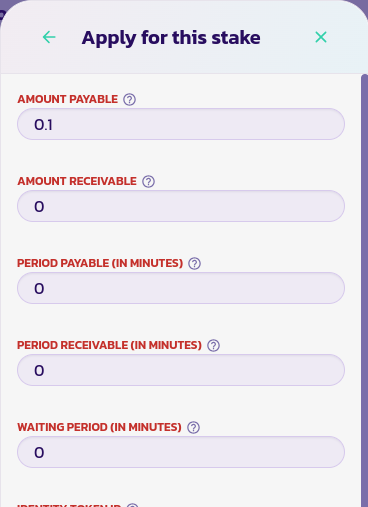
要申请Stake，请转到Stake的控制面板菜单，然后单击**Apply**按钮

<div><figure><img src="/files/wsXLouhNDv5BdVNjCVcR" alt=""><figcaption></figcaption></figure> <figure><img src="/files/p3wFLmaeoGgUDN7DoI95" alt=""><figcaption></figcaption></figure></div>

* 您可以将每个字段的值保留不变。如果不适用于您的情况，您可以修改它们。验证表单以进行申请。
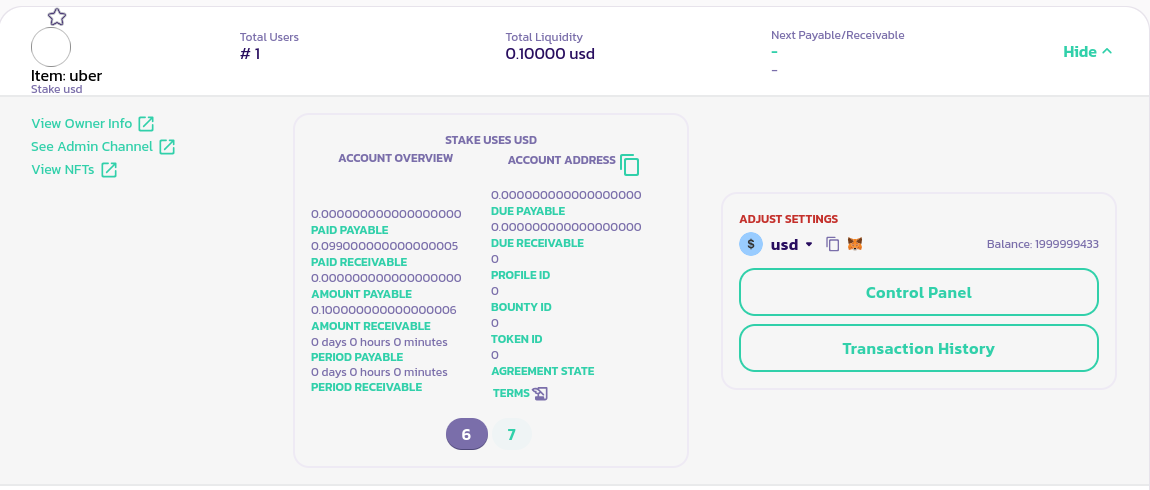
* 如果客户接受您的申请，您应该会看到您的Stake被添加到客户的Stake中，就像下图中所示

<figure><img src="/files/I3ohGsQCLYZBsTlpcn1B" alt=""><figcaption></figcaption></figure>

* 下一步是继续履行阶段，并将产品/服务交付给客户。您应该能够通过检查他/她的频道或检查客户的Stake条款来联系客户，以查看是否留下了联系信息。
* 履行阶段结束后，您应该更新协议。通过单击其ID（在上图中为7）选择您的Stake，然后单击控制面板按钮以转到您的Stake的控制面板菜单。单击**Update Agreement**以显示右侧的表单，将协议级别保留为Good，并验证表单

<div><figure><img src="/files/jqfFxyhZR0WL68RfWn1O" alt=""><figcaption></figcaption></figure> <figure><img src="/files/wuyXaDefE7OvC1DsLRNp" alt=""><figcaption></figcaption></figure></div>

* 一旦客户也将他/她的协议更新为Good，您应该能够撤回您的付款。确保选择了Stake（在下图中，卖家的ID为7）

<figure><img src="/files/I3ohGsQCLYZBsTlpcn1B" alt=""><figcaption></figcaption></figure>

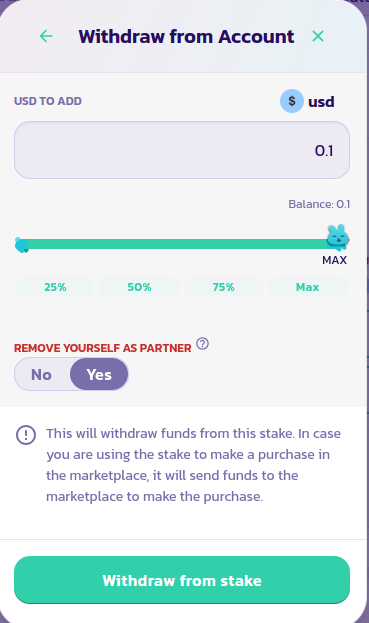
* 在您的Stake的控制面板菜单中，单击**Withdraw From Stake**按钮。在右侧的表单中，将**Remove yourself as partner**选项设置为Yes，并验证表单以完成购买（无需填写金额）。

<div><figure><img src="/files/lu9Y4We8mJthxKYzE8DM" alt=""><figcaption></figcaption></figure> <figure><img src="/files/8rac2QWKFfLOz9PbRiye" alt=""><figcaption></figcaption></figure></div>

恭喜！您已成功通过Stake市场完成了您的第一笔销售。


---

# Agent Instructions: Querying This Documentation

If you need additional information that is not directly available in this page, you can query the documentation dynamically by asking a question.

Perform an HTTP GET request on the current page URL with the `ask` query parameter:

```
GET https://docs.payswap.org/zhong-guo-ren/products/cancan/products-services/buying-products-services/selling-through-the-stake-market.md?ask=<question>
```

The question should be specific, self-contained, and written in natural language.
The response will contain a direct answer to the question and relevant excerpts and sources from the documentation.

Use this mechanism when the answer is not explicitly present in the current page, you need clarification or additional context, or you want to retrieve related documentation sections.