> For the complete documentation index, see [llms.txt](https://docs.payswap.org/llms.txt). Markdown versions of documentation pages are available by appending `.md` to page URLs; this page is available as [Markdown](https://docs.payswap.org/zhong-guo-ren/products/profile/building-your-social-graph.md).
# 建立你的社交图谱
您可以通过让其他用户关注您来在您喜爱的区块链上建立您的社交网络图。这将使您能够建立电子邮件列表,并真正拥有您的社交网络图,与您在任何社交媒体平台上建立的社交网络图不同,后者随时可能被拿走。
您没有理由在加入新的社交媒体时必须从零开始重新建立您的社交网络图,社交媒体平台应该能够在您加入后立即从区块链开始您的社交网络图,当然前提是您已经授权它们这样做。
借助我们个人资料的社交网络图,您可以做到这一点。社交平台可以使用我们的 API,使他们的用户在入职过程中下载所有关注者的电子邮件并建立他们的社交网络图。从社交平台获得的任何新关注者都将立即添加到您在区块链上的社交网络图中,从而为您提供互联网上各种社交平台上相同的社交网络图。
## 如何关注/取消关注一个个人资料
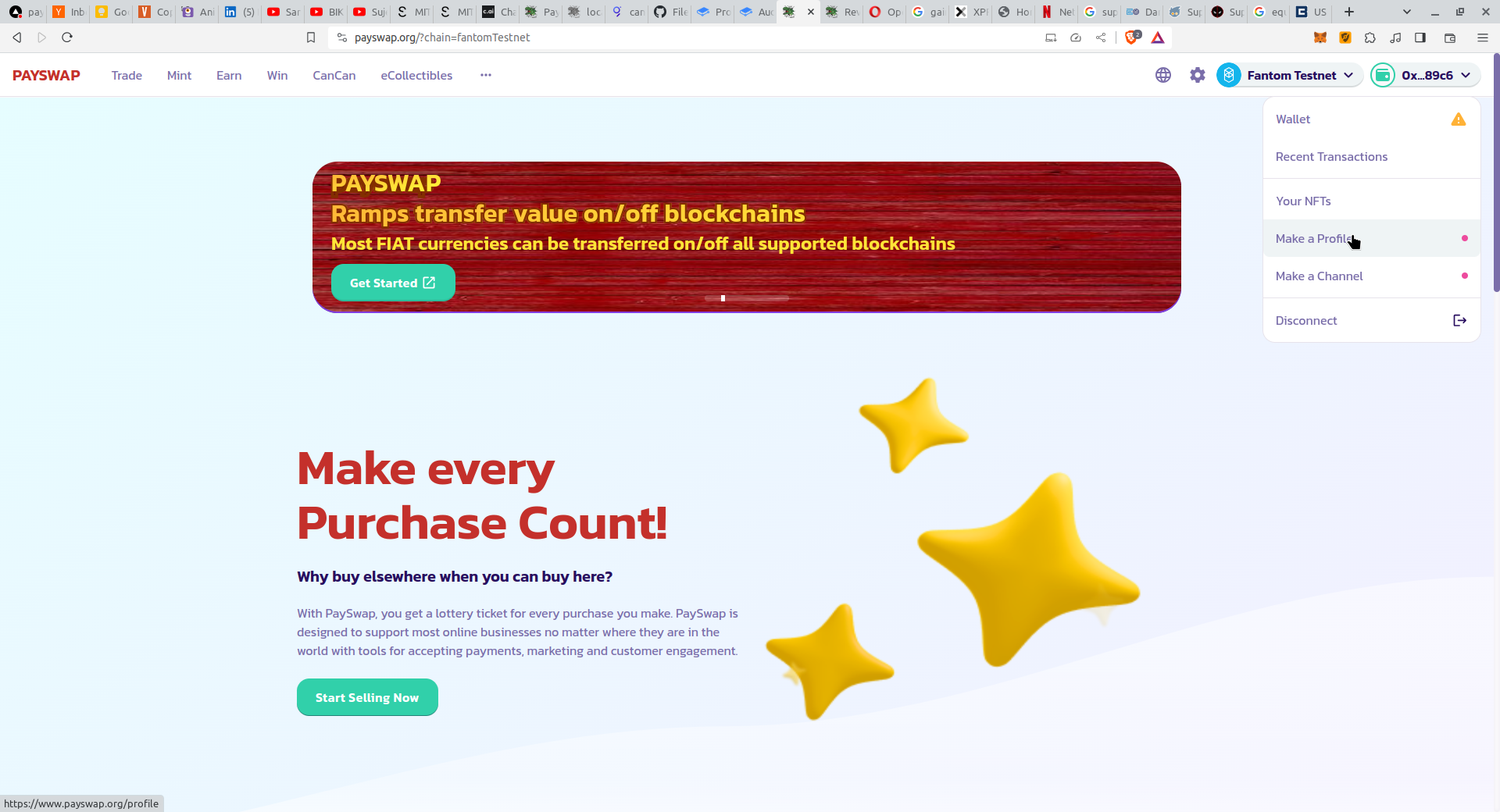
* 点击 [PaySwap 网站](https://ekontetevi.gitbook.io/tubecoin/) 顶部右侧的下拉菜单中的 **Make a Profile** 按钮,进入个人资料页面。
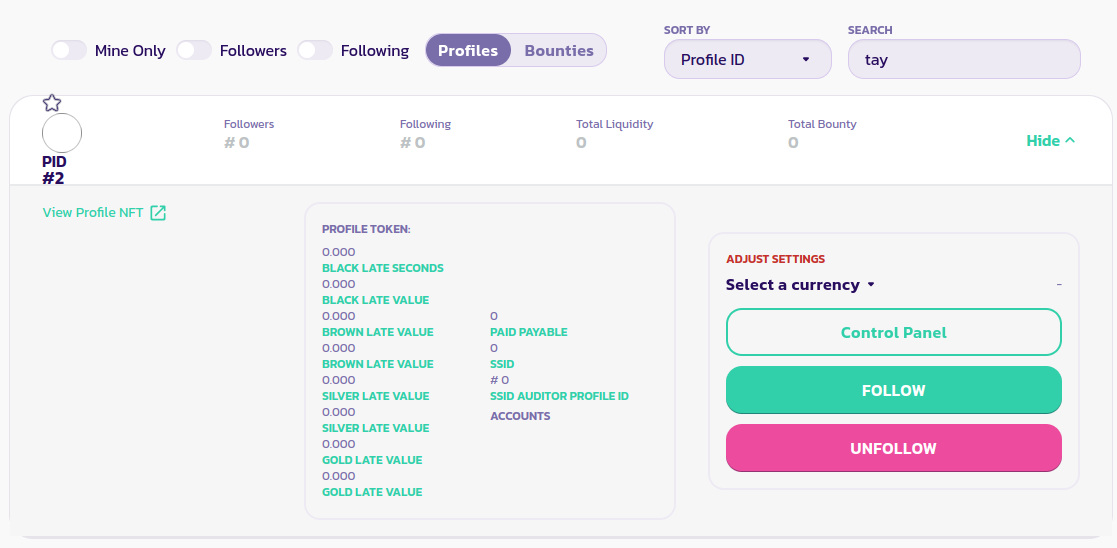
* 在个人资料页面,点击 **Profiles** 选项卡,并在搜索框中输入您要关注的用户的用户名。这将列出您要关注的用户的个人资料。
* 点击 **Follow** 按钮以关注个人资料,点击 **Unfollow** 按钮以取消关注个人资料。
[在此处获取社区的进一步支持。](https://paychat.payswap.org/#/room/%23paycom%3Amatrix.org?via=matrix.org)