> For the complete documentation index, see [llms.txt](https://docs.payswap.org/llms.txt). Markdown versions of documentation pages are available by appending `.md` to page URLs; this page is available as [Markdown](https://docs.payswap.org/zhong-guo-ren/products/valuepools/creating-a-proposal.md).

# 创建提案

价值池成员是唯一能够决定如何处理其资金的人，并且他们通过提案来做到这一点。有两种类型的提案：

* 创意提案：提案的创建者提交一个用于投票的想法
* 资金提案：提案的创建者请求提取一定金额的资金

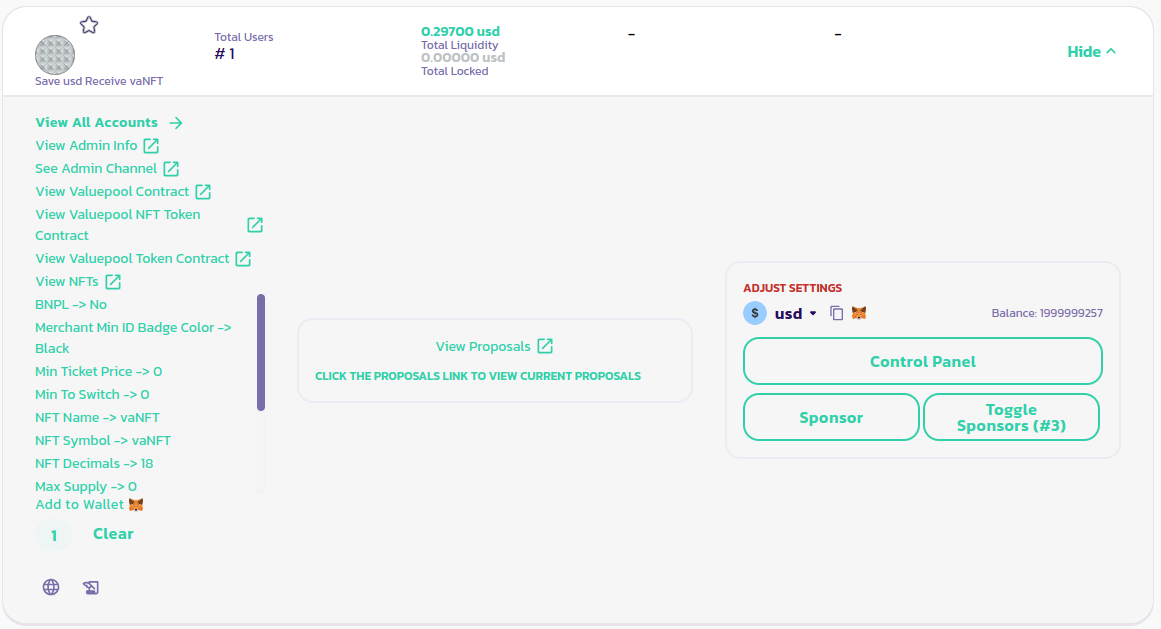
要创建提案，请点击你的价值池面板中的**查看提案**链接

<figure><img src="/files/RPATwOMA8xdlKSNHYbX2" alt=""><figcaption></figcaption></figure>

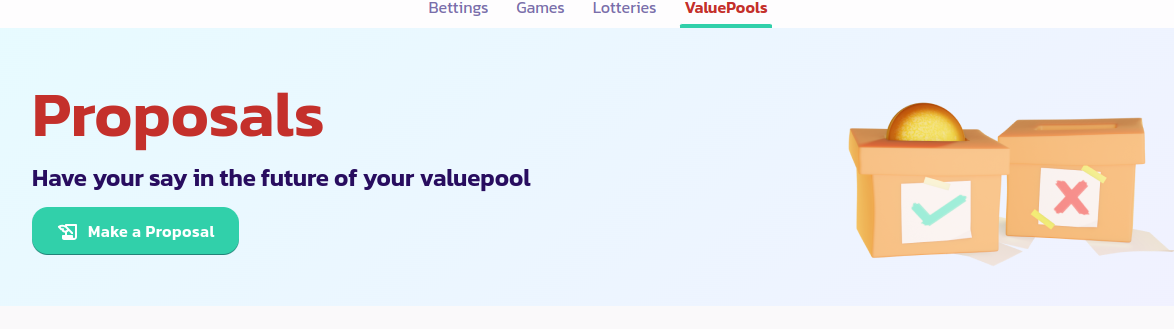
这将打开提案页面，然后点击**创建提案**按钮

<figure><img src="/files/Ts1REaFNMJ16YknHPUEI" alt=""><figcaption></figcaption></figure>

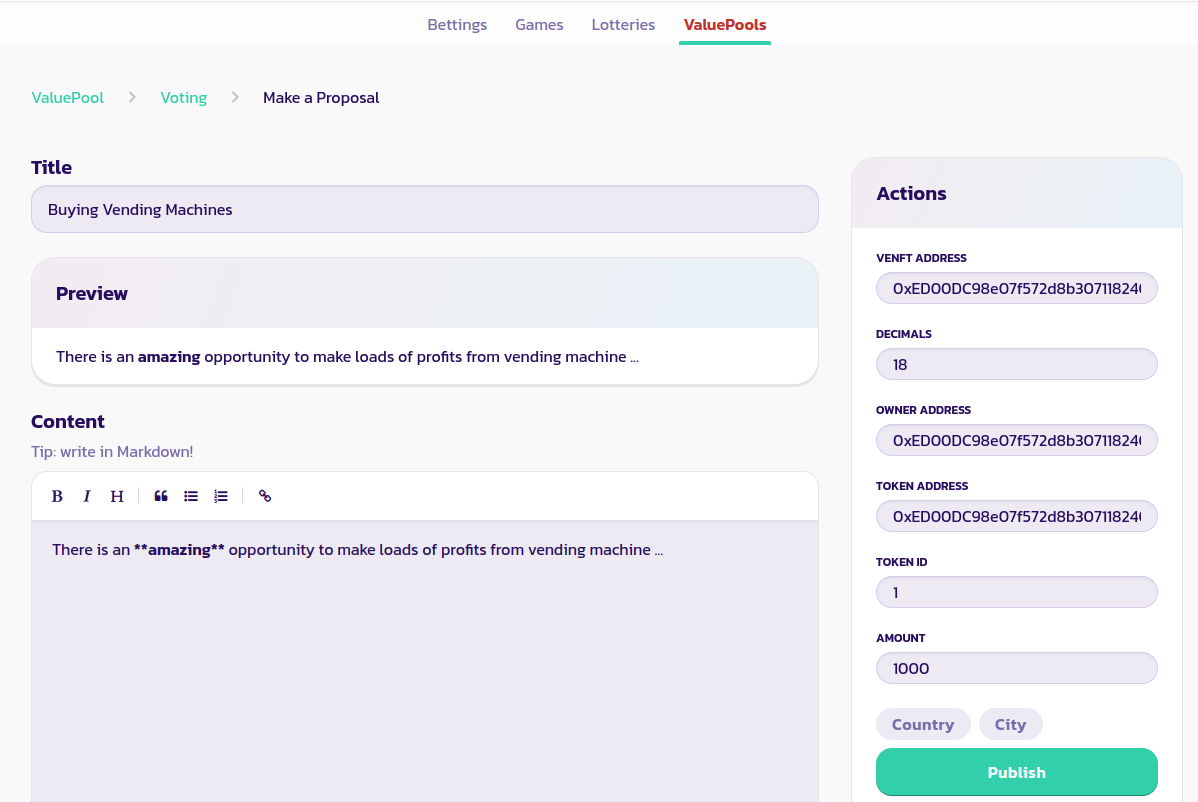
在下一页中，填写表格，包括提案的标题和正文，以及你想从价值池提取的金额。在创意提案的情况下，在**金额**字段中只需输入0即可

<figure><img src="/files/bA1nqyHZVQoZJCMezK3G" alt=""><figcaption></figcaption></figure>

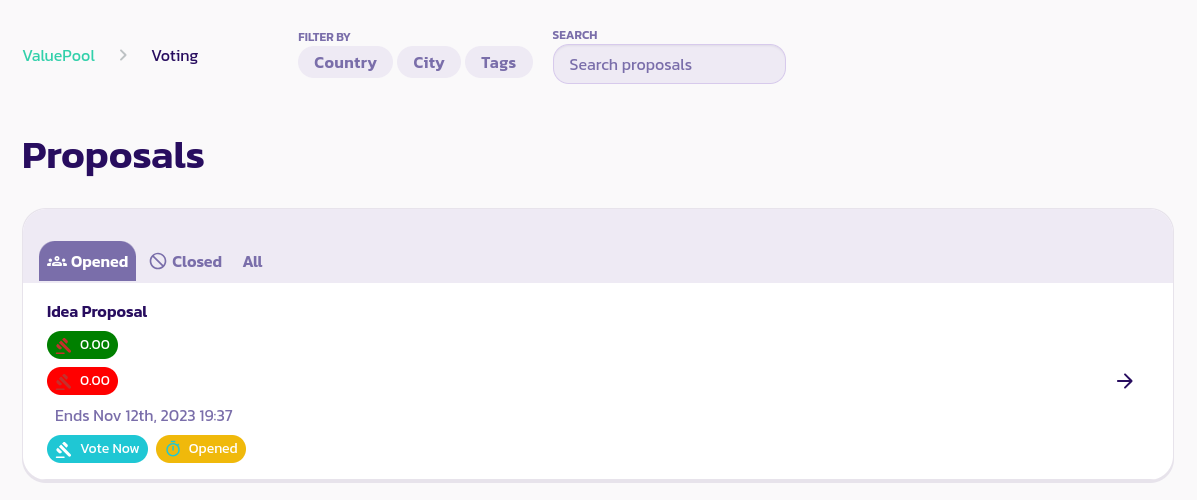
验证并确认交易。你应该能够在提案页面的**已开启**选项卡下查看你的提案，就像下图所示：

<figure><img src="/files/MNEeqxkfdsJ11gdNe2Zi" alt=""><figcaption></figcaption></figure>

## 对提案进行投票

要对提案进行投票，请转到提案页面，在**已开启**选项卡下（如上图所示），你应该能够查看当前正在进行投票的提案列表。你可以阅读：

* 提案的标题
* 当前正面投票的数量（以绿色显示）
* 当前负面投票的数量（以红色显示）
* 结束日期

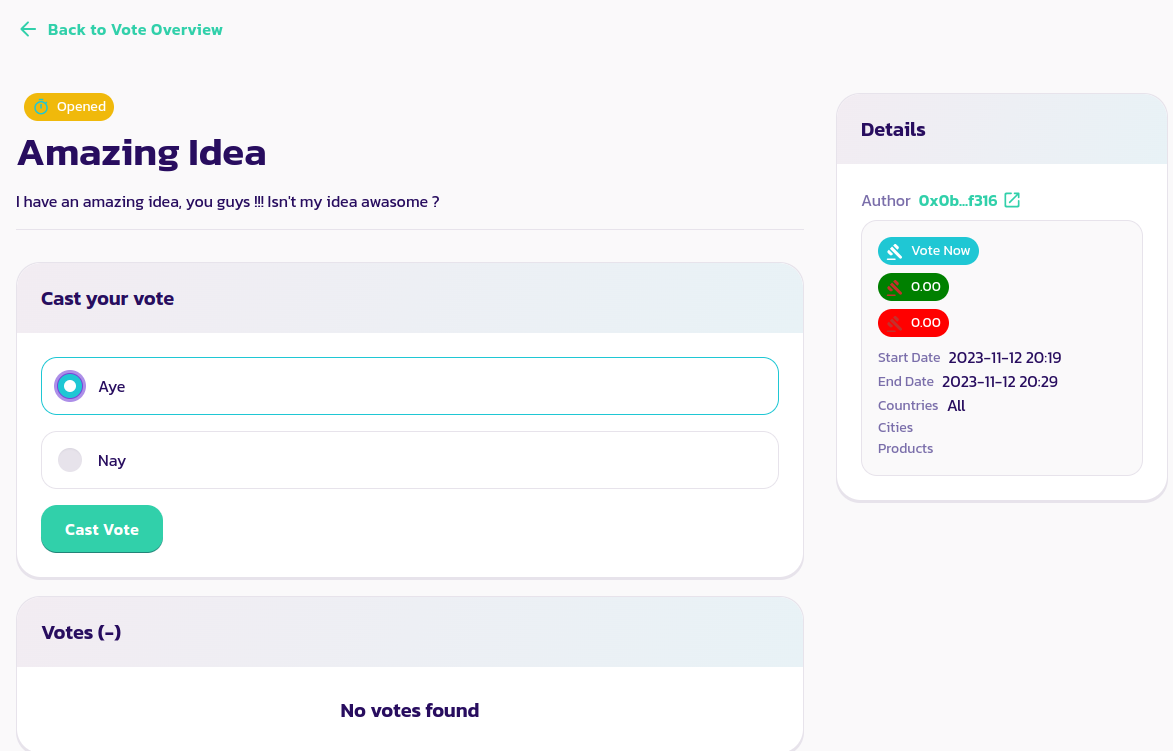
点击你要投票的提案，打开投票页面，如下图所示

<figure><img src="/files/NG4cTLDe5oe8RiADCRK4" alt=""><figcaption></figcaption></figure>

阅读提案内容，如果你想投赞成票，请选择**是**选项，否则选择**否**选项。

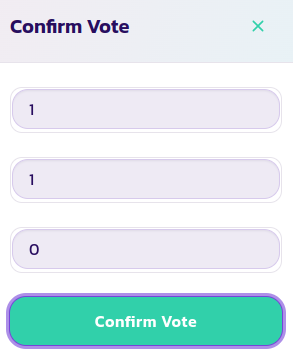
点击**投票**按钮，填写弹出的表单，包括你的价值池NFT的ID，你的个人资料ID和你的身份令牌ID（除非你的价值池对提案投票者有特定的身份要求，否则应该填入0）

<figure><img src="/files/la240reeEwbIHJDPsRjs" alt=""><figcaption></figcaption></figure>

验证并确认交易。恭喜！你已经成功投票支持你的第一个价值池提案。

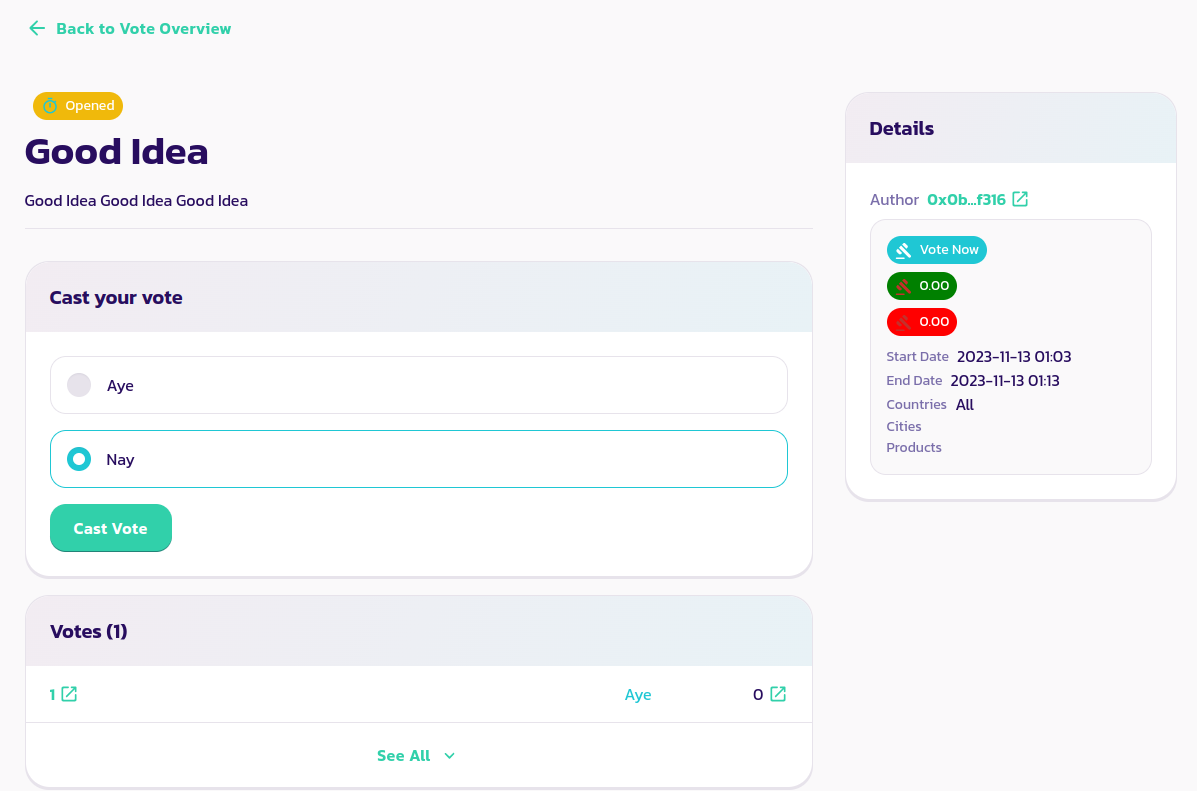
你应该能够在提案页面上看到你的投票反映，如下图所示，在我们的提案中看到一个投票16票的赞成票：

<figure><img src="/files/hEqwdEXcGTZcwd7vFtaL" alt=""><figcaption></figcaption></figure>

在提案页面上，投票部分列出了所有已投票的价值池NFT的ID以及他们的投票方式。
<figure><img src="/files/ZYOpMTZkTr2fqRqc4LOQ" alt=""><figcaption></figcaption></figure>


---

# Agent Instructions
This documentation is published with GitBook. GitBook is the documentation platform designed so that both humans and AI agents can read, navigate, and reason over technical content effectively. Learn more at gitbook.com.

## Querying This Documentation
If you need additional information that is not directly available in this page, you can query the documentation dynamically by asking a question.

Perform an HTTP GET request on the current page URL with the `ask` query parameter:

```
GET https://docs.payswap.org/zhong-guo-ren/products/valuepools/creating-a-proposal.md?ask=<question>
```

The question should be specific, self-contained, and written in natural language.
The response will contain a direct answer to the question and relevant excerpts and sources from the documentation.

Use this mechanism when the answer is not explicitly present in the current page, you need clarification or additional context, or you want to retrieve related documentation sections.