> For the complete documentation index, see [llms.txt](https://docs.payswap.org/llms.txt). Markdown versions of documentation pages are available by appending `.md` to page URLs; this page is available as [Markdown](https://docs.payswap.org/russkii/products/arps/minting-and-claiming-notes.md).
# Заметки о чеканке и претензии
### Minting Notes
Here is a step-by-step guide to minting notes on your account in an ARP contract:
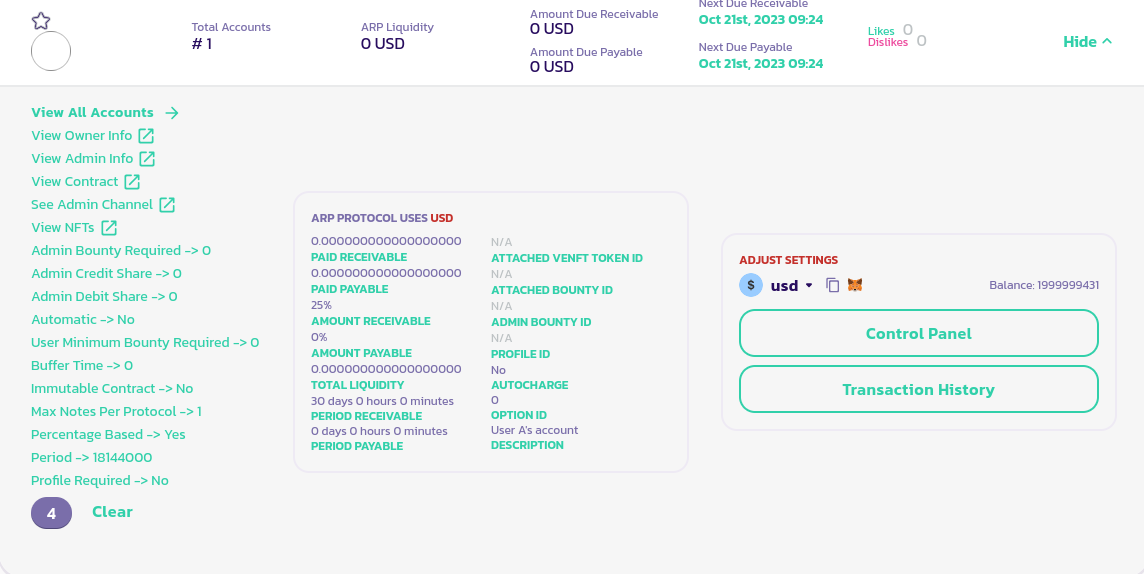
* Go to your ARP contract, click on the **Details** button to expose its panel and at the bottom left of your ARP's panel, click on your account's ID (in the image below, we clicked on 4 since that is our account ID):
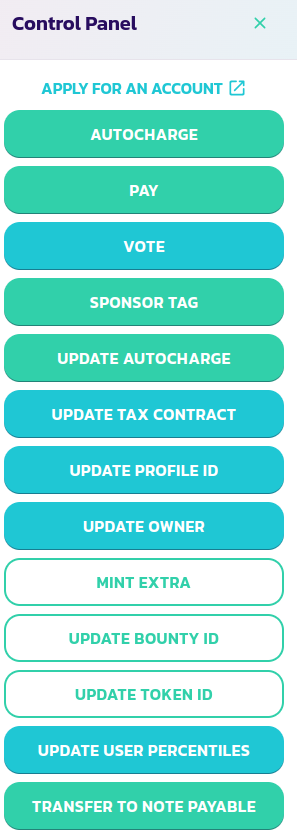
* In your control panel's menu, click on the **Transfer To Note Payable** button
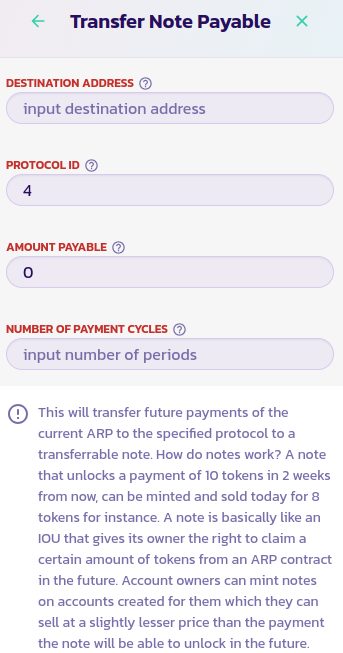
* Fill in the form and validate the transaction.
Congratulations! You have successfully minted a note to transfer part or all of your future revenue onto a note. You can sell that note on the [ARP eCollectibles' channel](https://www.payswap.org/cancan/collections/283) in order to access your future revenue now.
### Claiming Notes
Whenever a note you've purchased is due, you can claim it through its ARP contract. Here is a step-by-step guide to doing that:
* Find the ARP contract of the note you've purchased on the [ARPs page](https://payswap.org/arps)
* Click on the **Details** button to expose the panel of your ARP and click on its **Control Panel** button
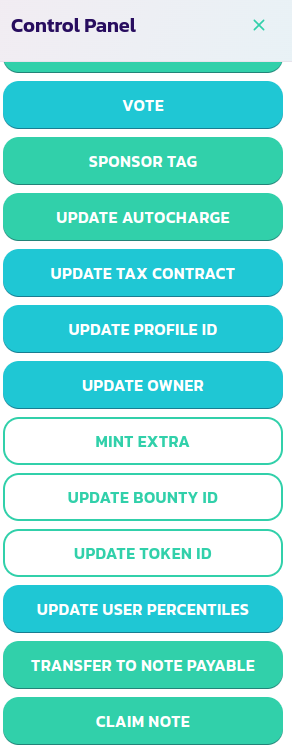
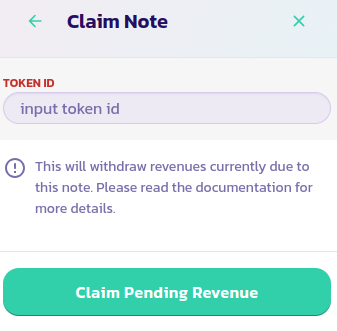
* Click on the **Claim Note** button from the control panel's menu, fill in your note's token ID, and validate the transaction.
Congratulations! You have successfully claimed your note's earnings.
[Get further support from the community here.](https://paychat.payswap.org/#/room/%23paycom%3Amatrix.org?via=matrix.org)