> For the complete documentation index, see [llms.txt](https://docs.payswap.org/llms.txt). Markdown versions of documentation pages are available by appending `.md` to page URLs; this page is available as [Markdown](https://docs.payswap.org/products/dramps/manual-ramps/minting-tfiat-tokens.md).
# Minting tFIAT Tokens
Minting tFIAT tokens is a way of transferring value from the FIAT system into the blockchain. The process consists in you paying with your debit card the amount you wish to transfer (plus the ramp's minting fee) to the ramp's admin and receiving in exchange the same amount in the equivalent tFIAT token sent by the admin to your wallet address.
Here is a step-by-step guide.
* Click on the **Product tags** tab in the page's Header and select the currency you wish to transfer to only list ramps that process your currency
* Select the **Manual** tab to only list automatic ramps
* Find the Ramp you want to use for the operation in the list of available ramps and go to its control panel by clicking on its **Control Panel** button available in its details panel
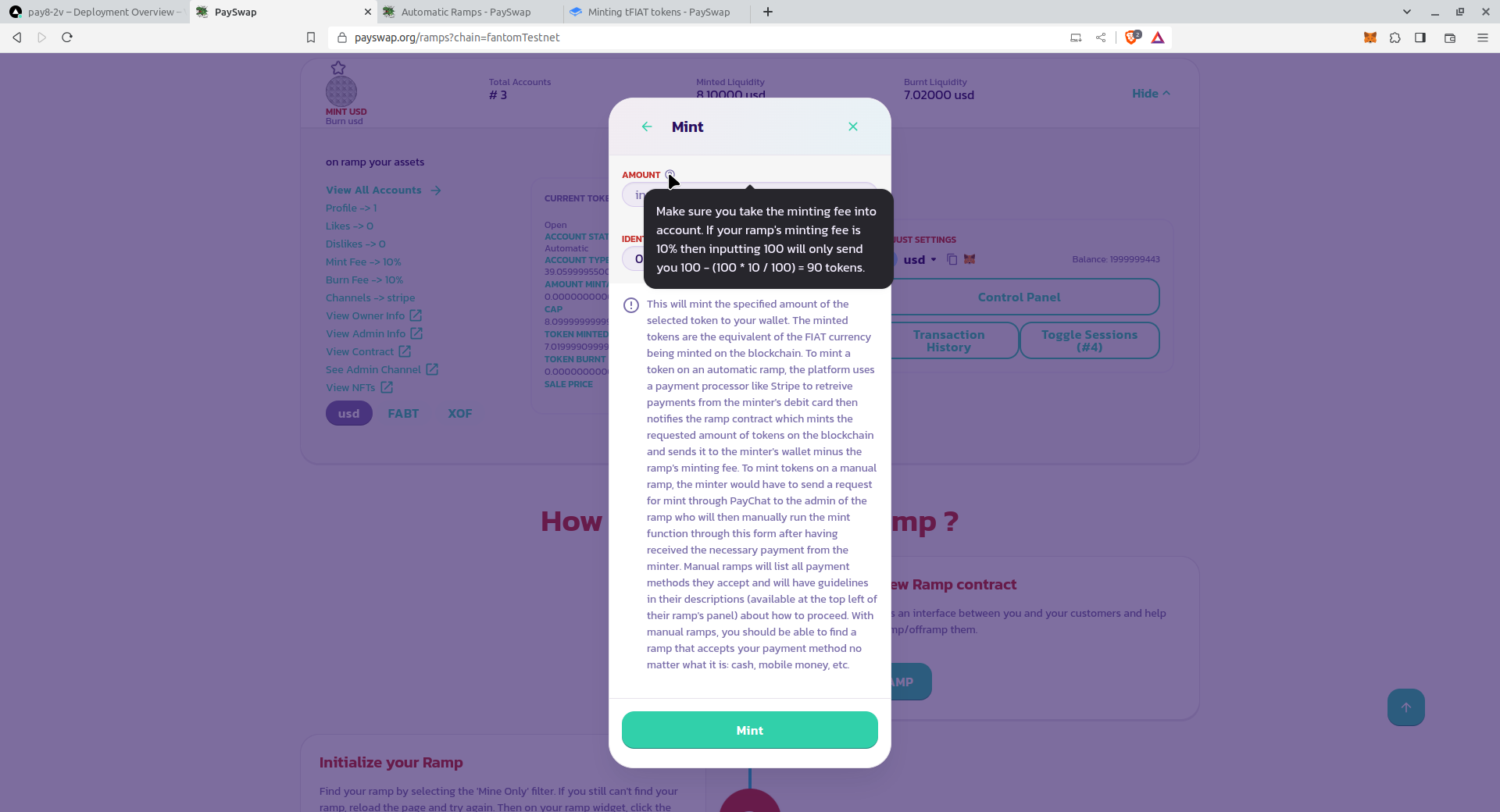
* Read the guidelines of your ramp on how to mint your tokens. The ramp in the image above for instance is asking us to contact an admin on [PayChat](https://paychat.payswap.org) in the room @payswap::matrix.org. So the next step is to contact them with the details of our mint operation.
### I AM AN ADMIN
* Make sure your users have sent you the amount to mint through the payment method you accept (cash, mobile money, etc.)
* Select the correct token market in your ramp's panel
* Go to the control panel and click on the **Mint** button. Enter the amount of tFIAT to mint and validate the form. Make sure to read all other information available on the form as well as the description of each parameter available when you hover over the help icon next to each parameter.
* Inside the form that shows, enter the amount to mint and validate the form. Make sure to read all other information available on the form as well as the description of each parameter available when you hover over the help icon next to each parameter
* You will receive the minted tokens in your wallet; all that's left now is for you to send them to your user's wallet address
Congratulations! You have successfully minted tokens for your user



.png?alt=media)