> For the complete documentation index, see [llms.txt](https://docs.payswap.org/llms.txt). Markdown versions of documentation pages are available by appending `.md` to page URLs; this page is available as [Markdown](https://docs.payswap.org/products/worlds.md).
# Worlds
World contracts create incentives for users to:
* create digital twins of the current world - Red Pill Worlds
* propose alternatives to the current world - Blue Pill Worlds
* clean/greenify the current world - Green Pill Worlds
The world contract uses the [plus code](https://plus.codes) system which is an open-source digital addressing system for the entire world, to create incentives on each portion of the globe.
To deploy a world contract:
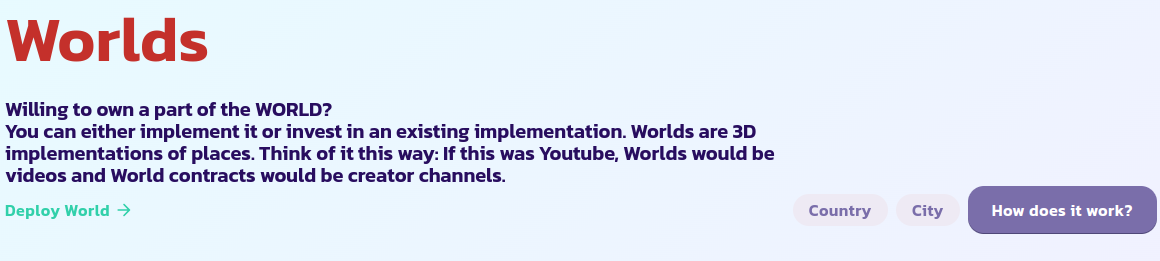
* Go to the [Worlds page](https://payswap.org/worlds) and click on the **Deploy World** button
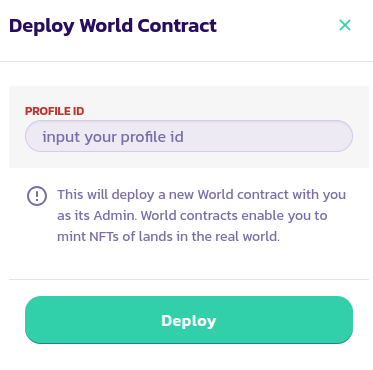
* In the form that pops up, input your profile ID and validate the transaction
* Tick the **Mine Only** button to only display your world contracts; this should enable you to find the world contract you just deployed faster. If you cannot find it, reload the page and try again
Congratulations! You have successfully deployed your world contract. The next step is to set it up as either a Red Pill World, Blue Pill World or a Green World.
## Planet IDs
| Planet Name | Planet ID |
| ----------- | --------- |
| Earth | 1 |
| Venus | 2 |
| Uranus | 3 |
| Jupiter | 4 |
| Mars | 5 |
| Mercury | 6 |
| Saturn | 7 |
| Neptune | 8 |
[Get further support from the community here.](https://paychat.payswap.org/#/room/%23paycom%3Amatrix.org?via=matrix.org)