> For the complete documentation index, see [llms.txt](https://docs.payswap.org/llms.txt). Markdown versions of documentation pages are available by appending `.md` to page URLs; this page is available as [Markdown](https://docs.payswap.org/products/revenue-sharing.md).
# Revenue Sharing
PaySwap has a 12 tokens, one for each workspace. These tokens are called Free Tokens:
| Token Name | Token Workspace |
| ---------------------------------------------- | ---------------------------- |
| Free Apparel & Beauty & Cosmetics Token (FABT) | Apparel & Beauty & Cosmetics |
| Free Beverage Token (FBT) | Beverage |
| Free Culture & Entertainment Token (FECT) | Culture & Entertainment |
| Free Energy Token (FET) | Energy |
| Free Food Token (FFT) | Food |
| Free HealthCare Token (FHT) | HealthCare |
| Free Law & Order Token (FLOT) | Law & Order |
| Free Mining Token (FMT) | Mining & Recycling |
| Free NSFW Token (FNT) | NSFW |
| Free Real Estate Token (FRET) | Real Estate |
| Free Software & Telco & Other (FSTT) | Software & Telco & Other |
| Free Transportation Token (FTT) | Transportation |
{% hint style="info" %}
Free tokens are minted or burnt weekly depending on the level of utility generated by the marketplaces since the previous week. If for instance 10 million tokens were traded the previous week and 11 million were traded the current week, the minter will mint 11M - 10M = 1M tokens at the end of the current week.
On the other hand if 11M were traded the previous week and 10M the current week then 11M - 10M = -1M tokens will be minted or in other words 1M tokens will be burnt.
The minter's role is simply to track the number of tokens traded on the marketplaces and provide just enough tokens necessary to enable those transactions.
{% endhint %}
## How To Get A Token's Address
* Go to the [Leviathans' page](https://payswap.org/leviathans) and type the symbol of your token in the search box
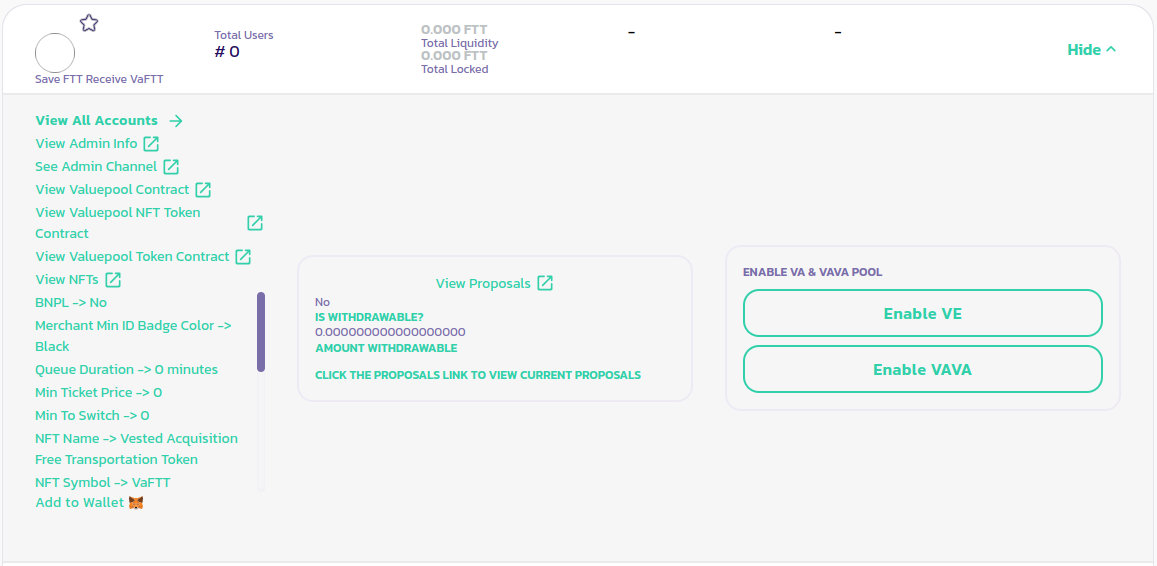
* The widget of the corresponding Leviathan will pop up, click on the Details button on the widget to display more information about it. The Leviathan's NFT token's address is available at the left section of the widget
* Click on the **View Valuepool NFT Token Contract** link to open up a page with the address information
[Get further support from the community here.](https://paychat.payswap.org/#/room/%23paycom%3Amatrix.org?via=matrix.org)
.jpeg?alt=media)